


Jun 29, 2025 5:03 PM UTC
Question

Delete Account

How do i delete my account? I don't have any subscriptions. I went to https://www.adobe.com/privacy/privacy-contact.html and under "Other Privacy Questions Not Listed Above", I clicked "Click to begin", I filled out the information, got a code, under "Request Type", I clicked "Account or personal information deletion", clicked next and I got this.
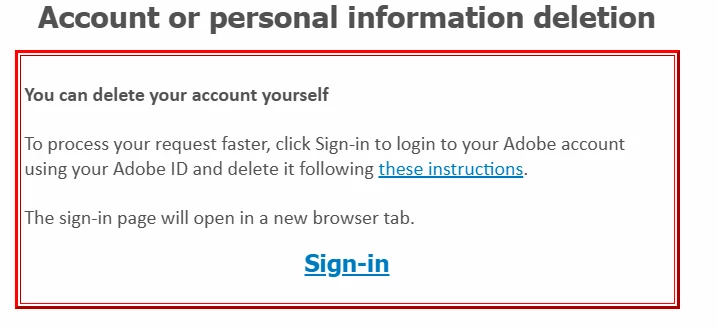
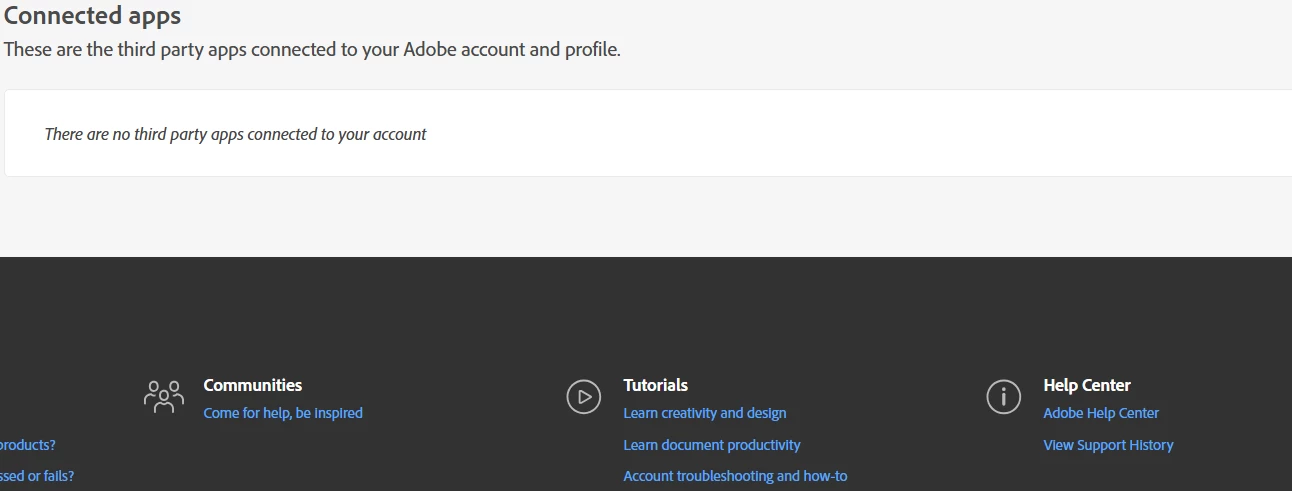
I clicked the "these instructions" link and it told me to go to https://account.adobe.com/privacy, click "Data and privacy setting" and scroll down to "Delete Adobe Account" under "Connected Apps" but I don't see that option. "Connected Apps" is the last thing on the page.
25 replies

gupta shivangi
Legend
Jun 30, 2025 8:52 AM UTC

Hi @35509191

We appreciate you reaching out. I confirm that you do not have any active or trial subscription associated with this account. Ideally the option to delete account should be hidden like this. Did you try following the steps using a different web browser?

Let us know.


^Shivangi

Translate
Jun 30, 2025 3:26 PM UTC

I've tried Edge and Chrome but I don't see the "Delete Adobe Account" option in "Data and privacy settings."

Translate
kglad
Community Expert
Community Expert
Jun 30, 2025 3:35 PM UTC

try a mobile phone's browser.

Translate
Peru Bob
Community Expert
Community Expert
Jun 29, 2025 5:36 PM UTC

Do you have an outstanding balance with Adobe?

Translate
Jun 29, 2025 5:38 PM UTC

Yes

Translate
Jun 29, 2025 5:45 PM UTC

I mean I don't. I haven't subscribed to an Adobe product for years.

Translate
Jun 29, 2025 5:21 PM UTC

I don't have the "Delete Adobe Account" option in "Data and privacy settings."

Translate