


Participant
December 11, 2015
Question

Deploy Acrobat/Reader With Trusted Certificate Chain (Mac)??

  • December 11, 2015
  • 1 reply
  • 2145 views

Hello,

Is it possible to deploy a certificate chain, with the Wizard tool or otherwise, during an install of Acrobat DC or Reader DC for Mac? In the Windows counterpart, there is an option to enable certificates already in the system trusted root to be used for signing, however there is no similar option I can see for Mac.

I need to have a particular certificate chain "baked-in" the install in order to allow our users to digitally sign documents properly.

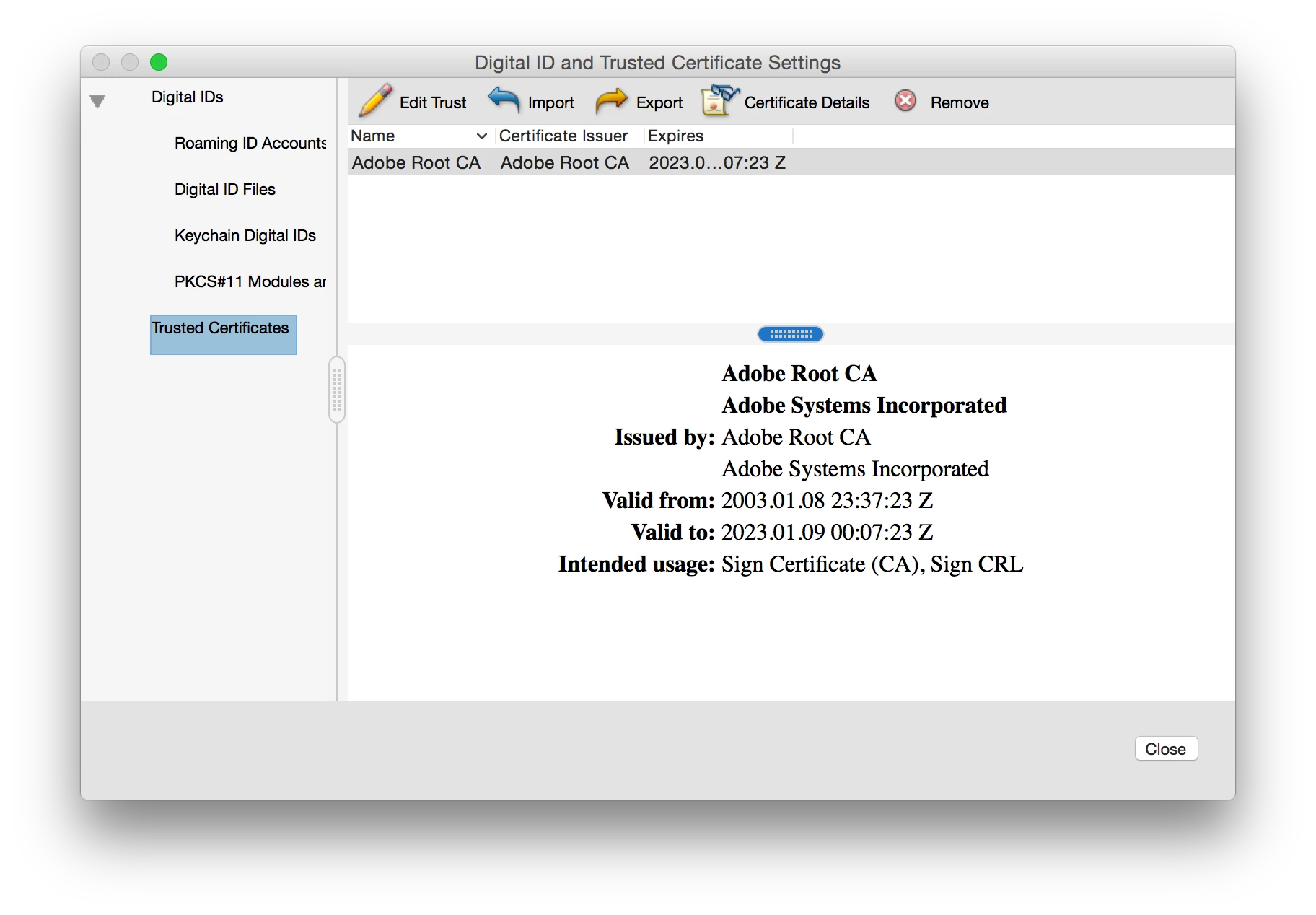
The setting in question that I am referring to is found here in Preferences > Signatures > Identities & Trusted Certificates:

Is it possible perform this import either via bash/shell script or during deployment somehow?
Thank you very much!

This topic has been closed for replies.

1 reply

EnterpriseHelp
Inspiring
December 11, 2015

See this: Security Setting Import-Export — Digital Signatures Guide for IT

It may also be helpful to note all the file and registry settings/prefs are nearly identical for Mac and Win. Most of the doc examples are Win, but Mac uses similar paths.

hth,

Ben

Participant
December 11, 2015

Thanks for the reply. Although I have seen the security settings import/export section in the administration guide. Is it possible to have this reference a local location instead of server location? There are some scenarios in our deployment where accessing a server location is not possible.

We have a certificate chain included in our Windows images (as well as Mac), and there is an option in Windows versions of Acrobat/Reader to trust root certificates already in the windows store. I do not see a similar option for Mac.

Is there any other way to include a certificate chain at deployment?