


tordimo
Participant
January 25, 2016
Answered

Deploy Reader DC

  • January 25, 2016
  • 8 replies
  • 2121 views

I have tried to use MSIEXEC to install the AcroRead.msi via a batch file. This doesn't seem to want to install quietly without user interaction. Has anyone been able to deploy this quietly? Can someone help me out with this?
This topic is closed to new replies. Start a new post to keep the conversation going.
Correct answer Zealous_Dusk16E5

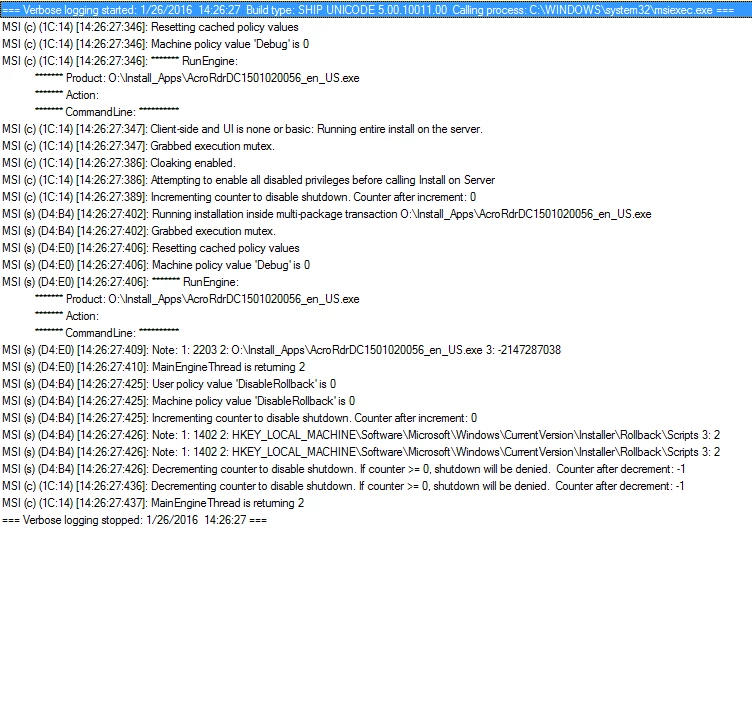
This is the log output when I use one of the installers on that FTP site you linked. It does not seem to work either.


Please try the following commandline:

- If you are using MSI:

msiexec /i "Path to AcroRead.msi" /qn /L*v "Path to log file"

- If you are using AcroRdrDC1501020056_en_US.exe:

AcroRdrDC1501020056_en_US.exe -sfx_nu /sAll /msi /L*v "Path to log file"

Let us know if this worked.

Thanks!

8 replies

JeanGurgle
Inspiring
January 26, 2016

First of all, users are admin of their PC or not ?

If they are std user. Elevate to admin the script (double batch)

The start line is launched manually is working or not ?

tordimo
tordimoAuthor
Participant
January 26, 2016

Not all of them are admin users but I am and it will not work on my PC, Laptop or another computer I built with a local admin on it. I have tested this out on Windows 10 and Windows 7 running the batch as admin and simply running it. I have added my batch text below. Please review. I don't think the issue is with the batch, I think this version of Reader doesn't like to install without user interaction. I am just hoping that there is a way around this.

There is a parent batch file that does the net use command then runs this one, once done it will remove the net use path.

msiexec /a "O:\Install_Apps\AcroRead.msi" /qn /L*v O:\Log_Output\Install\Adobe_%computername%_%USERNAME%.log

JeanGurgle
Inspiring
January 26, 2016

If you not using GPO and msi directly.

Use package in exe. And try in your batch : acrobatDCany.exe /sAll or start "acrobatDCany.exe /sAll"