This topic is closed to new replies. Start a new post to keep the conversation going.
alisterblack
alisterblackCorrect answer
Inspiring
March 20, 2018

Hi,

Yes you can disable auto-updates with the current Creative Cloud release.

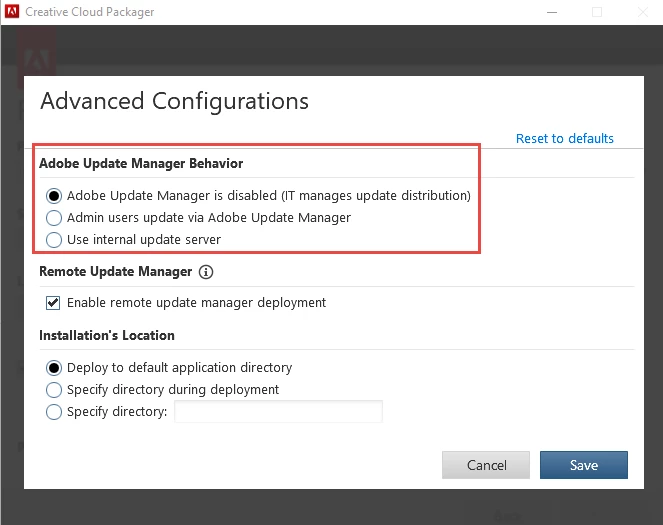
If you are using the Creative Cloud Packager or the Admin Console Packager tab then you can choose the option to disable auto-updates. Then when you deploy your package the Adobe Update Manager will be disabled.

Enterprise & teams Help | Applying updates

6 replies

kglad
Community Expert
Community Expert
March 19, 2018

use your preferences (3 dots at upper right > preferences > general > untick 'always keep cc desktop up to data') if you don't want to automatically update the cc desktop app.

Translate
shanveerAuthor
Participant
March 20, 2018

Thanks kglad,

Sorry for not being clear in the question, let me re-phrase my question above.

I'm looking something similar to https://helpx.adobe.com/creative-suite/kb/disable-auto-updat…  System Wide, which disable the ability to manually update as well

thanks

Translate
kglad
Community Expert
Community Expert
March 20, 2018

i assume this is an enterprise question then.

[moved from Adobe Creative Cloud to Deployment for Creative Cloud for Team, Enterprise, & CS]

Translate