
October 5, 2021
Answered

Disabling a feature with script (RMM system)

  • October 5, 2021
  • 1 reply
  • 376 views

Hi everyone,


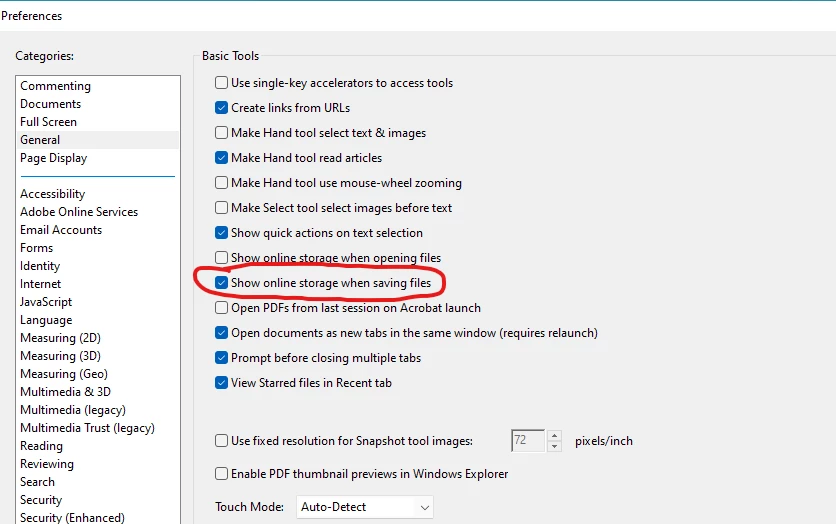
In our business there are 300+ computers that need to have the following setting changed from ON to OFF.

"Show online storage when saving files". This option is enabled by default.


Does someone know how we can change this option with a script via our RMM system? A powershell/.bat script is okay. Even register edits are welcome.


Thank you in advance.
This topic has been closed for replies.
Correct answer ___Dom___

Hi,

you should be able to control this setting with the registry entries described on this page: 
https://www.adobe.com/devnet-docs/acrobatetk/tools/AdminGuide/services.html

Specifically, 'bToggleDocumentCloud' and 'bToggleWebConnectors'. 

You can set them manually (for testing or setting on a small number of workstations) or apply them during installation using the Customization Wizard.

Sincerely,

Dom

1 reply

___Dom___
___Dom___Correct answer
Inspiring
October 6, 2021

Hi,

you should be able to control this setting with the registry entries described on this page: 
https://www.adobe.com/devnet-docs/acrobatetk/tools/AdminGuide/services.html

Specifically, 'bToggleDocumentCloud' and 'bToggleWebConnectors'. 

You can set them manually (for testing or setting on a small number of workstations) or apply them during installation using the Customization Wizard.

Sincerely,

Dom

October 6, 2021

Hi Dom,


Thank you very much for helping.

It is working on our systems.