



David01223
Participant
June 1, 2026
Question

Error 151 installing adobe apps. (CCT subscription)

  • June 1, 2026
  • 2 replies
  • 15 views

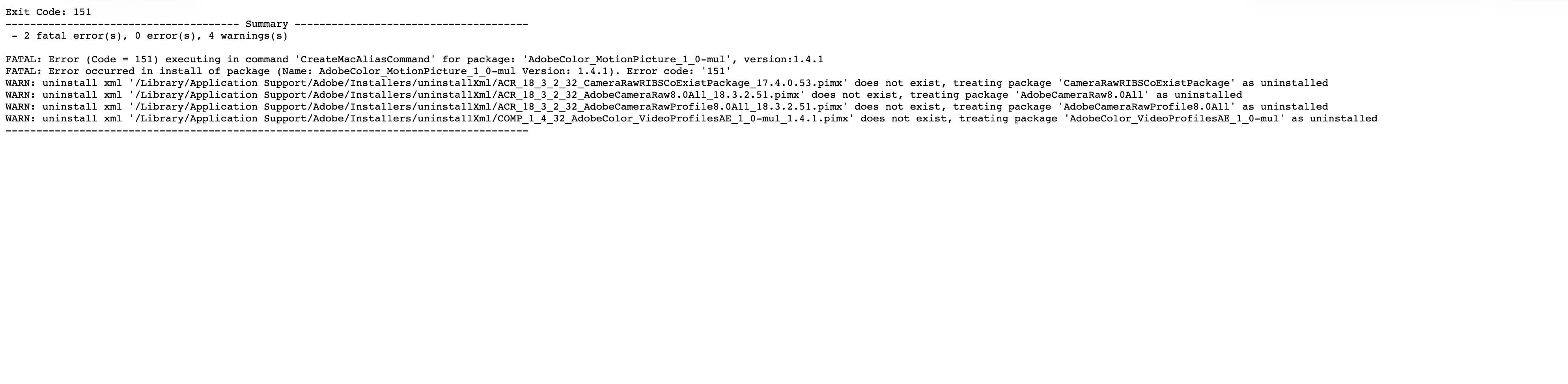
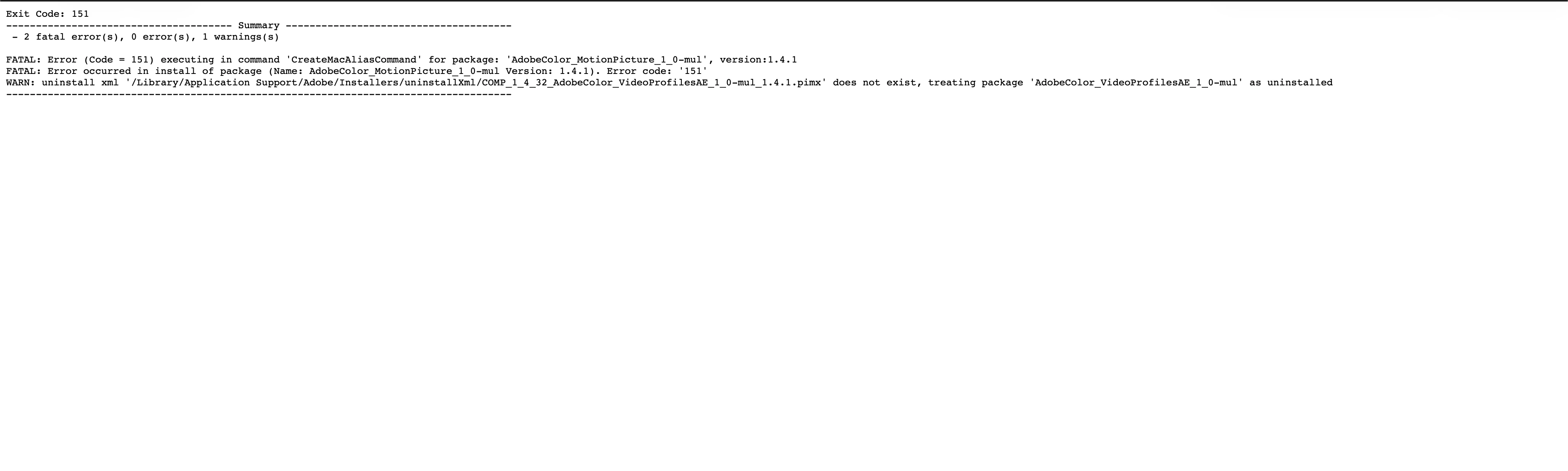
I have been trying to install abode apps through the business profile. It keeps failing and display error code 151. Only premiere is able to be installed, Ae, Illustrator and Photoshop failed. I’ve followed the troubleshooting suggestions of reinstalling creative cloud, uninstalling everything then using adobe creative cloud cleaner to delete everything and reinstalling creative cloud. Nothing works. still displaying the same error code.
 

    2 replies

    Community Manager
    June 1, 2026

    Hi ​@David01223,


    Thanks for sharing the install logs, that gives us exactly what we need to pinpoint this.

    All three of your failed installs (After Effects, Illustrator, Photoshop) are stopping at the same point, which is why a clean reinstall has not moved the needle. The logs show:

    FATAL: Error (Code = 151) executing in command 'CreateMacAliasCommand' for package: 'AdobeColor_MotionPicture_1_0-mul'

    Error 151 on macOS means the installer was unable to create a symbolic link (alias) for a file the package needs to put in place. The documented fix is to find the exact path the installer is trying to write to, remove or rename whatever is currently sitting at that path, and retry the install. Reference: https://helpx.adobe.com/download-install/apps/troubleshoot/error-codes-150-199/error151.html

    Step 1: Find the exact path from your install log.

    The summary you shared tells us the failing package, but the full install log will contain a line that points to the specific file path the installer cannot create. To open the full log:

    • In Finder, choose Go > Go to Folder and enter: /Library/Logs/Adobe/Installers
    • Open the most recent install log for After Effects, Illustrator, or Photoshop, and search for "151," "symbolic link," or "Unable to delete file at."
    • Note the exact path that line references.

    For packages in the AdobeColor family, the path most commonly points to /Library/ColorSync/Profiles/Recommended, but please confirm against your own log before acting, as the exact path is what matters.

    Step 2: Remove what is sitting at that path.

    1. In Finder, choose Go > Go to Folder and enter the exact path from the log. Important: paths beginning with a single forward slash (for example, /Library/...) refer to the system Library at the root of your hard drive, not the user Library inside your home folder.
    2. Move the file or folder at that path to the Trash. You will be prompted for your administrator password, which is expected.
    3. Empty the Trash and restart your Mac.
    4. Open the Creative Cloud desktop app and retry installing After Effects, Illustrator, and Photoshop.

    A couple of details that will help if the install still does not complete after the above:

    1. Could you confirm which version of macOS you are on?
    2. Is your macOS user account a full Administrator on this Mac?
    3. Is there any endpoint protection, antivirus, or device-management software running on the machine that could be restricting writes to /Library/?


    Please give the above a try and let us know how it goes, we are happy to help further from there.


    Thanks,

    ^BS

    kglad
    Community Expert
    Community Expert
    June 1, 2026
    David01223
    Participant
    June 1, 2026

    yes I have followed this but it does not work
