


Question
Error code 146 when installing Lightroom
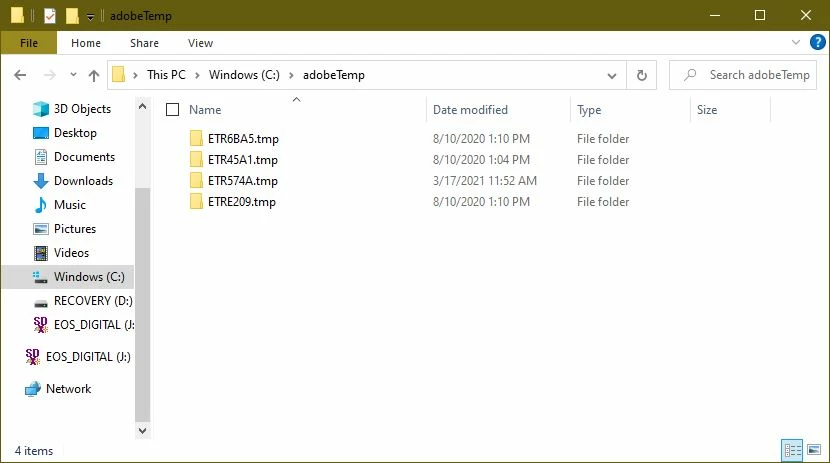
I've read through nearly every post on here, I've followed the recommended instructions, I've uninstalled all Adobe apps off my computer and used the Creative Cloud Cleaner tool, I've checked permissions and made sure nothing was blocking the files from being moved, but my problem is this: the files that Adobe is looking for in adobeTemp to move do not exist. Note that the file names in the error summary are not in adobeTemp. What can I do? I've contacted professional IT help and they were unable to figure this out. Thank you. Here is the error message in full:
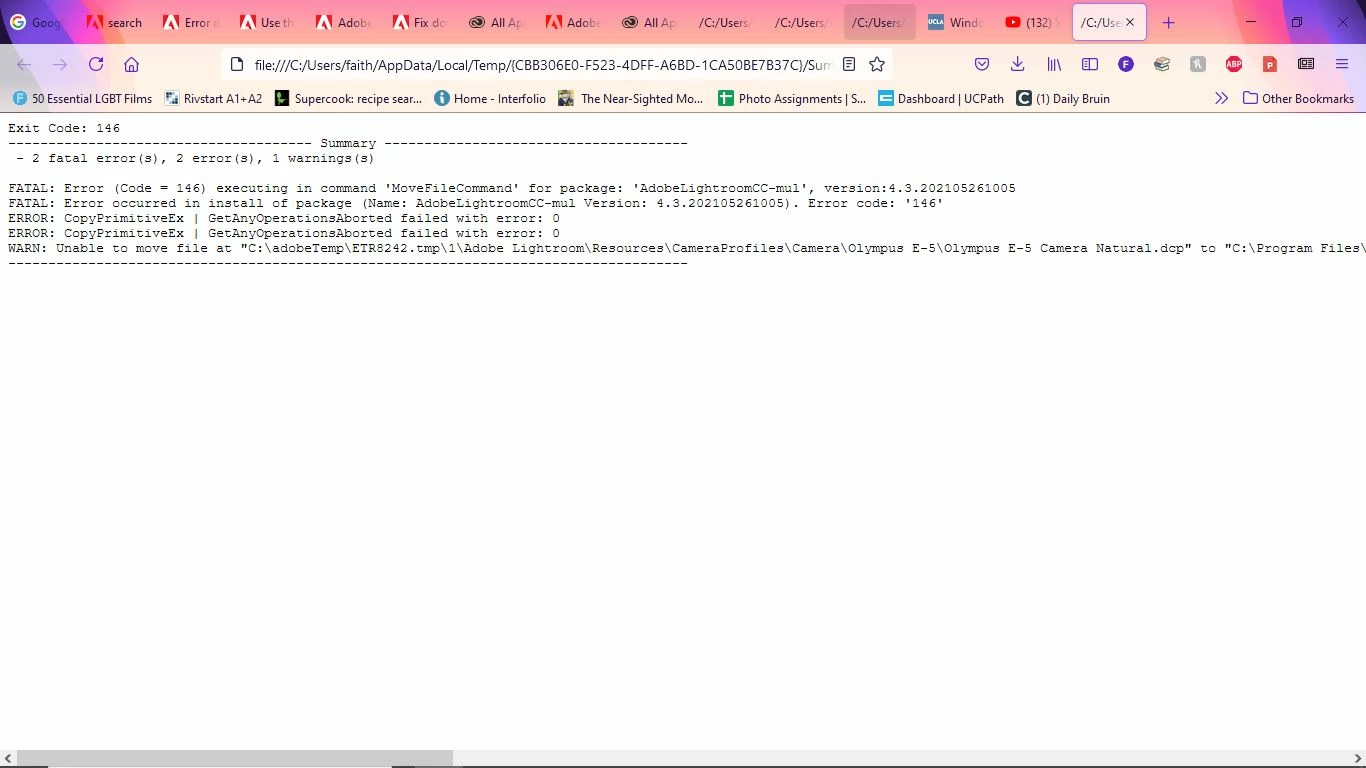
Exit Code: 146
-------------------------------------- Summary --------------------------------------
 - 2 fatal error(s), 2 error(s), 1 warnings(s)

FATAL: Error (Code = 146) executing in command 'MoveFileCommand' for package: 'AdobeLightroomCC-mul', version:4.3.202105261005
FATAL: Error occurred in install of package (Name: AdobeLightroomCC-mul Version: 4.3.202105261005). Error code: '146'
ERROR: CopyPrimitiveEx | GetAnyOperationsAborted failed with error: 0
ERROR: CopyPrimitiveEx | GetAnyOperationsAborted failed with error: 0
WARN: Unable to move file at "C:\adobeTemp\ETR8242.tmp\1\Adobe Lightroom\Resources\CameraProfiles\Camera\Olympus E-5\Olympus E-5 Camera Natural.dcp" to "C:\Program Files\Adobe\Adobe Lightroom CC\Resources\CameraProfiles\Camera\Olympus E-5\Olympus E-5 Camera Natural.dcp" Error 1392 The file or directory is corrupted and unreadable.. Try setting correct permissions to the specified file/folder or parent folder, so that admin has rights to modify it.
-------------------------------------------------------------------------------------
 AdChoices