
Question
Error Installing with Package from CCP
Hi,
Apologies if there's a CCP board; I didn't see it in the menu.
I used Creative Cloud Packager to make a package of apps for Mac.
Installing the package using Apple Remote Desktop returns ".. could not be installed. Error message: "Running package scripts...""
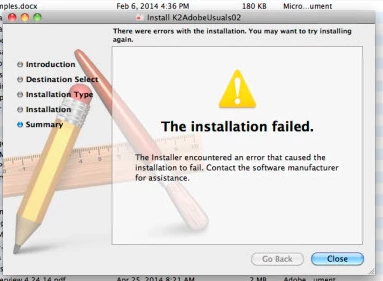
When I run it locally on any machine (10.6 or 10.9), it responds with this error:
The installation progress slows to a crawl about 3/4 of the way through "Running package scripts..." then after a few minutes returns "The installer encountered an error that caused the installation to fail. Contact the software manufacturer for assistance."
Nothing relevant seems to appear in the console log.
Anyone have any ideas?
Thanks,
Jeff


 AdChoices