
Participating Frequently
September 24, 2022
Answered

Error message: "Sorry, but we can't obtain a license"

  • September 24, 2022
  • 3 replies
  • 5333 views

Hello all. I've been using CC on a corporate license which has just expired. Attempting to open apps following expiry of the license I see this pop-up:
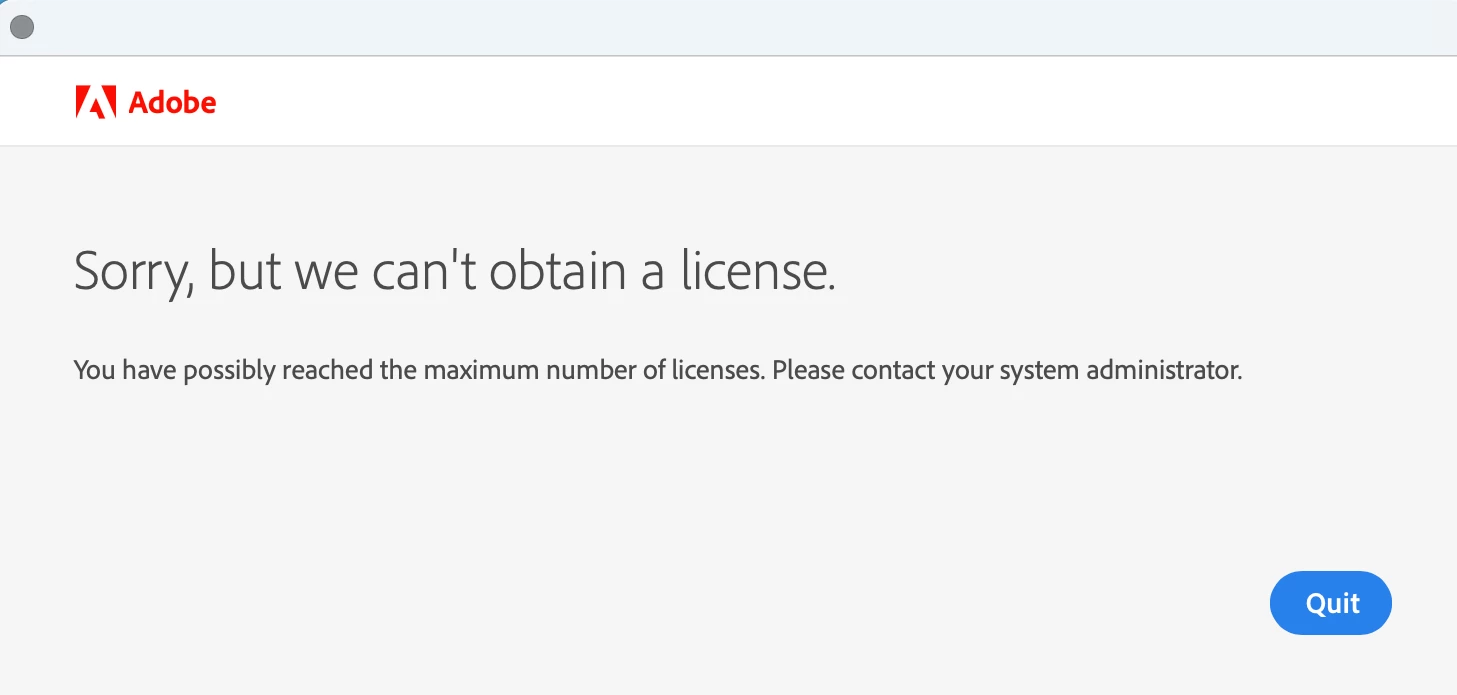
 

I logged out of that account and logged back in with a different account (personal email, on a free trial initially which I plan to eventually upgrade).

Still seeing the error message. Have tried uninstalling/ reinstalling apps, restarting the computer, deleting certificates, and switching to a different user on the same machine - no luck.

However I can access the apps under my personal account through a different machine so I think the issue is with my computer. Is there anything I can do to make my machine completely 'forget' its previous association with the corporate license?

Any ideas much appreciated.

This topic has been closed for replies.
Correct answer kglad

using the cleaner is easy and requires no technical knowledge.  however, it should remove everything cc (including all apps), but it's best to properly uninstall everything* first and only then use the cleaner to remove leftovers.


if you're not ready for that step make certain you removed all certificates listed at https://helpx.adobe.com/download-install/kb/adobe-license-issues-keychain-credential-mgr.html 


if you do that meticulously and it seems to fail, restart your computer and see if the problem is resolved before proceeding.


*

to properly clean and prep for reinstall:


uninstall every cc app including preferences, https://helpx.adobe.com/creative-cloud/help/uninstall-remove-app.html


then uninstall the cc desktop app, using the correct uninstaller, https://helpx.adobe.com/creative-cloud/help/uninstall-creative-cloud-desktop-app.html#sa_src=web-messaging


clean your computer of cc files per http://www.adobe.com/support/contact/cscleanertool.html


check for, and if available, update your os


<windows only>
repair all ms visual c++ versions that can be repaired.
update your ms visual c++, if it can be updated

</windows only>


restart your computer (don't skip this)


reinstall the cc desktop app using the appropriate link at the bottom of the page at https://helpx.adobe.com/download-install/kb/creative-cloud-desktop-app-download.html


use the desktop app to install your cc programs/trials

3 replies

Abambo
Community Expert
Community Expert
September 25, 2022

Did you use CC cleaner to uninstall the complete Creative Cloud, even whatever is left over by uninstalling? https://helpx.adobe.com/uk/creative-cloud/kb/cc-cleaner-tool-installation-problems.html


ABAMBO | Hard- and Software Engineer | Photographer
Participating Frequently
September 26, 2022

Thank you for the suggestion. I have not tried this; I have been a little concerned to do so as it's indicated for advanced users and requires a lot of set-up. Is it as risky/ complicated as it looks?

kglad
Community Expert
kgladCommunity ExpertCorrect answer
Community Expert
September 26, 2022

using the cleaner is easy and requires no technical knowledge.  however, it should remove everything cc (including all apps), but it's best to properly uninstall everything* first and only then use the cleaner to remove leftovers.


if you're not ready for that step make certain you removed all certificates listed at https://helpx.adobe.com/download-install/kb/adobe-license-issues-keychain-credential-mgr.html 


if you do that meticulously and it seems to fail, restart your computer and see if the problem is resolved before proceeding.


*

to properly clean and prep for reinstall:


uninstall every cc app including preferences, https://helpx.adobe.com/creative-cloud/help/uninstall-remove-app.html


then uninstall the cc desktop app, using the correct uninstaller, https://helpx.adobe.com/creative-cloud/help/uninstall-creative-cloud-desktop-app.html#sa_src=web-messaging


clean your computer of cc files per http://www.adobe.com/support/contact/cscleanertool.html


check for, and if available, update your os


<windows only>
repair all ms visual c++ versions that can be repaired.
update your ms visual c++, if it can be updated

</windows only>


restart your computer (don't skip this)


reinstall the cc desktop app using the appropriate link at the bottom of the page at https://helpx.adobe.com/download-install/kb/creative-cloud-desktop-app-download.html


use the desktop app to install your cc programs/trials

kglad
Community Expert
Community Expert
September 24, 2022

<moved from download&install>

Community Expert
September 24, 2022

Try the steps mentioned in the following link
https://helpx.adobe.com/hk_en/enterprise/kb/resolve-trial-and-license-expired-errors.html

Look at steps 4, 5, 6 they should help I think

-Manan

-Manan
Participating Frequently
September 25, 2022

Thank you Manan. I have followed all of these steps but am still seeing an error message. Just to clarify I have no problems logging in to Creative Cloud and everything looks fine within the CC dashboard, but when I try to launch apps I get the error message.

Community Expert
September 25, 2022