
Participant
January 9, 2025
Question

Getting Error when reviewing App requests

  • January 9, 2025
  • 1 reply
  • 257 views

Hello! I'm getting this messages for app requests: 
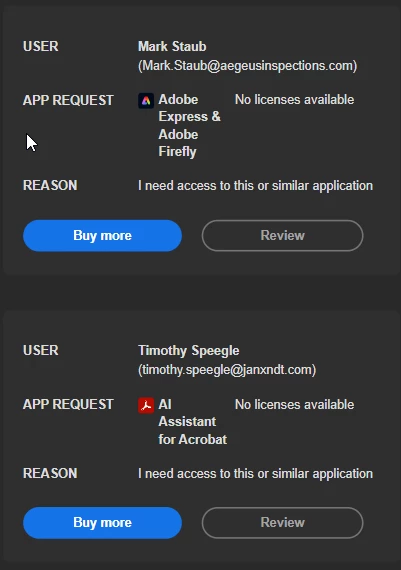
I'm clicking the review button, sign in, and get this: 
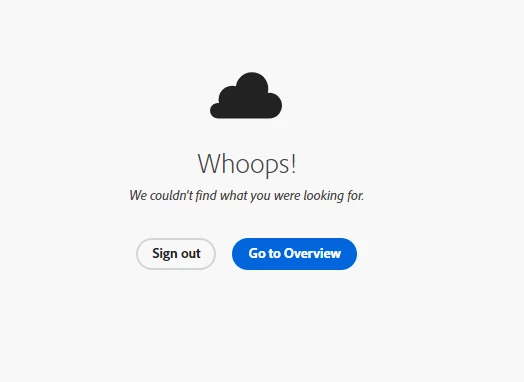
Can someone explain to me how or why this happens? I'm one of two admins on this site, so I know it can't be permissions based. 

1 reply

Community Manager
January 9, 2025

Hi @nick_osborne,

Thank you for reaching out. Based on our records, you have an active Enterprise license associated with the Adobe ID used to post your query. Here are a few steps to help resolve the issue:


Clear your browser's cache and cookies, or try accessing the Admin Console using an updated, supported browser or incognito mode to address potential compatibility or caching issues.

Verify Permissions: Although you are an admin, ensure that your assigned role includes permissions to manage app requests. To assign licenses to users, you must hold either a System Admin or Contract Admin role. For product-specific tasks, a Product Admin may also assist, depending on your organization’s configuration. For more information, refer to this document: Admin Roles in Adobe Admin Console.

Check License Availability: Review the Admin Console to confirm that there are sufficient licenses for the requested applications. If licenses are unavailable, you will need to purchase additional ones before processing the requests.

Let us know if the issue persists, and we will be happy to assist further.


Regards,
^AN

Participant
January 9, 2025

Hi Anshul,

  I have my browser set to clear cache on shutdown, so this shouldn't be an issue. I did manually reset for an all-time wipe, but I still had the same issue. 

I am listed as a Contract Admin, so I should be able to review these requests and either purchase them or deny the request, right? I keep getting these emails, and I can't turn them off by denial or any other measure. 


I just want to be able to say, "No, we're not purchasing these." and make the emails stop. 

Community Manager
January 9, 2025

Hi @nick_osborne,


I have sent you a personal message. Can you please check?


Thanks.

Regards,
^AN