

Adobe Employee
June 20, 2024
Question

Global Admin Console Feature Release: Group projection

  • June 20, 2024
  • 1 reply
  • 1122 views


Adobe has introduced a feature available on the Global Admin Console that enables a Global Admin to share user groups between a parent and a child console within a GAC hierarchy. 

With Group projection, a Global Admin would be able to:

  • View, select & review the selection of the user groups in the parent/source console
  • Share the user groups with the child/target consoles
  • Revoke/Delete access of user group as required


Note: To use Group projection, Global Admin Console needs to be set up & must be T2E enabled.
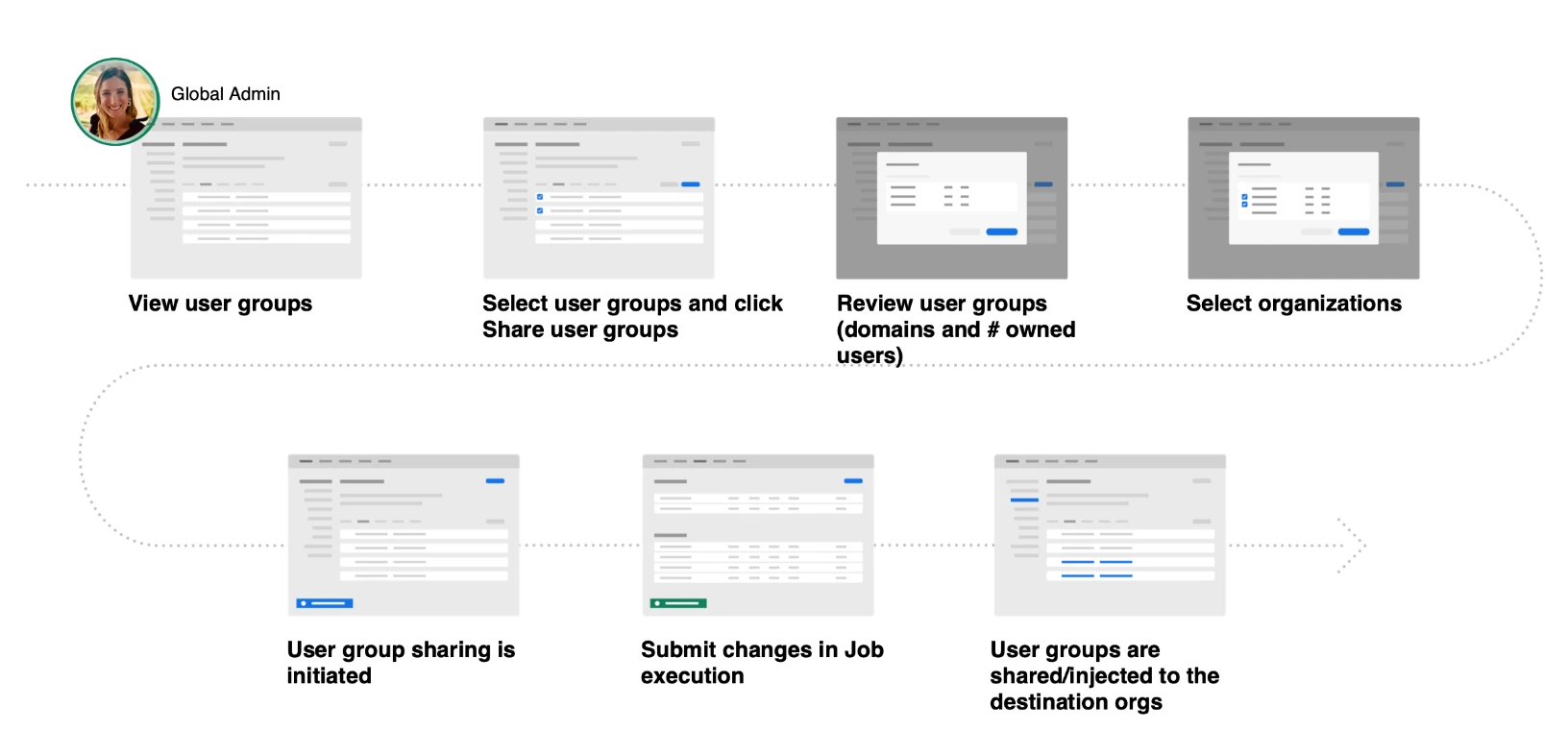
 

*For queries, feedback, and suggestions, please feel free to start a conversation.

*Please visit our ICYMI page for all the other updates & releases. Click here if you have Questions.

1 reply

charlie_4306
Participant
February 3, 2026

I am new to the forum and have a question regarding User Group Projection to a child console. What roles/permission is need for the Global Admin on the Global Admin Console to share the groups? Right now, our global admin can see the groups to be shared but they are greyed out. More details around this statement “Note: To use Group projection, Global Admin Console needs to be set up & must be T2E enabled.”

Community Manager
February 3, 2026

Hi ​@charlie_4306 

Thanks for reaching out and for your query. The behavior you’re seeing, where user groups are visible but greyed out, typically occurs when the prerequisites for Group Projection are not fully met.

“T2E enabled” refers to the organization being onboarded to the Team-to-Enterprise (T2E) identity and governance model. In practical terms, this means the organization is using Business IDs, Adobe Storage for Business is enabled, and the organization is eligible to participate in a Global Admin Console hierarchy (parent–child organization structure).

Since you mentioned that the Global Admin can see the groups but cannot select them, please first confirm that the user has the Global Admin role and not the Global Viewer role. You can refer to this document for role details:
https://helpx.adobe.com/enterprise/global-admin-console/manage-administrators.html

User groups may also be unavailable for sharing in the following situations:

I hope this helps clarify the situation. Please let us know if you need any further assistance.

Regards,
^AN