

Have multiple PDF files you need to combine on the go? Try New Adobe Express PDF features.
Imagine this scenario: You have multiple individual files and are overwhelmed by the thought of converting them first and then stitching them together after the fact. This is where Adobe Express PDF Quick Actions comes to the rescue.
Admins: If your organization has at least one Creative Cloud for enterprise subscription, you can assign the free membership to users. Learn more.
Follow the steps below to give it a try!
Step 1: Go to the Documents tab in Adobe Express.
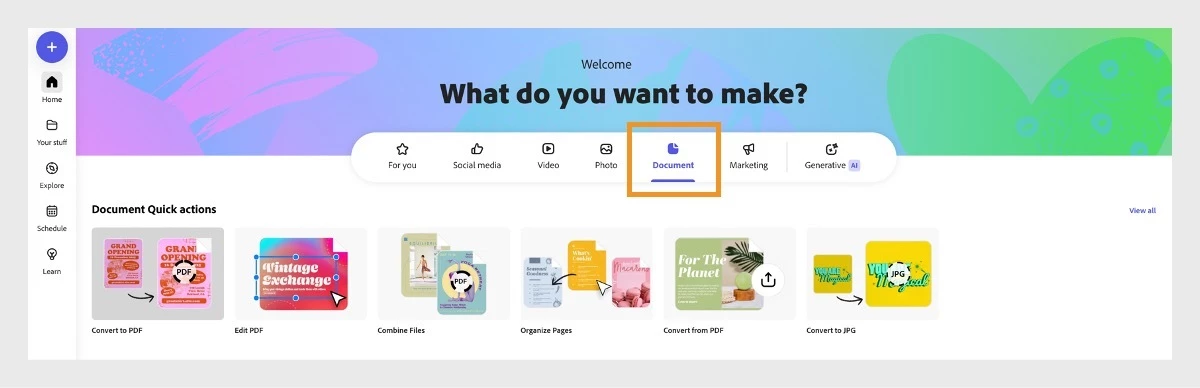
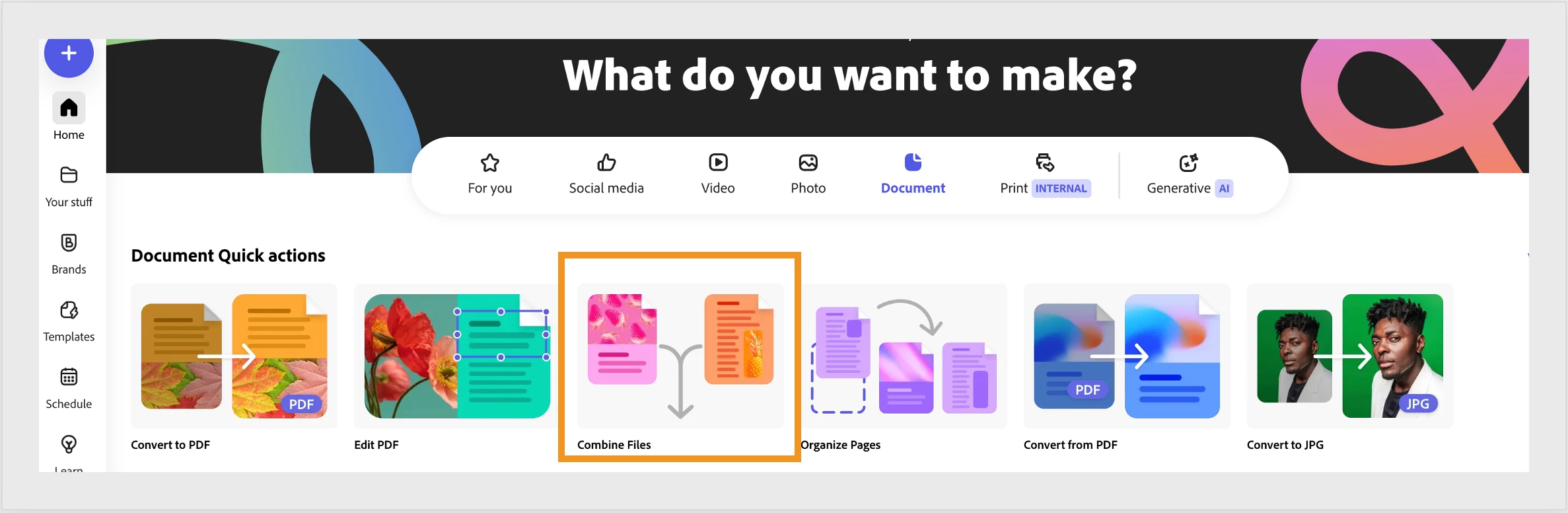
Step 2: Choose the Quick Action for Combined Files.
Step 3: Add the files you want to combine and 'check' 'Select all' once ready.
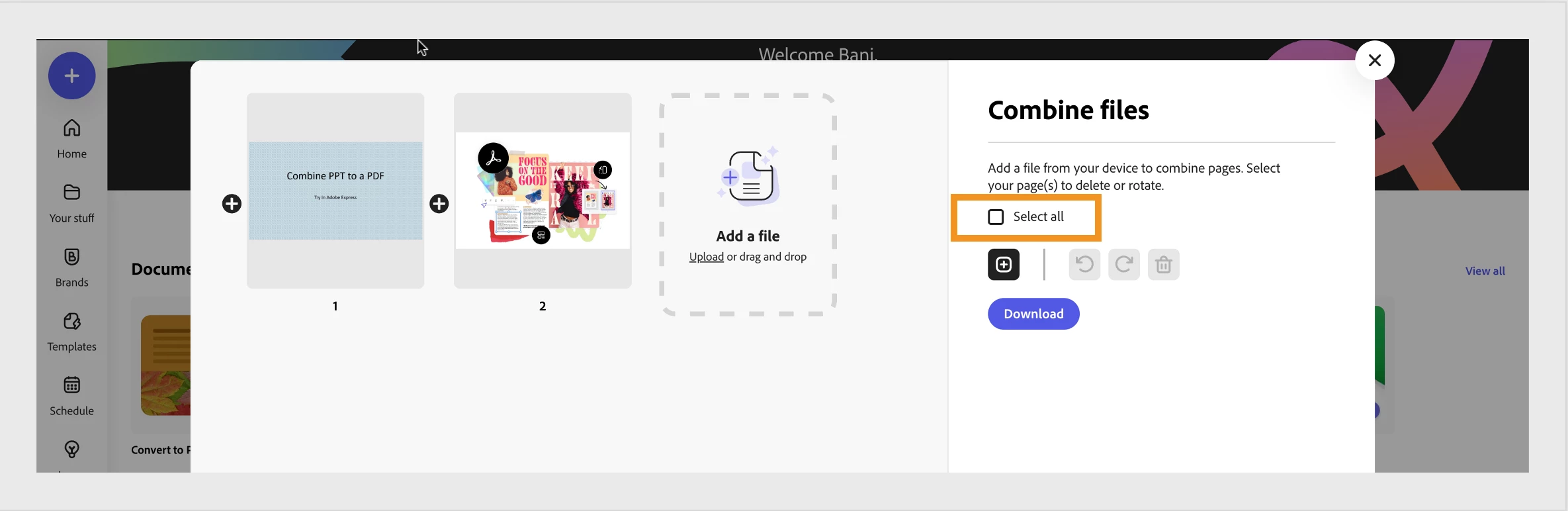
Click on download, and that's it...
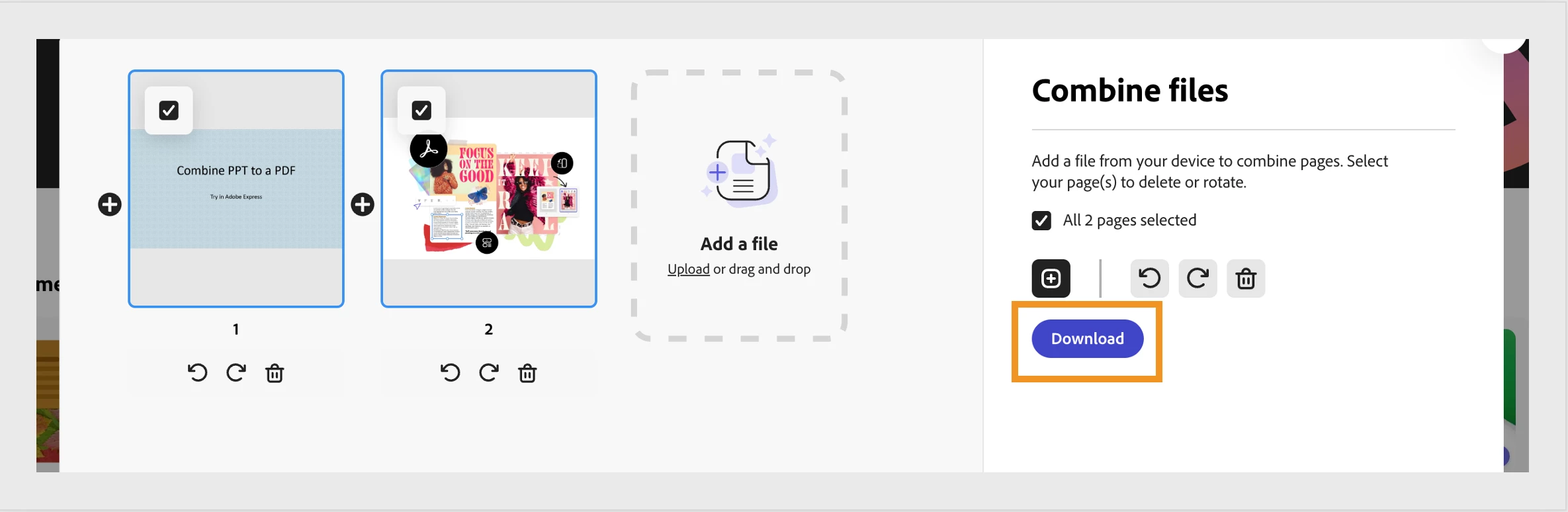
Use Adobe Express PDF features to combine and create a single PDF by combining files in various formats that started out in different programs. Access quick options anytime, anywhere to combine a PNG photo, an Excel spreadsheet table, or a few Word documents.. Stay productive at home, in the office, or on the go.
Have questions? Ask below by clicking on 'Reply.'
If you have trouble using Adobe Express Convert to PDF quick action, please post your query on Adobe Express Community.


 AdChoices