
Participant
October 5, 2023
Question

Help with signing in

  • October 5, 2023
  • 4 replies
  • 212 views

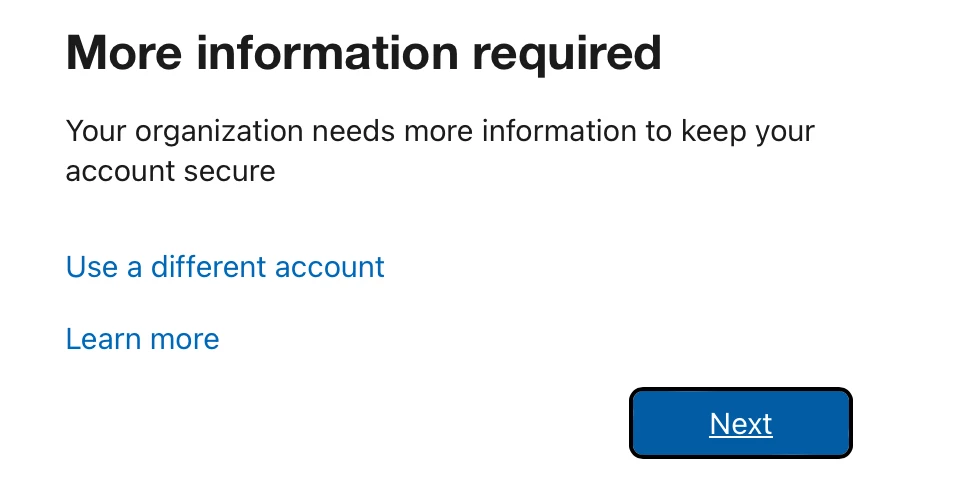
I'm so frustrated at this point. Whenever I try to sign in using my school account, the school district pays for, it says "more information required." You're allowed to have 2 devices per adobe account. So the first device I have is my school iPad, I would like to have my illustrator app on my desktop as well. I don't have any devices activated, other than my school iPad and it still won't let me sign in. I feel like I've tried everything. To the right is the dreaded screen. And no- learn more does nothing. 
This topic has been closed for replies.

4 replies

Kevin Stohlmeyer
Community Expert
Community Expert
October 5, 2023

@Abi32724066mx19 what happens when you click next? The window you are showing is a Microsoft Azure login window - not Adobe Creative Cloud.

kglad
Community Expert
Community Expert
October 5, 2023
Abambo
Community Expert
Community Expert
October 5, 2023

The iPad does not count as a device, if you have a full Creative Cloud subscription. The best and only correct method to get support on this is contacting your school's support. Your school is responsible for the first level support.

ABAMBO | Hard- and Software Engineer | Photographer
m1b
Community Expert
Community Expert
October 5, 2023

It may be that your school needs to do something related to account security. Have you contacted them?