
Participant
February 21, 2023
Answered

How can I delete my Illustrator subscription
  • February 21, 2023
  • 4 replies
  • 586 views


Dear Community,


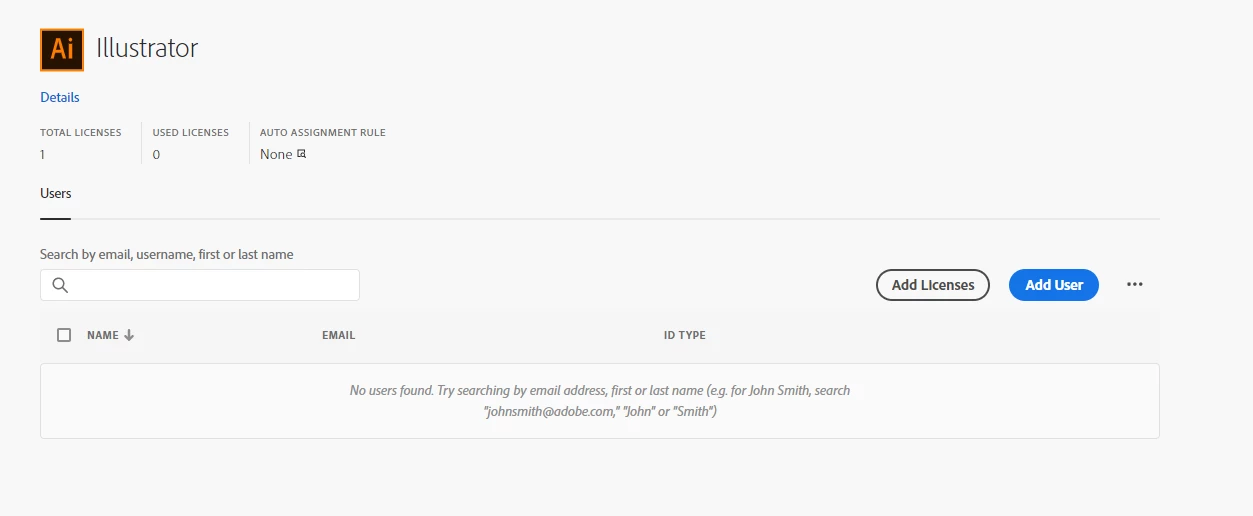
I have already unassigned the user from the Illustator subscription. How can I delete the subcription itself? I got an invoice for it - while I though that unassigning license were enough.


Any help is highly appreciated. Don't want to waste money on unassigned subscriptions.

This topic has been closed for replies.
Correct answer Manan Joshi

Hi @Matthias24967811tatr,

You can delete licenses only during renewal window which is one month before your renewal. For details you can check the following article for more details

https://helpx.adobe.com/in/enterprise/using/direct-business-renewals.html

-Manan

4 replies

Abambo
Community Expert
Community Expert
February 21, 2023

Sorry, I did not read your full message … Unassigning is not enough. You also need to set the licence count to zero. This is only possible during the renewal window.


ABAMBO | Hard- and Software Engineer | Photographer
kglad
Community Expert
Community Expert
February 21, 2023

you have to wait until your annual subscription for that license ends. then contact your support person.

Abambo
Community Expert
Community Expert
February 21, 2023

Check with Adobe customer care. Adobe customer care can be contacted via the admin console under the support tab.

ABAMBO | Hard- and Software Engineer | Photographer
Manan JoshiCommunity ExpertCorrect answer
Community Expert
February 21, 2023

Hi @Matthias24967811tatr,

You can delete licenses only during renewal window which is one month before your renewal. For details you can check the following article for more details

https://helpx.adobe.com/in/enterprise/using/direct-business-renewals.html

-Manan

-Manan
Participant
February 22, 2023

Thanks to all responders for your help. The rewenal window was the missing piece in the puzzle for me.

kglad
Community Expert
Community Expert
February 22, 2023

you're welcoe.