


October 20, 2016
Question

How do I permanently remove the Quicktool bar from Adobe DC

  • October 20, 2016
  • 2 replies
  • 388 views

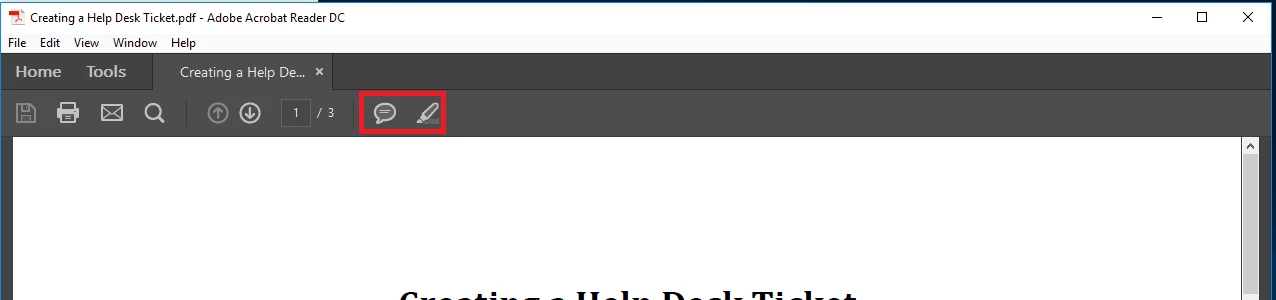
I am trying to permanently remove any and all tools that may allow an end user to alter a document. I have everything almost figured out except the tools that come by default in the quick tool bar. I have not been able to remove the "Sticky Note" or "Highlight Tool". I want to remove the quick tool bar permanently with out the end-user being able to bring it back.
This topic is closed to new replies. Start a new post to keep the conversation going.

2 replies

Legend
October 21, 2016

Hi jorgeg77023840 ,

Though the discussion is related to Acrobat, but it covers your questions. : Disable Comments & Mark Ups

We cant disable comment or Mark Up feature in Reader. It is not customizable.

Regards,

Tariq Dar.

October 24, 2016

Is there a way to hide or remove through the Registry edit or using the Acrobat customization tool?