


kqf_chris
Participant
September 7, 2017
Answered

How do I use preferences to prevent the right side Tools Pane from ever opening

  • September 7, 2017
  • 1 reply
  • 452 views

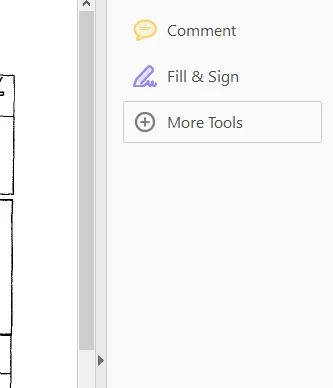
I cannot figure out how to prevent the right-side Tools Pane from EVER opening with a document.

It seems like an earlier DC release added an "Open Tools pane for each document" setting but this looks to be replaced with "Remember current state of Tools page". How do I set the state to it's closed from the start and never opens? Otherwise users have to see the pane at least once and close it. Every frustrating.

Any ideas?

I am using Reader 2017.011.30066
This topic has been closed for replies.
Correct answer AnandSri

HI Kqf_chris,

As I understand, you want to hide the Right-hand Toolbar permanently in  Reader DC, Is that correct?

Please go through the steps in the following link: Permanently close the Tools pane in Acrobat Reader DC

You may also refer to the thread: https://forums.adobe.com/thread/1821043

For the deployment purpose, you may refer to: Tools Customization (DC)

Hope that helps.

Regards,

Anand Sri.

1 reply

AnandSri
AnandSriCorrect answer
Legend
September 7, 2017

HI Kqf_chris,

As I understand, you want to hide the Right-hand Toolbar permanently in  Reader DC, Is that correct?

Please go through the steps in the following link: Permanently close the Tools pane in Acrobat Reader DC

You may also refer to the thread: https://forums.adobe.com/thread/1821043

For the deployment purpose, you may refer to: Tools Customization (DC)

Hope that helps.

Regards,

Anand Sri.
