


Participant
May 9, 2018 7:50 AM UTC
Answered

How to deploy Adobe Acrobat Reader DC with the latest version?

I have this file structure which I extracted from the exe, and now I want to deploy it out via SCCM
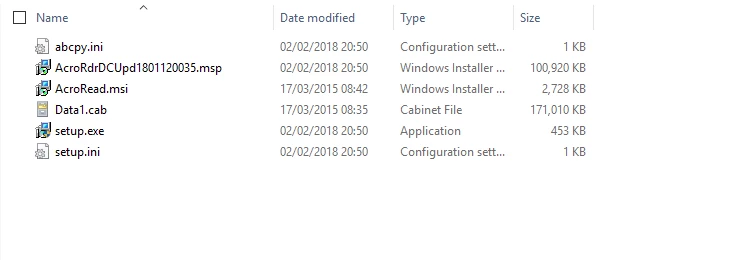
This is my command - msiexec /i "AcroRead.msi" /qn

It installs fine, but an old version. 15.007.20033

How do I deploy this and includes the latest update as shown in the screenshot above? 18.011.20035?  Using SCCM?

Thank you in advance.

This topic is closed to new replies. Start a new post to keep the conversation going.
EnterpriseHelp
EnterpriseHelpCorrect answer
Inspiring
May 9, 2018 9:39 PM UTC

Run the exe file. That should read setup.ini which has references to the update (I believe so anyway).

1 reply

EnterpriseHelp
EnterpriseHelpCorrect answer
Inspiring
May 9, 2018 9:39 PM UTC

Run the exe file. That should read setup.ini which has references to the update (I believe so anyway).

Translate