


Participant
September 15, 2020
Answered

How to resend activation/account setup email

  • September 15, 2020
  • 8 replies
  • 8674 views

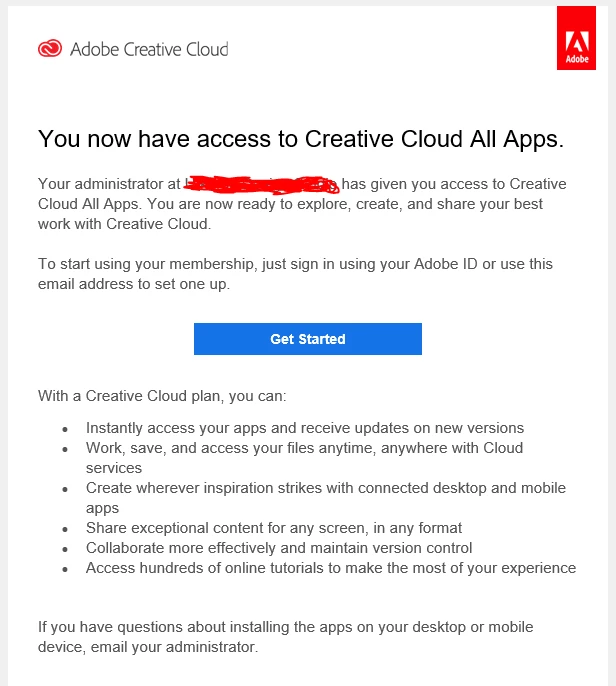
If a new user did not receive an email to setup their Acrobat Pro DC subscription account, can we re-send it to them? I don't see that as an option. Or is there a link they can go to and set it up without the email?

Correct answer Bani Verma

Hi Steven, 


You can simply ask your user to sign-in with an account that has the email address that was added in the Admin console and begin using their apps and services.


For more details on how to add users to your team, see https://helpx.adobe.com/enterprise/using/assign-seats-teams.html


Let us know if this helps. 

8 replies

Participant
August 28, 2026

This does not help. I want to re-send the sign-in email because I can’t tell my user where to go to sign in. I have no idea where they would go. That’s the point of the email -- to provide that link. 

Community Manager
August 28, 2026

Hi ​@Susan253582721xt7,

Thanks for following up, and sorry for the confusion here. You're right that there isn't a resend option for the setup email, but the good news is your user doesn't actually need that email link to get started.

Once you've assigned the license in the Admin Console, the account is ready to go. Your user can simply head to https://adobe.ly/4i0OwuO and sign in with the same email address you added to the team. If they've used that email with Adobe before, they'll sign in with their existing password. If it's brand new to Adobe, they'll be prompted to set a password and finish creating the account right there.

One thing worth mentioning: if they're prompted to choose between a personal account and a company or school account, they should pick the company or school one. That's the profile tied to the license you assigned, and it's what gives them access to Acrobat Pro. From there they can download and start using it.

So there's no need to wait on the email at all, just send them to that sign-in page and they'll be set.

Please let us know how it goes, we're happy to help further.

Thanks,
^AV

lisacambi
Participant
May 8, 2026

DO  BETTER, Adobe. I mean, two hours to get an invite email is really bad. And worse for Adobe to believe it’s acceptable. That’s the time frame given to us if we call support. 

Participant
June 6, 2023

can i get my email  verfication code?


can i get my email code?


kglad
Community Expert
Community Expert
June 6, 2023

@yohannes303355366ah4 


verification for what?

Participant
September 18, 2020
Hanaa A. Elsamadony
Head Research
Poultry Dep.
Animal Health Research Institute,Dokki
Egypt
Bani Verma
Bani VermaCorrect answer
Legend
September 16, 2020

Hi Steven, 


You can simply ask your user to sign-in with an account that has the email address that was added in the Admin console and begin using their apps and services.


For more details on how to add users to your team, see https://helpx.adobe.com/enterprise/using/assign-seats-teams.html


Let us know if this helps. 

Participant
September 23, 2020

Thank you