Participant
November 24, 2020
Answered

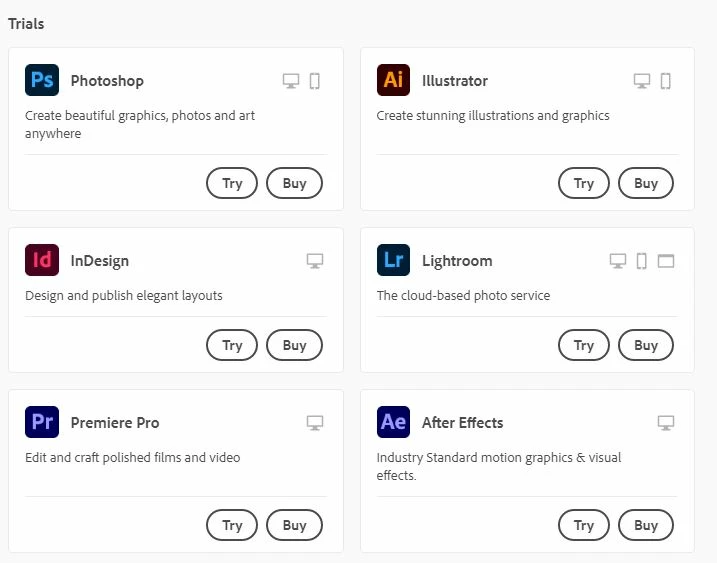
i am using school account with full version, but cannot download the apps

  • November 24, 2020
  • 2 replies
  • 863 views

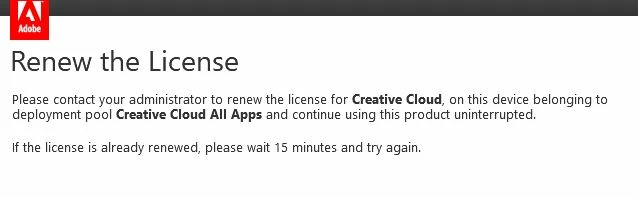
my school has renewed my account, but i still canot open my adobe files (AI /  In design / PDF), 

and the creative cloud app showed all apps is Buy or Try version.....

how can i fix it ?
 

    This topic has been closed for replies.
    Correct answer John T Smith

    Revert to trial https://helpx.adobe.com/manage-account-membership/cc-reverts-to-trial.html may help
    -and troubleshooting FAQ https://community.adobe.com/t5/Get-Started/Troubleshooting-FAQ-What-should-I-do-if-I-have-a-membership-but/td-p/7601068
    -and https://helpx.adobe.com/creative-cloud/kb/cloud-website-shows-trial-purchase.html
    This part copied from Nancy_OShea
    1. Open CC Desktop App.
    2. Click the gear icon > General tab > Settings. Select "Always keep Creative Cloud up to date."
    3. Click on your Avatar (top right image).
    4. Sign-out of Creative Cloud.
    5. Close all apps.
    6. Restart your computer.
    7. Open CC Desktop app.
    8. Click your Avatar.
    9. Sign-in with your paid ID and password.

    2 replies

    John T Smith
    Community Expert
    John T SmithCommunity ExpertCorrect answer
    Community Expert
    November 24, 2020

    Revert to trial https://helpx.adobe.com/manage-account-membership/cc-reverts-to-trial.html may help
    -and troubleshooting FAQ https://community.adobe.com/t5/Get-Started/Troubleshooting-FAQ-What-should-I-do-if-I-have-a-membership-but/td-p/7601068
    -and https://helpx.adobe.com/creative-cloud/kb/cloud-website-shows-trial-purchase.html
    This part copied from Nancy_OShea
    1. Open CC Desktop App.
    2. Click the gear icon > General tab > Settings. Select "Always keep Creative Cloud up to date."
    3. Click on your Avatar (top right image).
    4. Sign-out of Creative Cloud.
    5. Close all apps.
    6. Restart your computer.
    7. Open CC Desktop app.
    8. Click your Avatar.
    9. Sign-in with your paid ID and password.

    Just Shoot Me
    Legend
    November 24, 2020

    I moved your post over from the "Using the Community" forum, which is for getting help using this forum system, to a better forum.


    I hope this helps. Best of luck to you.