FjdSM
Participant
April 15, 2015
Answered

I have a "Creative Cloud ENT" serial number but I dont' know the product I should to download

  • April 15, 2015
  • 1 reply
  • 1675 views

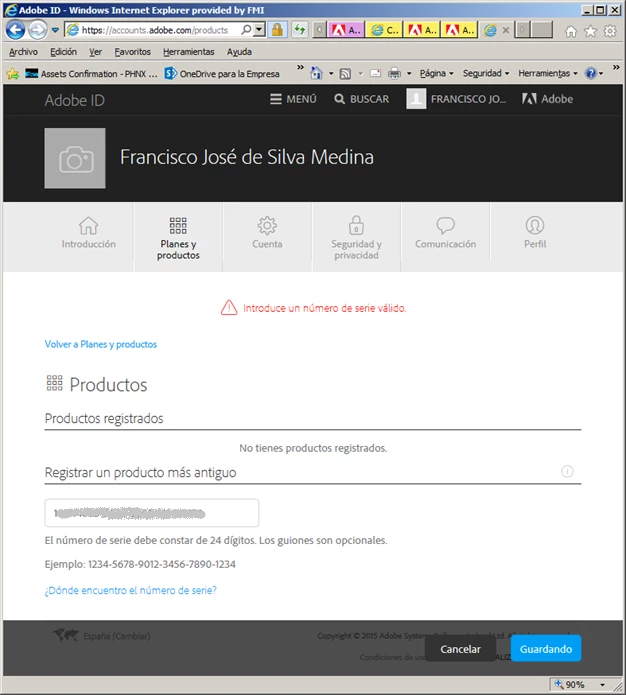
I have downloaded Creative Cloud and then InDesing CC, but when I tried to activate the product in the Adobe accounts web page I get the error "Invalid serial number"

Perhaps I have installed a wrong product....

    This topic has been closed for replies.
    Correct answer Sumit Singh7733893

    Hi Francisco,

    First of all Creative Cloud ENT is an Enterprise volume serial number so it cannot be registered under retail account.

    There is different method for using CCE serial number, install and activating programs.

    Please refer the following help article on how to create serialized package for Enterprise customer.

    https://helpx.adobe.com/creative-cloud/packager/serial-number-based-licenses.html

    As you have already installed InDesign CC and Creative Cloud Desktop app then next you need to signed out from Creative Cloud first and

    create License File using Creative Cloud Packager.

    https://helpx.adobe.com/creative-cloud/packager/create-license-file.html

    Run this license file on end user machine. it will fix the license issue.

    Hope this helps.

    Regards,

    Sumit Singh

    1 reply

    Sumit Singh7733893
    Sumit Singh7733893Correct answer
    Participating Frequently
    April 15, 2015

    Hi Francisco,

    First of all Creative Cloud ENT is an Enterprise volume serial number so it cannot be registered under retail account.

    There is different method for using CCE serial number, install and activating programs.

    Please refer the following help article on how to create serialized package for Enterprise customer.

    https://helpx.adobe.com/creative-cloud/packager/serial-number-based-licenses.html

    As you have already installed InDesign CC and Creative Cloud Desktop app then next you need to signed out from Creative Cloud first and

    create License File using Creative Cloud Packager.

    https://helpx.adobe.com/creative-cloud/packager/create-license-file.html

    Run this license file on end user machine. it will fix the license issue.

    Hope this helps.

    Regards,

    Sumit Singh