
Participant
April 23, 2021
Answered

I have Adobe for Teams but Adobe wants me to pay for the apps anyway

  • April 23, 2021
  • 2 replies
  • 629 views

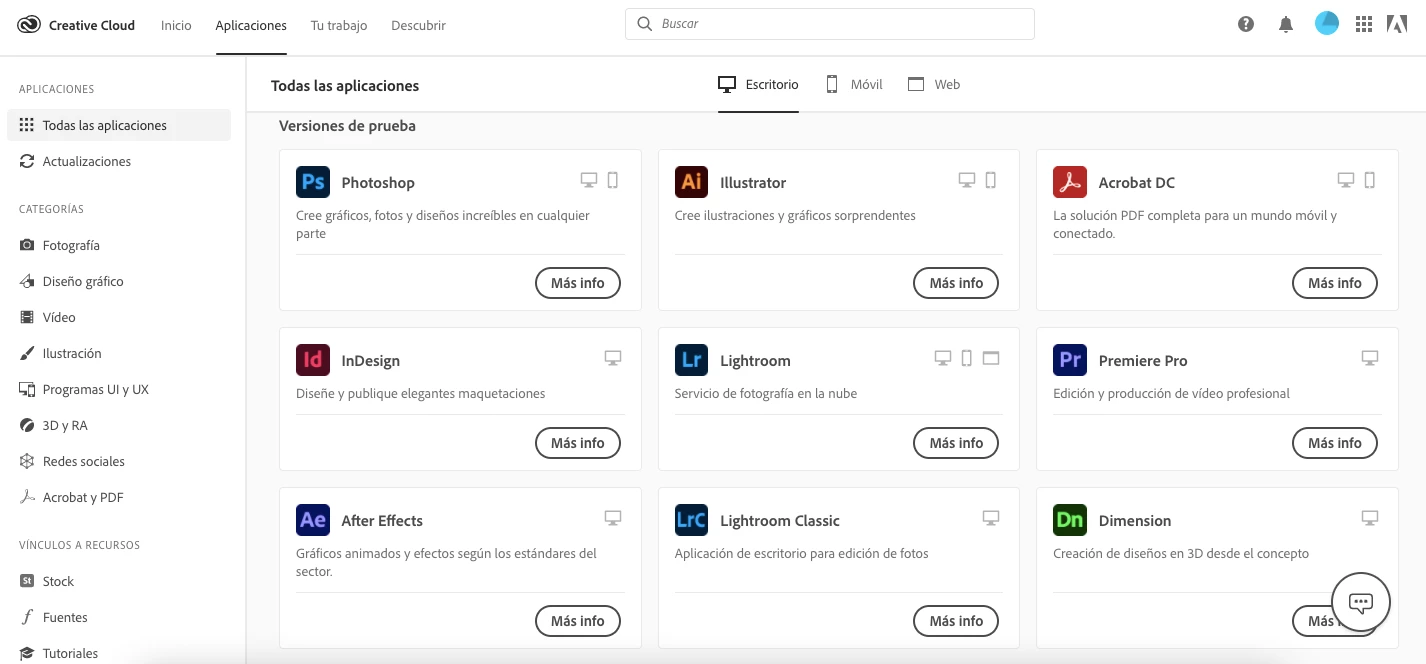
I'm in Adobe for Teams and I'm supposedly have access to +31 programs, but I can't install none of them for some reason, they only let me "try" them or "buy" them, it says that I have to ask for permission to my TI administrator but I already done it and nothing changed, what i'm supposed to do??, I even check the famous "OOBE" folder but I don't even have it because I only have creative cloud installed, help???? 
 

This topic has been closed for replies.
Correct answer Dj_Creative_enthusiast

Hi,


Thank you for your response.


Since you are unable to connect to Phone Support, please initiate a chat by Clicking on the following link
https://helpx.adobe.com/contact.html
-click the chat icon at the bottom right of the page to open a chat session
-the chat icon looks like '3 dots inside a circle' at the lower right
-type AGENT into the chat window to connect directly to a person rather than the AI


Thank you.

2 replies

Participant
April 23, 2021

adobe pro satın aldım. her ay ödeme yapıyorum. hala kullanamadım. hiç bir destek vermiyorlar. biz size döneceğiz diyip 3 aydır oyalıyorlar. adobe almayın.

Inspiring
April 26, 2021

Hi,


It's really sad to hear about your experience with Adobe Support.

Since this is a User to user forum and not Adobe support Team, we will not be able to provide a feedback on the same to Adobe Support Team. 


Kindly request you to try contacting Adobe Phone Support by referring to their numbers in :  https://helpx.adobe.com/contact/phone.html 


Hope you get a speedy resolution and stay safe ! 


Thank you.

Inspiring
April 23, 2021

Hi,


Thank you for posting your query. 


Please refer to the steps outlined in the following help article for resolving your issue : https://helpx.adobe.com/manage-account/kb/stop-creative-cloud-trial-mode-after-purchase.html 


If issue persists, please contacting Adobe Phone Support by referring to their numbers in :  https://helpx.adobe.com/contact/phone.html 


Hope you get a speedy resolution and stay safe ! 


Thank you.


Participant
April 26, 2021

Hi, my country does not have the phone activated apparently (Adobe) I tried to call many times but no one answers.

Inspiring
April 27, 2021

Hi,


Thank you for your response.


Since you are unable to connect to Phone Support, please initiate a chat by Clicking on the following link
https://helpx.adobe.com/contact.html
-click the chat icon at the bottom right of the page to open a chat session
-the chat icon looks like '3 dots inside a circle' at the lower right
-type AGENT into the chat window to connect directly to a person rather than the AI


Thank you.