


Cap9009
Participating Frequently
Jan 25, 2023 7:45 PM UTC
Answered

Increase user license to install and use on more than 2 computers

Is it possible, and I'm willing to pay for it, to install and activate a single user license on more than two computers?


Adobe indicates "Your individual Creative Cloud license lets you install apps on more than one computer and activate (sign in) on two. However, you can use your apps on only one computer at a time."

This topic is closed to new replies. Start a new post to keep the conversation going.
Kevin Stohlmeyer
Kevin StohlmeyerCorrect answer
Community Expert
Jan 25, 2023 8:23 PM UTC

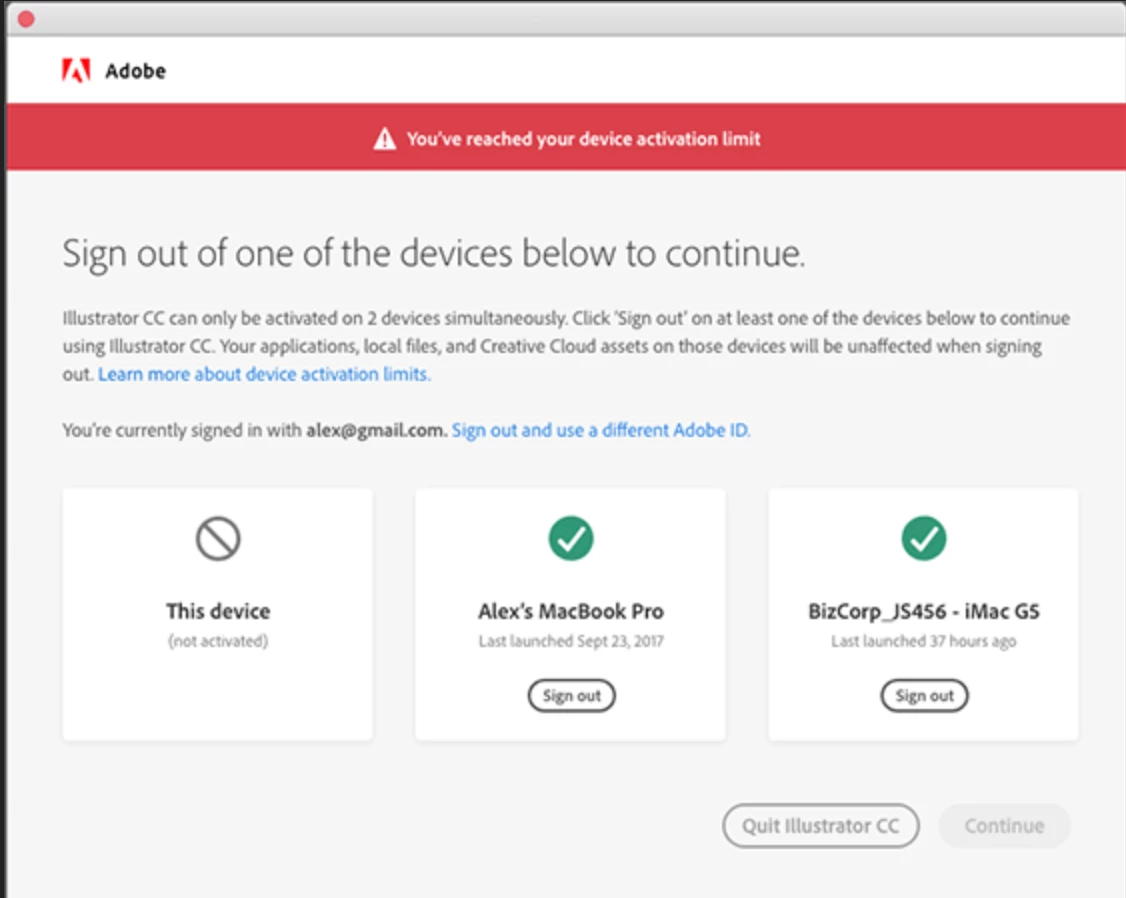
This isn't necessary - you can install Creative Cloud on any number of machines - but you can only be logged in on two concurrently.

Adobe has a neat way to handle - when you log into your third machine, it will bring up a screen that you are logged in on more than two machines and it lets you remote log out of one of the others to continue on the current machine.


8 replies

Legend
Jan 26, 2023 1:45 PM UTC

I find myself wanting more than 2 licenses for some apps constantly and simultaneously. To get 4 licenses I have two subscriptions with DIFFERENT Adobe IDs. Arguably I need FOUR subscriptions.

Translate
Kevin Stohlmeyer
Community Expert
Community Expert
Jan 26, 2023 1:47 PM UTC

@Test Screen Name Why? The new system allows you to run CC on any machine - the only restriction is you can only have two active at the same time. I run CC on 5 different machines all with the same ID without issue.

Translate
Legend
Jan 26, 2023 7:41 PM UTC

It all depends what you are doing with the CC apps. I have Acrobat on multiple VMs, which I will be switching between constantly. Running a test on four machines can be fast. Running a test with four sign ins and waits would not be so fast.  

Translate
Kevin Stohlmeyer
Community Expert
Kevin StohlmeyerCommunity ExpertCorrect answer
Community Expert
Jan 25, 2023 8:23 PM UTC

This isn't necessary - you can install Creative Cloud on any number of machines - but you can only be logged in on two concurrently.

Adobe has a neat way to handle - when you log into your third machine, it will bring up a screen that you are logged in on more than two machines and it lets you remote log out of one of the others to continue on the current machine.


Translate
kglad
Community Expert
Community Expert
Jan 25, 2023 8:04 PM UTC

how can one person need more?


you can install the cc desktop app from here https://creative.adobe.com/products/creative-cloud on as many computers as you own and use it to install all (or some, if you want) of your cc subscription programs. the only (insignificant for internet connected computers) limitation is that you can sign-in (and therefore start your adobe programs) on, at most, two computers at any one time.  


because you can sign out from either (or both) signed-in computers using a 3rd computer, this could not (imo) be easier.


https://helpx.adobe.com/download-install/using/install-apps-number-of-computers.htm

Translate