


Participant
August 7, 2020
Answered

Inquiry about Teams Creative Cloud

  • August 7, 2020
  • 2 replies
  • 402 views

Hi!

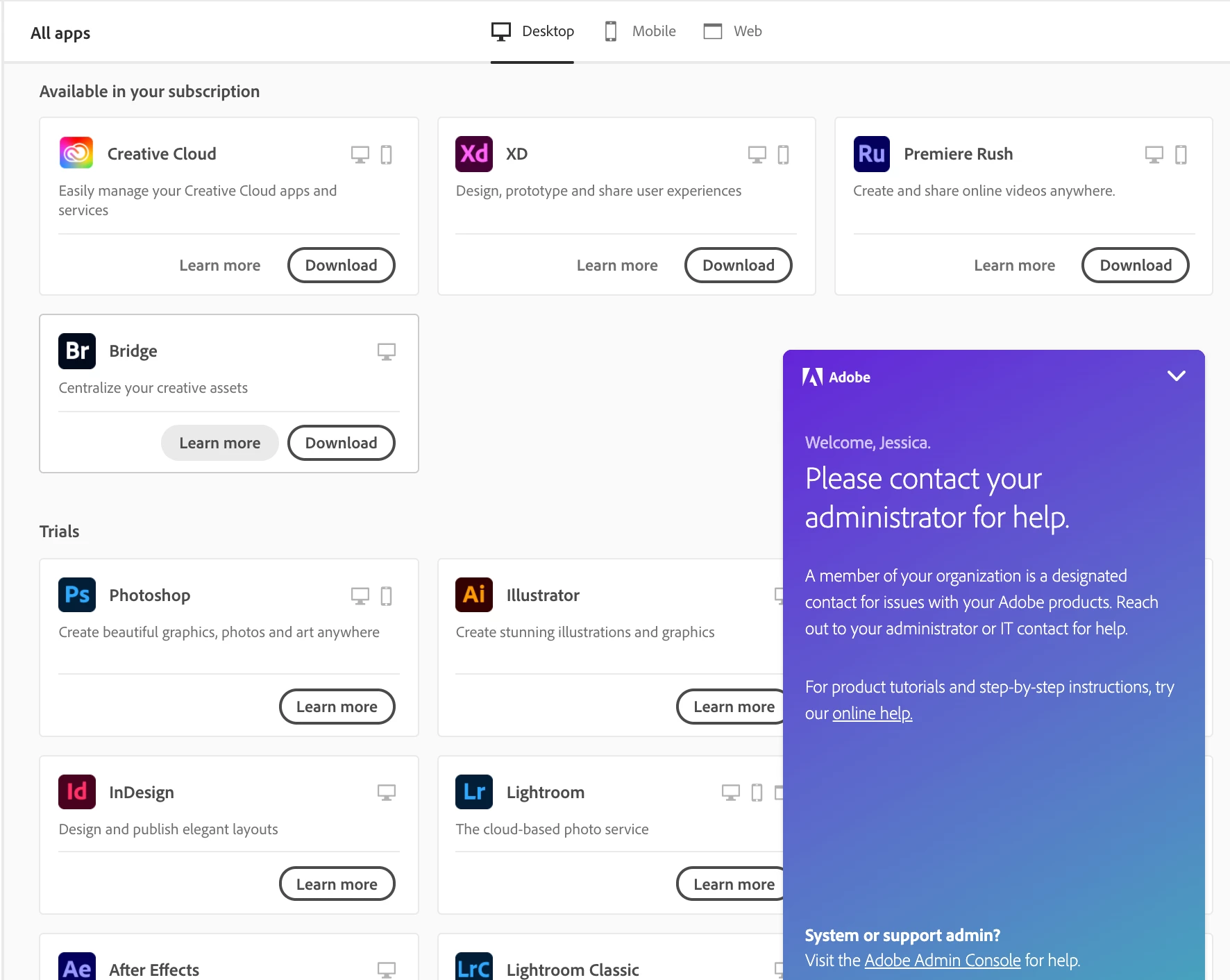
I am a member under my company's Teams Creative Cloud but do not have access to all of the apps. I only have access to 4 apps (shown in screenshot below) and need Photoshop as part of my workload. I have tried to re and uninstall Creative Cloud and troubleshoot to see if I can download Photoshop but it still prompts me to buy it or try the free trial (both on the site and desktop). From my company's side, my license to use the apps is active but I cannot use them despite efforts from their and my part to resolve this. Any help is appreciated! I tried to talk with an Adobe representative via chat but this is what appears. Thank yoU!



This topic has been closed for replies.
Correct answer Nancy OShea

Contact your IT dept again.  Make sure you're logged-in to the proper account.  If you continue to have problems, ask your Team admin to open a support case with their Adobe Rep.


[Moving from Licensing to Enterprise & Teams forum.]


2 replies

Legend
August 10, 2020

All the apps you see are available free. So no program is assigned (or found). Sign out and in. When you login notice if you are asked to choose between a personal and official account, and choose the official one.

Nancy OShea
Community Expert
Nancy OSheaCommunity ExpertCorrect answer
Community Expert
August 10, 2020

Contact your IT dept again.  Make sure you're logged-in to the proper account.  If you continue to have problems, ask your Team admin to open a support case with their Adobe Rep.


[Moving from Licensing to Enterprise & Teams forum.]


Nancy O'Shea— Product User & Community Expert