Hi @Gleeful_dancerd4de ,
Sorry for the disruption, being blocked out of every Adobe app at once on your iPad is frustrating, especially when the device itself is perfectly compliant.
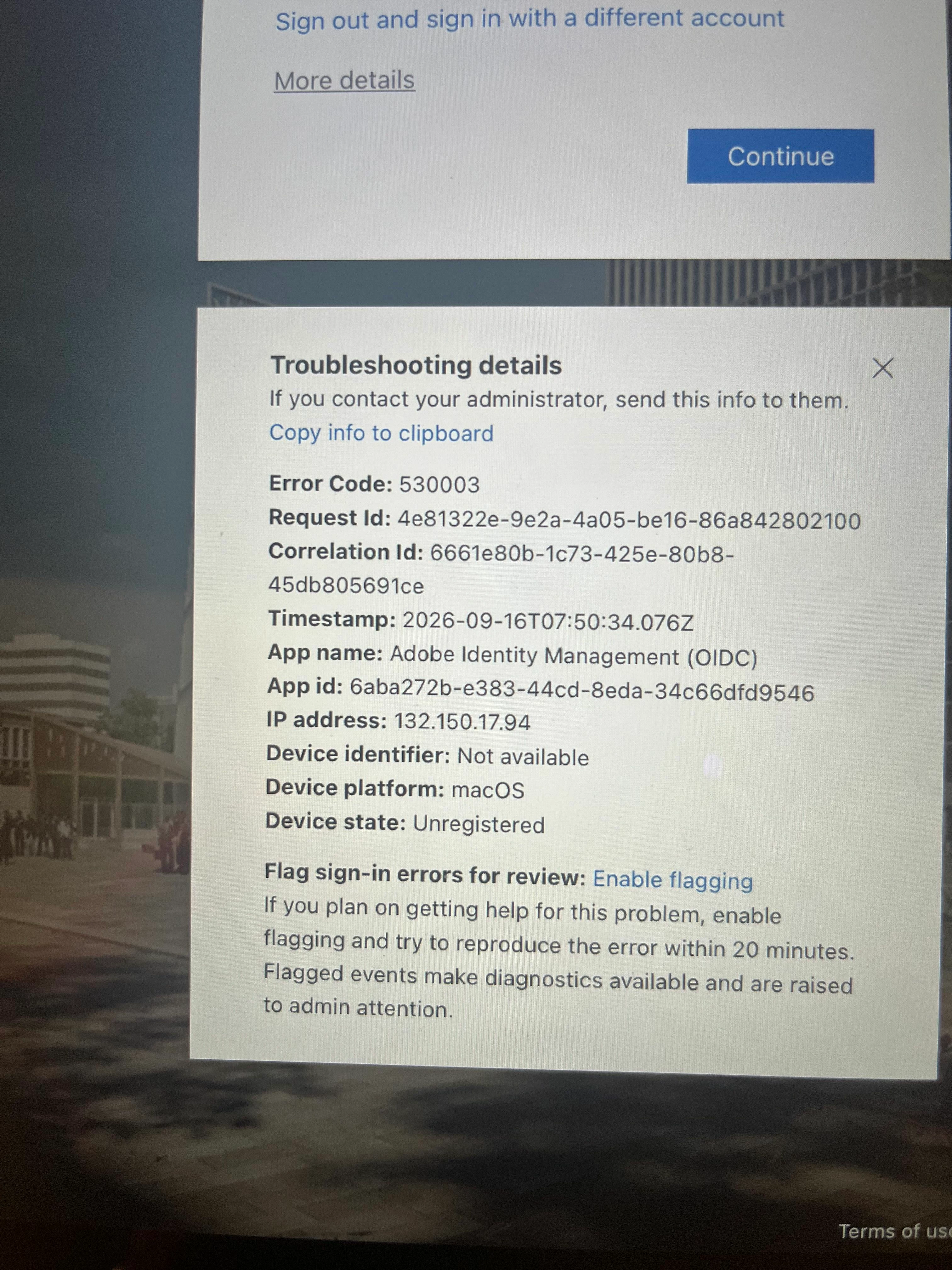
Error 530003 (AADSTS53003) means Microsoft Entra ID authenticated your sign-in successfully, but a Conditional Access policy in your own tenant then blocked the token from being issued. That decision is made entirely on Microsoft's side, before it ever reaches Adobe.
The reason it is happening specifically on iPadOS traces to a documented Microsoft behavior. Per Microsoft's Conditional Access guidance for iPadOS, Safari on iPadOS deliberately identifies itself as macOS so it can offer full desktop browsing, and Microsoft states this affects "web application access using Safari, Apple Native Mail access, and native application access that uses Safari View Controller," all of which get evaluated as macOS access requests regardless of the actual device. Since Adobe's sign-in uses the system browser for federated authentication, this explains why every Adobe app is affected rather than just one.
Adobe also has general guidance for Federated ID sign-ins blocked by Conditional Access, in its Federated ID sign-in troubleshooting article. It's written for a different on-screen error message than 530003, so treat it as a related check rather than a documented match, but the fix it describes is worth confirming regardless: "If you are using managed packages to deploy products, create a managed package from the Adobe Admin Console by selecting the browser-based authentication option. Then, deploy it on the user's device. If not, the users can open the Creative Cloud Desktop application and select Sign in using your browser from the Help menu."
On the policy itself, this is likely your macOS Conditional Access rule applying a hard block. Microsoft's recommendation is to scope that rule to require a compliant device or MFA instead of an outright block, so it stops catching genuine iPadOS Safari sessions like this one. You can confirm it's this exact rule by pulling the Correlation Id from your error screen in Entra ID's sign-in logs and checking the Conditional Access tab there.
Happy to help if you have follow-up questions once you've had a chance to check the policy.
Best regards,
Tariq | Adobe Community



 AdChoices