

JonBe
Inspiring
May 20, 2022
Question

Is there a way to assign multiple licenses to the same Adobe ID for the same product

  • May 20, 2022
  • 1 reply
  • 1030 views

I would like to temorarily assign multiple licenses for the same product, in this case FrameMaker, to an Adobe ID, to facilitate testing on multiple computers. I would like to avoid the pain of having to go through the activated devices nonsense, where the only solution is to choose the sign out of all computers, which was the case in the screenshot!
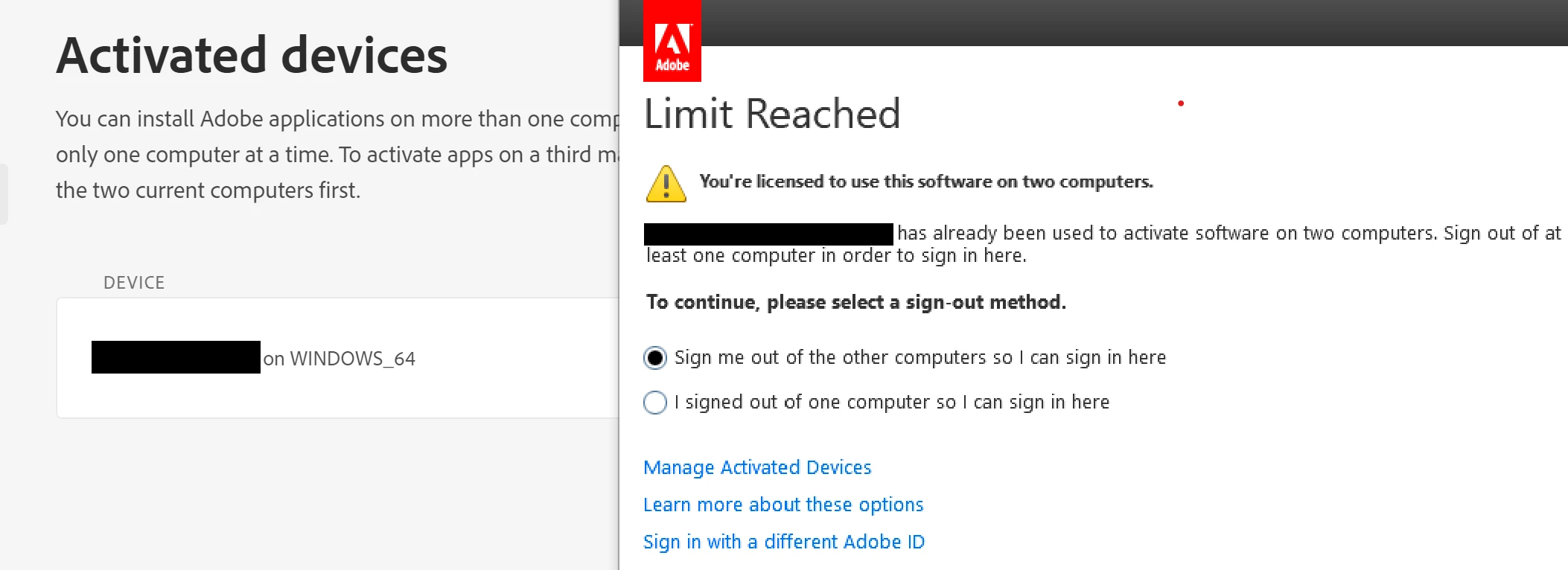
Simply adding the product to the same Adobe ID, while seemingly working without any warnings, does not actually add another license. Using another group similarly does not work. I tried adding a product profile, which the UI for is dreadful, imho, but I had had enough, and did not keep going.


Can I move some of the licenses from one product profile to another, and assign the same Adobe ID to each?


TIA 🤞


Jon

This topic has been closed for replies.

1 reply

Vikrant R
Community Manager
Community Manager
May 21, 2022

As far as I know, adding multiple licenses to the same user does not increment the number of activations allowed. The activations are tied primarily to the machine, and you can activate up to two machines for a particular user. 


Adding multiple licenses to the same users, however, stacks up the services and storage. For example, if one license gives the user 100GB of storage, assigning two licenses will entitle the user to 200GB of storage.


JonBe
JonBeAuthor
Inspiring
May 25, 2022

Hi Vikrant,

Thanks for your answer. I would not consider it a correct answer, given your comment 'As far as I know'. The fact is that it seems impossible to assign an individual Adobe ID more than one license.


I have been setting a new enviroment on 6 computers so this means that I have to re-assign a license when I start FrameMaker or Acrobat Pro for the first time. Acrobat Pro giives me the option of selcting which computer to deallocate the license. With FrameMaker, the only option that works is to choose the log out off all computers. This just adds time to what I have to do. Using different Adobe IDs is not an option in this case. Sigh.


Jon