


Participant
November 26, 2019
Answered

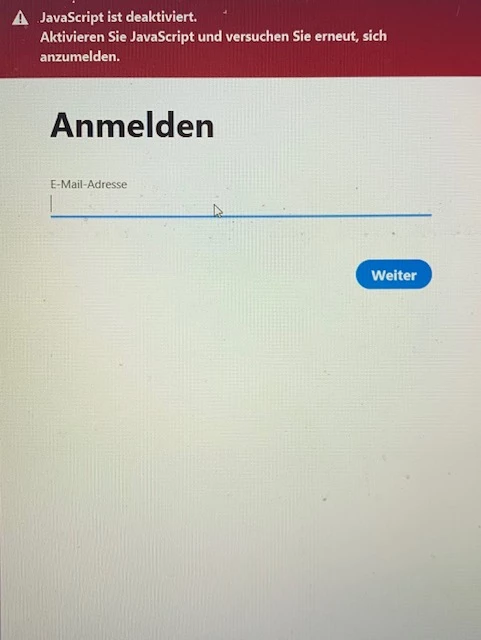
Java Script Error when trying to login CC Apps
  • November 26, 2019
  • 1 reply
  • 1052 views


Has anyone had this Error message before? ("Java Script is deactivated, activate and try again")

I cant get any further when trying to log into my Applications. I dont have the Error, when I log into the CC Application Overview. For Premiere Pro it only shows a white screen, that closes the App when clicked away. 

This topic has been closed for replies.
Correct answer Jeffrey_A_Wright

I am moving this discussion to the Enterprise & Teams forum since Jannick32 has a Creative Cloud for Team membership.


Jannick32, if the computer you are using is owned by the organization that you work for, then please follow up with whoever is maintaining the computers as to why Javascript has been disabled.

1 reply

Jeffrey_A_Wright
Jeffrey_A_WrightCorrect answer
Legend
November 26, 2019

I am moving this discussion to the Enterprise & Teams forum since Jannick32 has a Creative Cloud for Team membership.


Jannick32, if the computer you are using is owned by the organization that you work for, then please follow up with whoever is maintaining the computers as to why Javascript has been disabled.

Participant
January 25, 2020

Hi. Any news on that issue? I have the same problem.