


Question
Javascript Settings Not Applying
I'm using the Acrobat Customization Wizard, trying to create a custom package.
I can't seem to get the Javascript settings to apply.
I'm wanting the enabled/disabled status of these two settings to be swapped.
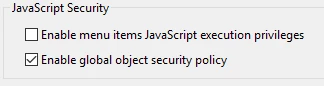
I have tried:
Reading the JS devnet front to back
Mirroring the reg keys configured through Reader itself, via the registry tab in the wizard.
In this snip, the top windows are the result of test installing the package, whereas the bottom are the desired settings, which seem to not be applying.
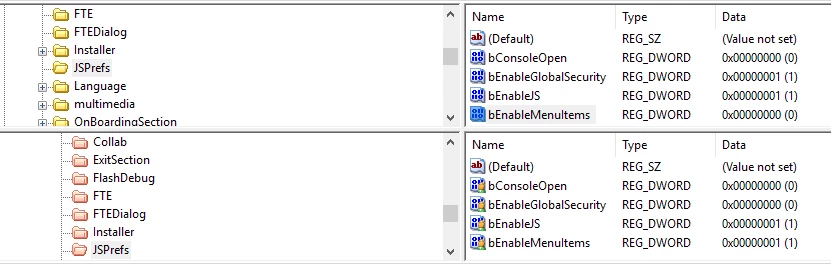
I managed to get the security tab's settings to apply as desired, but javascript eludes me.
Any ideas on what it could be or what else I could try?
 AdChoices