
Participant
April 11, 2024
Question

Launching 2FA in the organization

  • April 11, 2024
  • 3 replies
  • 273 views

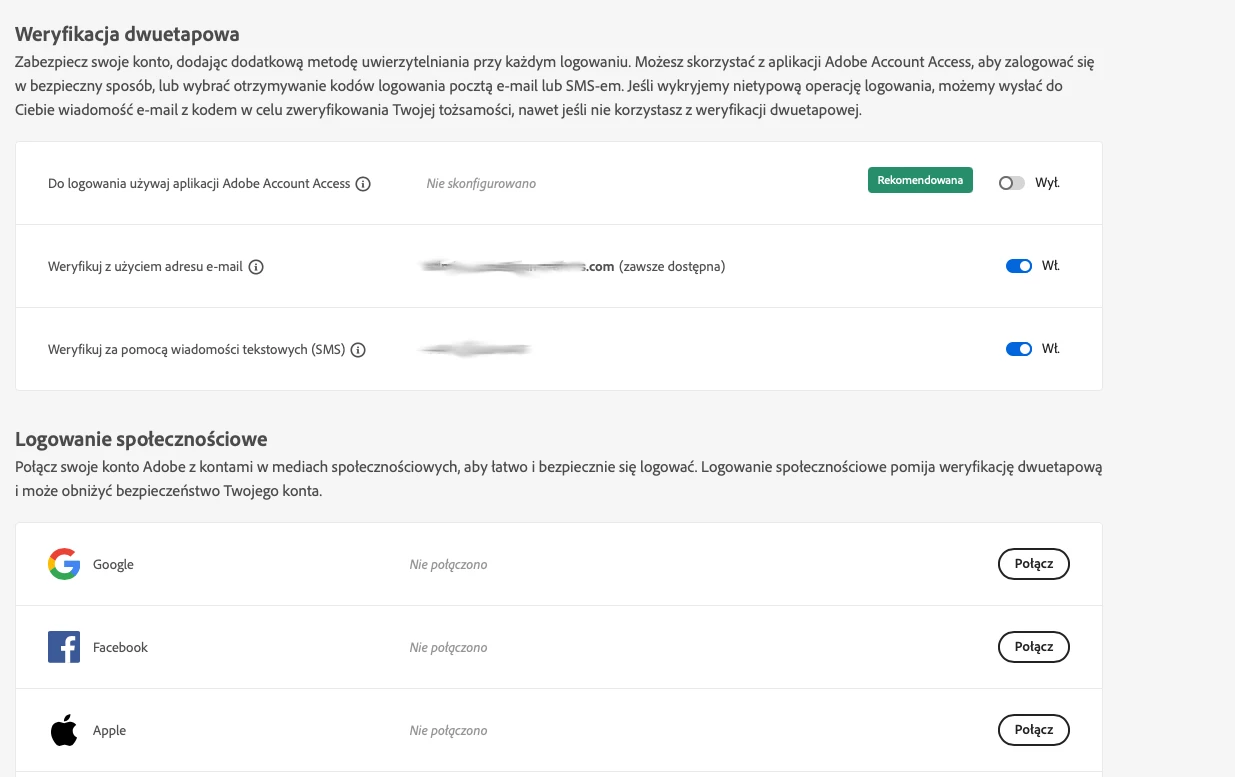
Hi, I have such a problem that our users can login to adobe with googla account or through e-mai address. If I log in with googla account they go through two step verification and it is ok. But if they enter the emial address and password adobe does not ask them to enter the code. How can I change this? Or how to force them to be able to log in with googl account only? A screenshot from the admin panel:
This topic has been closed for replies.

3 replies

Community Manager
April 15, 2024

Hi @Fun Crafters Sp. z o.o. 

The Sign in with Google option acts as a personal login workflow. If you have configured SSO and the OIDC app is also added to your directory, then you have to configure MFA in your environment, as SSO authentication is handled by the organization. 
Most of the times, the login info is cached in the browser and the user do not get the option to enter MFA credentials.

kglad
Community Expert
Community Expert
April 11, 2024

open the support tab on your admin console > start chat or start case or request expert session.

https://helpx.adobe.com/enterprise/using/support-and-expert-services.html

kglad
Community Expert
Community Expert
April 11, 2024

in the future, to find the best place to post your message, use the list here, https://community.adobe.com/

p.s. i don't think the adobe website, and forums in particular, are easy to navigate, so don't spend a lot of time searching that forum list. do your best and we'll move the post (like this one has already been moved) if it helps you get responses.


<"moved from account, payment and plan">