Kevin Stohlmeyer.
Inspiring
September 16, 2026
Question

License Adobe Stock Photos showing in Admin CCD

  • September 16, 2026
  • 3 replies
  • 22 views

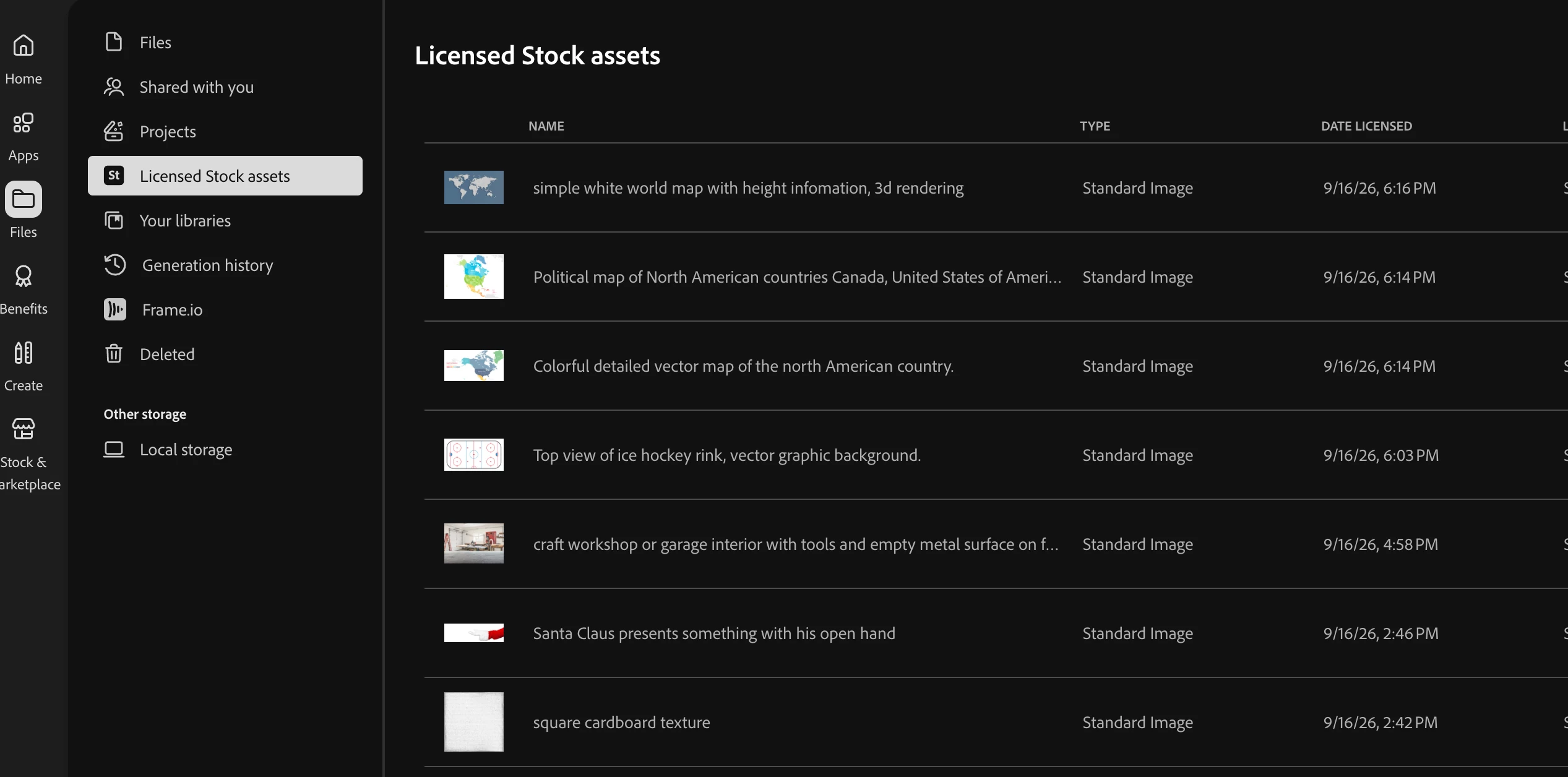
I’m currently being overwhelmed in my CCD app with the Adobe Stock section currently showing EVERYTHING our Enterprise account users have licensed. 

It would be great to have a toggle at the top to show all or just my individual licensed images. I can’t find anything now as its like scrolling through the entirety of Adobe Stock. 


3 replies

Kevin Stohlmeyer.
Inspiring
September 17, 2026

Confirmed - everyone is seeing everyone’s stock, not just they’re own. This has become unusable at this state for individual users. Please add a toggle to see “All” or “Individual” licensed assets. 

Community Manager
September 17, 2026

Hi there,

Thank you for running that check and confirming it. That is exactly what we needed. It settles the question: this is org-wide for every user, not something tied to admin visibility, so your individual users really are all seeing the full organization's licensed assets, not just their own.


Two things from here.

For immediate relief, the Adobe Stock website gives each user a self-scoped view. Open your profile badge, go to License History, and you'll see only the assets you licensed yourself. It is not the in-panel toggle you are asking for, but it does give your users a "just mine" list today rather than having to scroll through the entire organization.


On the toggle itself, an "All" versus "Individual" switch in the licensed assets view, this is a genuine gap, and I am logging it as a feature request with the team that owns this area. Your confirmation that it affects every user, not only admins, strengthens the case, and I would rather capture it properly than leave it as a passing comment.


~Tariq

Community Manager
September 17, 2026

Hi ​@Kevin Stohlmeyer.

Thanks for flagging this, and for describing it so clearly. Scrolling through the entire organization's licensed assets to find your own is a real friction point, and I understand why it feels like sifting through all of Adobe Stock.


Here is what is happening at a high level. On an Enterprise plan, licensed assets are shared across the organization by design, so once anyone licenses an asset, everyone can find and reuse it without paying to license it again. That sharing is intentional and useful, but it does mean the licensed view fills up with everyone's activity rather than just yours, which is exactly what you are running into.


In the meantime, there is a more scoped view that may help. On the Adobe Stock website, open your profile badge and go to License History. There, an individual user sees their own licensed assets, so it gives you a "just mine" list rather than the full organization roll-up you are seeing in the desktop app.


On the specific ask: a toggle in the desktop panel to switch between your own licenses and the whole organization is a fair request and not something the panel offers today. We are looking into how the licensed view is scoped and whether an individual-versus-organization filter can be surfaced there. I am raising it with the team that owns this area, so it is captured properly rather than left as a one-off.


If you can share whether the users on your team are seeing the same full list or just their own, that detail would genuinely help us pin down the behavior. Happy to keep you posted as we learn more.


Thanks,
Tariq