
Participant
February 22, 2023
Answered

License unavailable for active user

  • February 22, 2023
  • 3 replies
  • 1739 views

Hi,


Weve been having this problem with one user in our office for some time, and can't seem to find the correct fix.


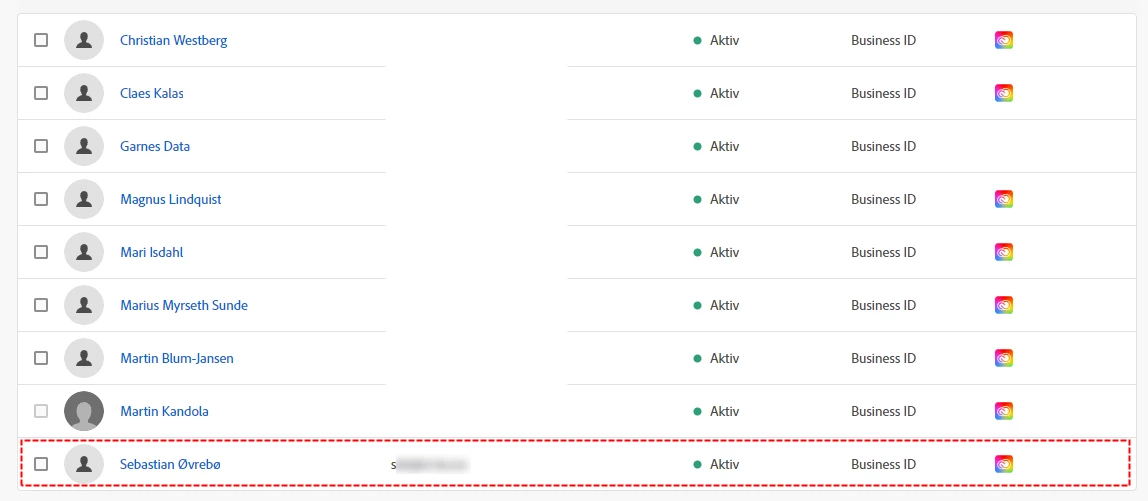
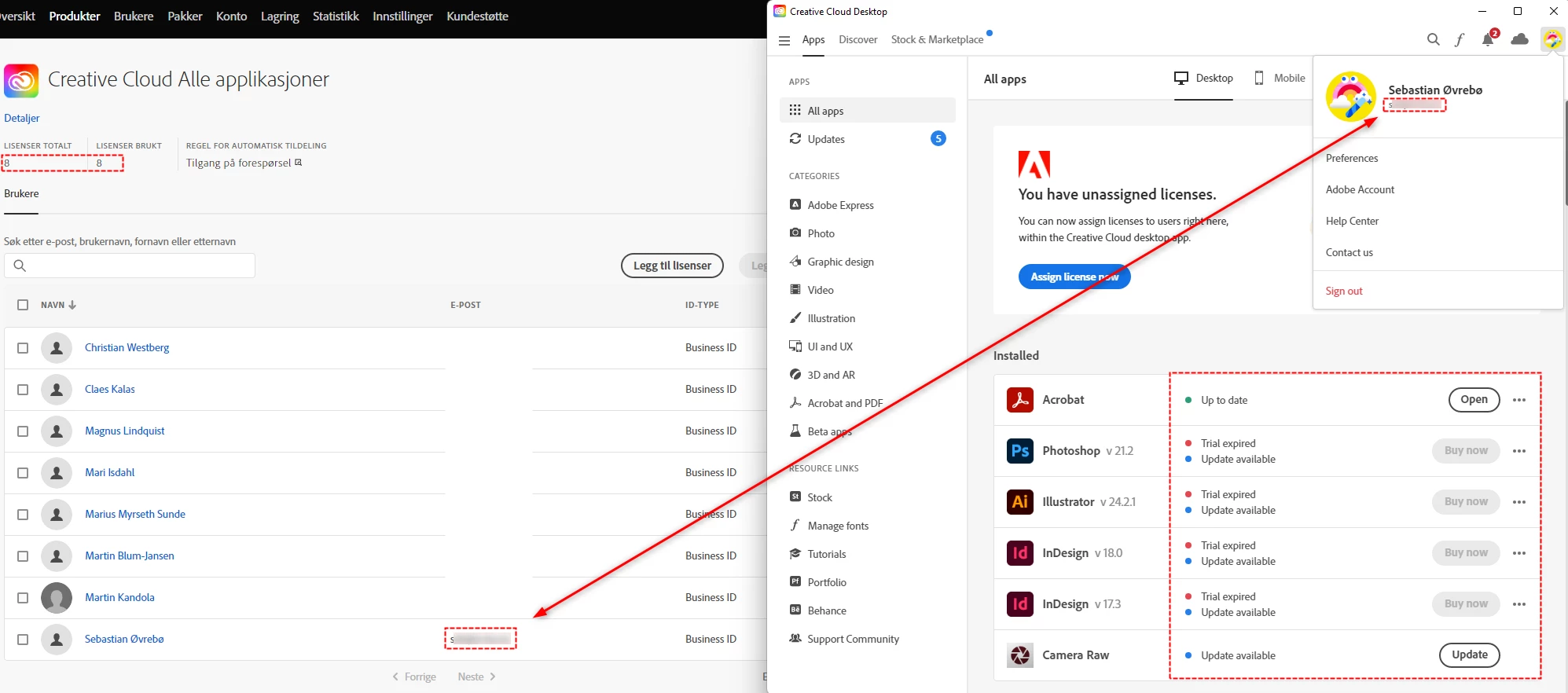
This user is in the license pool and show as an active user in admin console. Still, when attempting to log on the license is not detected on the computer.


Feel like we've tried everything here, removing the user and adding from scratch, different computers, wiping cache etc. etc... Anyone with similar experience and maybe a tip on how to fix this?


Screenshots 1: Active user in admin console
Screenshots 2: Unavailable license when logged in to Creative Cloud app
 

[Moderator deleted private information. Please do not post private information like e-mails and phone numbers]

This topic has been closed for replies.
Correct answer Ashish_Harrison

Hi @VI-KO I have checked the user's details at my end and the subscription status is CLOSED. Kindly connect with Adobe Support and we will fix this from our backend.

Thanks!

3 replies

Ashish_Harrison
Adobe Employee
Ashish_HarrisonCorrect answer
Adobe Employee
February 22, 2023

Hi @VI-KO I have checked the user's details at my end and the subscription status is CLOSED. Kindly connect with Adobe Support and we will fix this from our backend.

Thanks!

Regards,Ashish Harrison
VI-KOAuthor
Participant
February 23, 2023

Thing is, I really don't know how to get in touch with Adobe Support. This is not an option from admin console on my side. I only have one option, "Adobe Virtual Assistant", when i click this I get the message "Service Unavailable". So I turned to the community (this post), and calling is difficult hence the time difference (Norway).

VI-KOAuthor
Participant
February 23, 2023

Kevin Stohlmeyer
Community Expert
Community Expert
February 22, 2023

When the user logs in to their Creative Cloud, make sure they are using the Company or School Account option, not the Personal.


VI-KOAuthor
Participant
February 23, 2023

Thanks. I've been thinking about that also, but the option does not appear when logging in.

kglad
Community Expert
Community Expert
February 22, 2023

open the support tab on your admin console > start chat or start case or request expert session.


https://helpx.adobe.com/enterprise/using/support-and-expert-services.html