


Participant
August 23, 2018
Question

Lightroom CC giving trial has ended warning, I have an enterprise account

  • August 23, 2018
  • 8 replies
  • 1008 views

I hope you can help, I've spent several hours on this.

I have an enterprise account through the university I work at.

I'm running High Sierra on a Macbook Pro.

I recently updated my Lightroom CC and it's now saying "Action required: Your trial has ended. Subscribe"

When I click subscribe I am taken to a generic Lightroom promotional page as though I am a new customer.

I have worked my way through these solutions: Stop Adobe Creative Cloud from opening in trial mode after purchase except I was unable to amend my host file as it is locked.

Starting to wonder if I have two accounts? Attaching a screengrab of my account info.

Can anyone help?
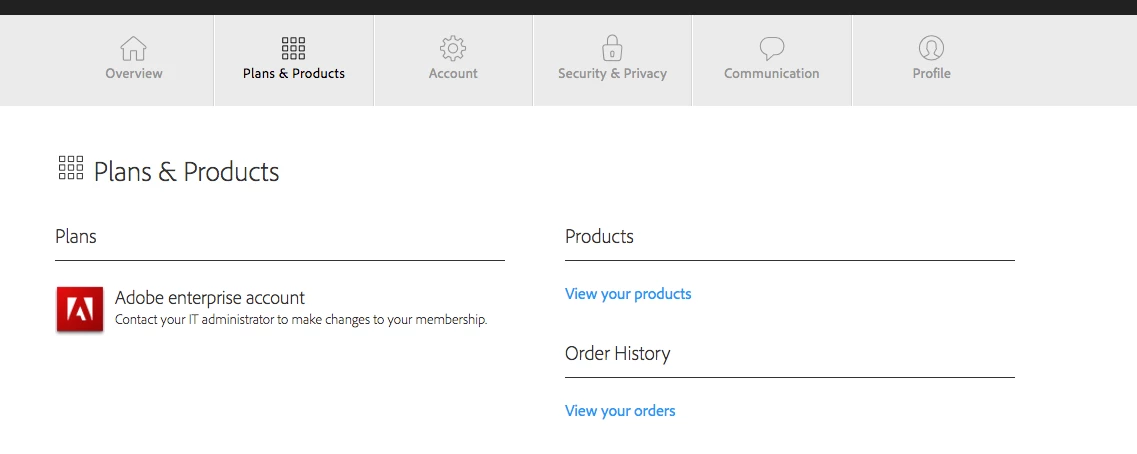
This topic has been closed for replies.

8 replies

alisterblack
Inspiring
August 29, 2018

Hi,

Go to Finder and search for /Library/ from there you should see Application Support and then Adobe and SLStore etc

Participant
August 29, 2018

Thanks. I meant that within my Adobe folder, in that location, I don't have SLStore or SLCache. Here is a screengrab of where they would be if they were there:

I appreciate your ongoing support. Any further ideas?

alisterblack
Inspiring
August 30, 2018

Hi,

It sounds like you are looking in the User library rather than the system library. It might be an idea to reach out to our support teams who can remote to your machine. Either ask your IT Admin to open a support case via the Admin Console (as you are part of an Enterprise agreement) or go to Contact Customer Care

Participant
August 28, 2018

Hello,

yes, it's only with Lightroom CC. I can run CC Classic no problem, and all the other applications.

I'll give that a go, thanks.

alisterblack
Inspiring
August 24, 2018

Hi,

I have checked and can confirm that you have an enterprise entitlement to Creative Cloud via your institution. Please try the following steps.

  1. Ensure you are using the correct Adobe ID
  2. Sign out and sign back in to the software by going to Help>Sign Out
  3. Make sure you are connected to the internet
  4. The opm.db file contains cached user login information and deleting this file is a useful troubleshooting step. Once deleted a fresh file will be automatically created when you launch Creative Cloud and log back in.
    • Close the Creative Cloud application.
    • Navigate to the OOBE folder.
      Windows: [System drive]:\Users\[user name]\AppData\Local\Adobe\OOBE
      Mac OS: /Users/[user name]/Library/Application Support/Adobe/OOBE folder
    • Delete the opm.db file.
    • Launch Creative Cloud.
Participant
August 25, 2018

Thank you for your suggestions.

I'm afraid none of those have worked.

Here is a screen grab of the message I get when I log back into Lightroom CC.

I'm sure I only have one account, although it has changed status over the years, most recently when we trialed named user licensing.

Any further ideas?

alisterblack
Inspiring
August 27, 2018

Hi,

Does this only happen with Lightroom CC? Do you have the same issue with other applications (you also have a license for Lightroom CC Classic)?

The next steps would be to try solution 2 in the following document.

Lightroom doesn't launch or closes automatically after splash screen