Participant
May 17, 2016
解決済み

Need to install an older (specific) version of InDesign CC (using adobe packager)

  • May 17, 2016
  • 返信数 3.
  • 1042 ビュー

We have a problem at work.
We have an adobe enterprise license and we are installing Adobe CC using the Adobe packager.
It turns out a thrird party plugin to Adobe InDesign CC only works with version 11.2 while the current version offered when we do a package is 11.3.
Is there any way to get a specific older version installed while using the Adobe Packager?

    このトピックへの返信は締め切られました。
    解決に役立った回答 alisterblack

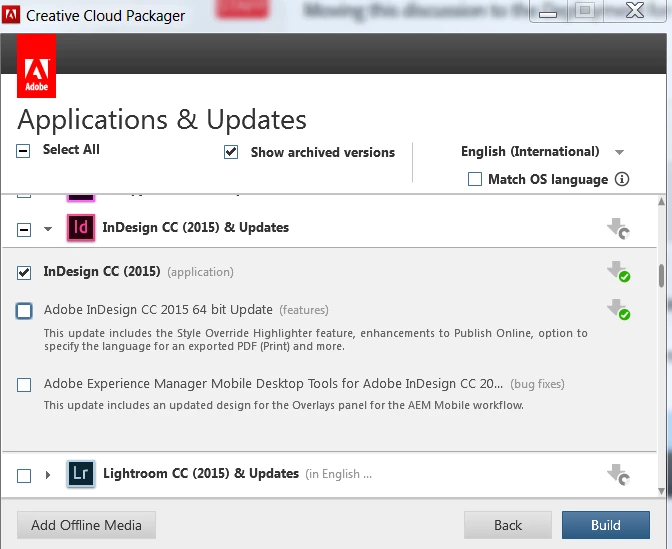
    If you package the base CC 2015 version without any updates that should give you what you need.

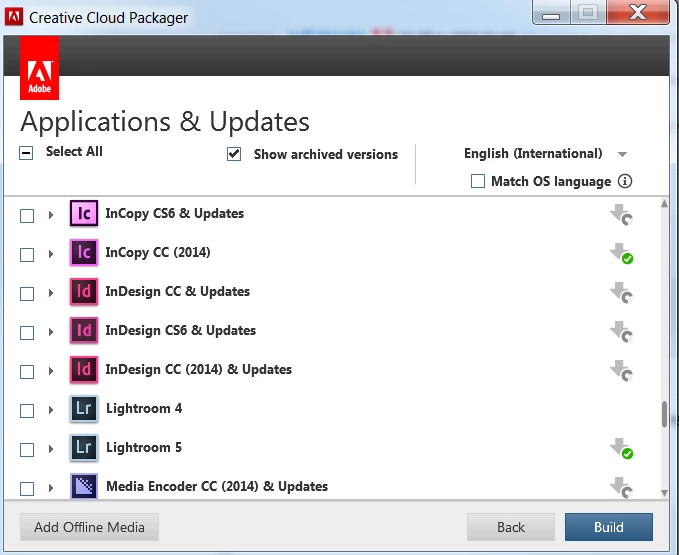
    For versions older than CC 2015 in Creative Cloud Packager tick 'Show Archived Versions' and choose the version you need.

    返信数 3

    alisterblack
    alisterblack解決!
    Inspiring
    May 20, 2016

    If you package the base CC 2015 version without any updates that should give you what you need.

    For versions older than CC 2015 in Creative Cloud Packager tick 'Show Archived Versions' and choose the version you need.

    John T Smith
    Community Expert
    Community Expert
    May 17, 2016

    Found this in my notes file

    Read ALL THE INFORMATION on the ProDesigntools page before downloading

    -cc2015 direct download links http://prodesigntools.com/adobe-cc-2015-direct-download-links.html

    -cc2014 direct download links https://forums.adobe.com/thread/1502462

    Jeffrey_A_Wright
    Legend
    May 20, 2016

    Moving this discussion to the Deployment for Creative Cloud Team, Enterprise, & CS forum.

    John T Smith
    Community Expert
    Community Expert
    May 17, 2016

    The only previous links I have are for regular installs, but you MAY try this

    kglad links in reply #1 here https://forums.adobe.com/thread/2081216 may help