

Sonam Monga
Community Manager
Community Manager
June 20, 2023
Question

New Packaging features on the Adobe Admin Console

  • June 20, 2023
  • 4 replies
  • 200136 views

Lightweight Named User Licensing packages

You can now create lightweight packages that don't include any Adobe applications by default and move ahead in the flow to create a plugin-only or a configuration-only package.
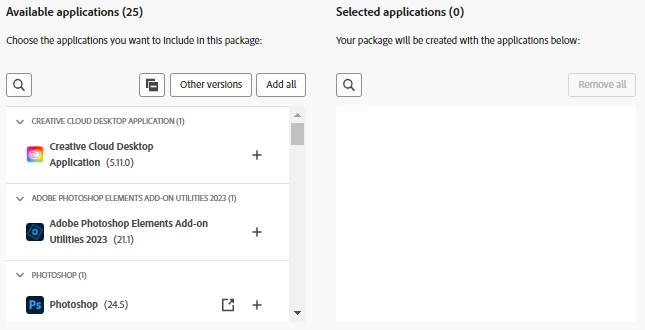


~Plugin-only package

Create packages that only include Marketplace plugins. 
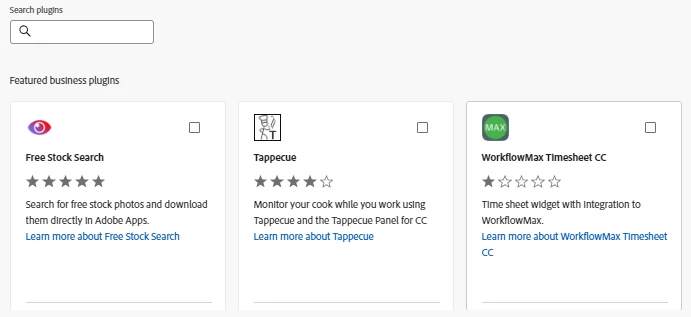
 

~Configuration-only package 

Create packages with no apps or plugins to only include the Configuration Options. 
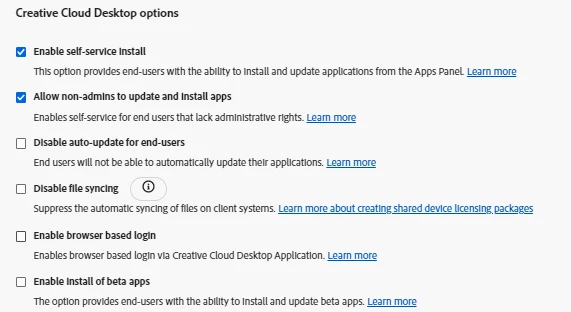
 

~Configuration and Plugin package

Create lightweight packages that include both Plugins and Configuration Options. Learn more about Creating Named User Licensing packages. 


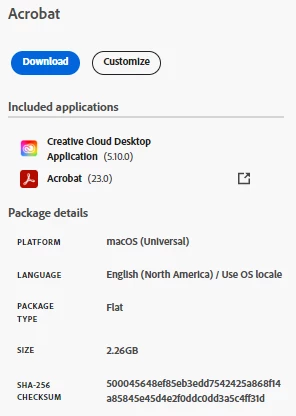
Flat packages for Adobe Templates 

Now Adobe Templates packages are downloaded as Flat packages for the macOS platform. This means you cannot extract the contents (unlike bundle packages) for these flat packages. For the Windows platform, packages are downloaded like before, and you can extract contents from these packages. Learn more about Adobe templates. 
 

*For queries, feedback, and suggestions, please feel free to start a conversation.
*Please visit our ICYMI page for all the other updates & releases. Click here if you have Questions.

4 replies

Participant
February 20, 2024

An option in the Configuration only package to enable automatic updates would be more useful than the option to disable them. There are always users who switch off automatic updates, for whatever reason. There is no other way to turn automatic updates on again. Adobe Support has confirmed to me that there is no way to turn on automatic updates after the user has turned them off.

Participant
September 5, 2023

This. Is. FANTASTIC!   


Thank you so much!  This is such a pain when we have deployments running to 1,500+ laptops with intermittent power status/wifi connections.

Participant
June 22, 2023

@Sonam Monga 
Hi,

What is the different with these packages templates for MacOS? It still seems to create the same .PKG Install and uninstalls.  I can't see the difference and unforutunately these still will not upload to Intune.

Participant
June 24, 2023

Same issue with JAMF Pro. if you upload directly the .PKG it uploads but the installation constantly fails. What i do before uploading is zip the pkg and then upload. 

Participant
August 7, 2023

I'm not seeing any issues with Jamf. I downloaded the templates, uploaded to Jamf without any zipping, and deployed with zero failures.

Participant
June 20, 2023

@Sonam Monga 

What we could really use is a "Lightweight" package that lets us add all the applications we'd like, but instead of the apps being bundled in the package (creating a large file for deployment),  it would instead deploy only the CC Desktop app, and have it depoly the packaged apps automatically via the Adobe cdn (content delivery network).  It's esentially a automated self-service where the CC Desktop would pre-install these apps via the internet vs having to have them in the package.  

Participant
July 12, 2023

Yes!  Install CC Desktop with a configuration that enables the install of a list of authorized software from Adobe.  Allow admins to make the installs mandatory or just advertise them.

Participant
August 16, 2023

Yeah, it's just surprising to me that Adobe hasn't thought of this.  It would make package sizes tiny, and would leverage the existing self-install mechanics, but with the addition of a pre-defined list of apps the admin/org wants pre-installed for the user upon initial deployment of the CC desktop package.  That is, the desktop app deploys, then downloads/installs Reader, Photoshop, Illustrator, and say Premiere Rush, but then the rest of the apps are still user OnDemand self-installs.