
Inspiring
February 14, 2024
Answered

non local Admin users can't access apps - Something went wrong

  • February 14, 2024
  • 4 replies
  • 1007 views

Hello,

I admin a school and we recently noticed that none of the users have access to the apps.

it just says:   "Something went wrong. If reloading your apps doesn't fix the problem, please contact customer suppoert for help" ->
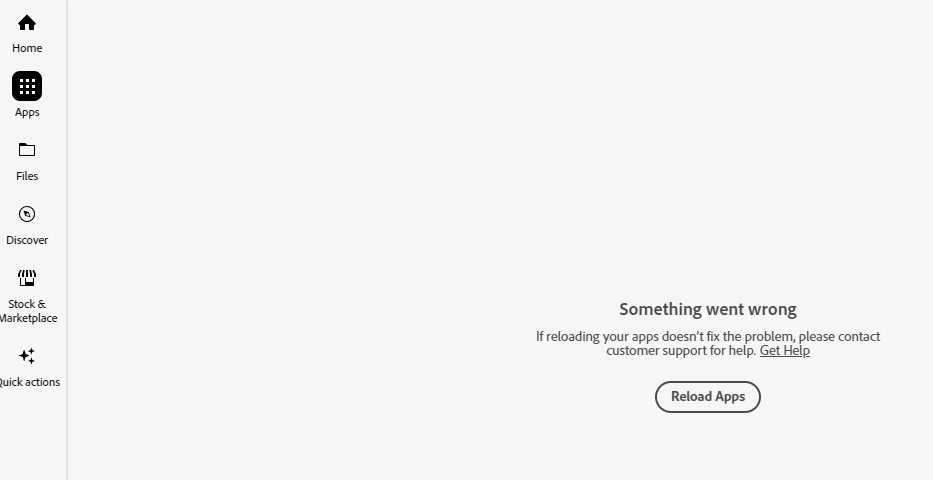

well that's what I'm doing. we have shared devices and users log into Adobe CC through SAML.
Now if I logon to the PC through the domain admin or the local PC admin and then in Adobe CC with any authorized user account, everything works fine.
if I put a windows domain user into the "Administrators -  domain/Builtin" group in the AD, it also does not work.
if I add a user to the local admin group on the PC it does.

I'm on version 6.1.0.587. windows 10 Education 22H2

I redeployed Adobe CC on new machines even that never had adobe CC before. Same Problem.
my Adobe manager (who manages Adobe Products for every school in the country) also has no explanation, and there were no reported problems in other schools, that use the same version and package.
I observed after the new installation that AdobeCC does get the updates.

Any idea what I could try to get this running?

regards

This topic has been closed for replies.
Correct answer Jérôme35446890gc1c

Hello, I just solved it.
I had to delete the \Program Files (X86)/Common Files/Adobe/OOBE/Configs folder on each Machine, and now it works.

4 replies

Jérôme35446890gc1cAuthorCorrect answer
Inspiring
February 15, 2024

Hello, I just solved it.
I had to delete the \Program Files (X86)/Common Files/Adobe/OOBE/Configs folder on each Machine, and now it works.

Ashish_Harrison
Adobe Employee
Adobe Employee
February 15, 2024

Hi @Jérôme35446890gc1c, please check the UAC, it seems like UAC is disabled on these machines.


Registry:
Computer\HKEY_LOCAL_MACHINE\SOFTWARE\Microsoft\Windows\CurrentVersion\Policies\System
> EnableLUA set to 1 from 0


If this doesn't work for you, please check the AUSST folder. 
>  %SYSTEMDRIVE%\ProgramData\Adobe\AAMUpdater\1.0\
> %SYSTEMDRIVE%\Program Files (x86)\Common Files\Adobe\UpdaterResources
and remove all the files from these folders. 

Thanks!

Regards,Ashish Harrison
Inspiring
February 15, 2024

Hello, thanks for the reply, yes UAC is disabled, but for a good reason, I cannot enable it again as it will produce a lot of other Problems.
I solved the issue btw, I have tagged the anser in the thread.

kglad
Community Expert
Community Expert
February 14, 2024

open the support tab on your admin console > start chat or start case or request expert session. https://helpx.adobe.com/enterprise/using/support-and-expert-services.html

Inspiring
February 15, 2024

Hi,


thanks for the reply, the thing is, I don't have access to the admin console. I only admin 1 school out of dozens, and there is one adobe manager for all schools that's a few levels higer up and who is offsite and does not have access to the machines.

kglad
Community Expert
Community Expert
February 14, 2024

in the future, to find the best place to post your message, use the list here, https://community.adobe.com/

p.s. i don't think the adobe website, and forums in particular, are easy to navigate, so don't spend a lot of time searching that forum list. do your best and we'll move the post (like this one has already been moved) if it helps you get responses.


<"moved from cc services">