Inspiring
May 2, 2013
Question

Package created - can't install (Mac)

  • May 2, 2013
  • 2 replies
  • 1645 views

The cloud packager has successfully created a 13.8GB file but we are having trouble installing it.

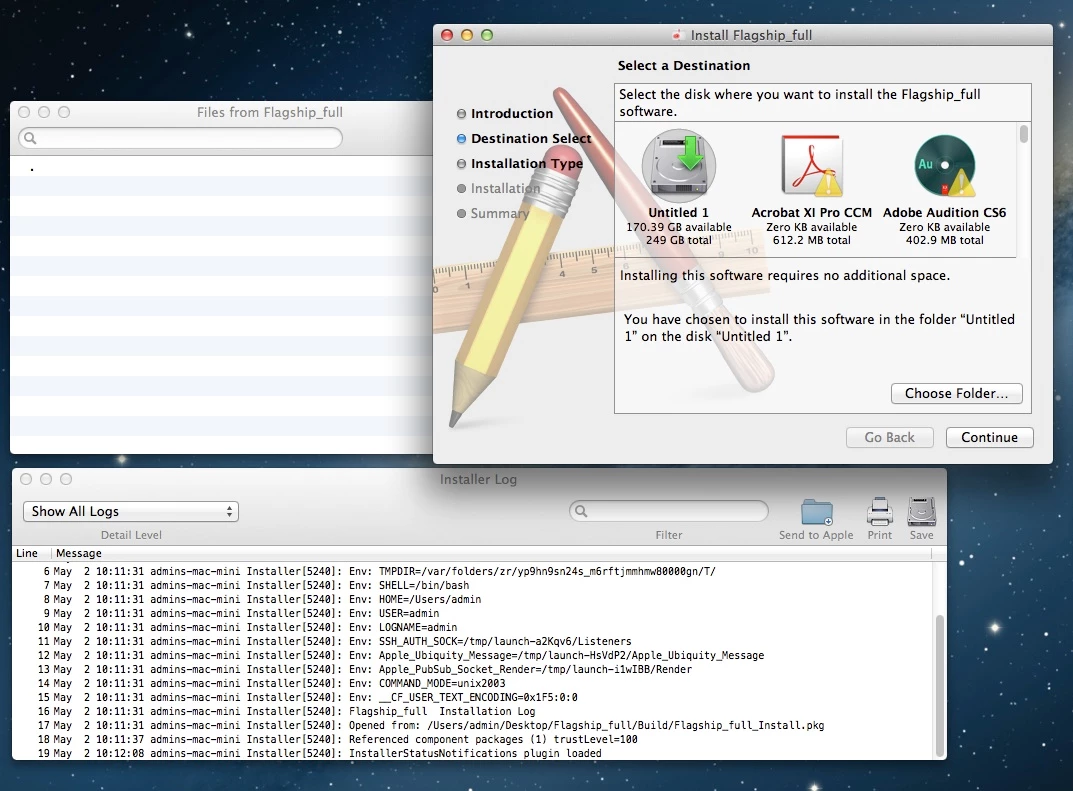
The weird thing is that after we chose the installation destination, the installer says 'Installing this software requires no additional space.' Also, the 'Show Files' in the installer shows an empty file list.

And then the install fails without much description.
This topic has been closed for replies.

2 replies

Participant
December 13, 2013

MB_James,

Did you ever get this fixed? I have te exact same problem, with a fresh Mavericks install. I have also tried it on Snow Leapard, with the same effects, it does go alot farther in the install, but still fails. I did all the uninstall, cc clean up tools, and disk utilities (rights issues) fixes that were posted on simular forums. So far nothing works with the packager. I was able to get a install finished by using the "Creative Cloud" found after loging into creative.adobe.com. The problem with this is after you image a install the licensing breaks, like with the CS6, and CS5.5. The new CC packager does not have a serialization side to fix it. Any infomration would be greatly appriciated! Have a great weekend.

Frank

MB_JamesAuthor
Inspiring
December 13, 2013

I ended up opening the DMG file and installing each app on its own and by going through their individual error logs. It's a painstaking operation.

But i think the bigger problem stems from permission issue. Our DMG is stored on a Linux NAS, shared via a Windows SMB/ CIFS with a Windows ACL. It turns out this kind of set up can corrupt the permission tables in the DMG file. From now on, all the setup files created on a Mac would be stored on the NAS with password protection and basic DMG encryption - this way the files permissions inside will never get tempered with.

Participant
January 2, 2014

MB_James,

I had downloaded the DMG to a PC, and used a flash drive to move it to the MAC for creation. I will try dling it directly to the MAC, after a fresh install. Thank you for your reply.

Frank

K Gibson
Adobe Employee
Adobe Employee
May 3, 2013

Hi,

Obviously something went wrong in the package creation if when you try and "show files" there is nothing there. Can you try and re-create the package ? Are you using Creative Cloud Packager on a machine with no other CS software ?

Cheers

Karl Gibson

MB_JamesAuthor
Inspiring
May 3, 2013

Yes it's a brand new Mac Mountain Lion installation. Adobe Cloud Packager is the only third party app installed. Are there any dependencies am missing here? I re-packaged 3 times before posting here. Each time tweaking and resetting the package configs to default.