Known Participant
August 2, 2022
Question

Re: Pb syncinc CC Librairies

  • August 2, 2022
  • 1 reply
  • 173 views

hello,
here is the version of CCDA I'm using

the issue happens either on the corporate environment or at home...
I'm using a corporate account, but it works fine on the mac.
the issue I have is this:
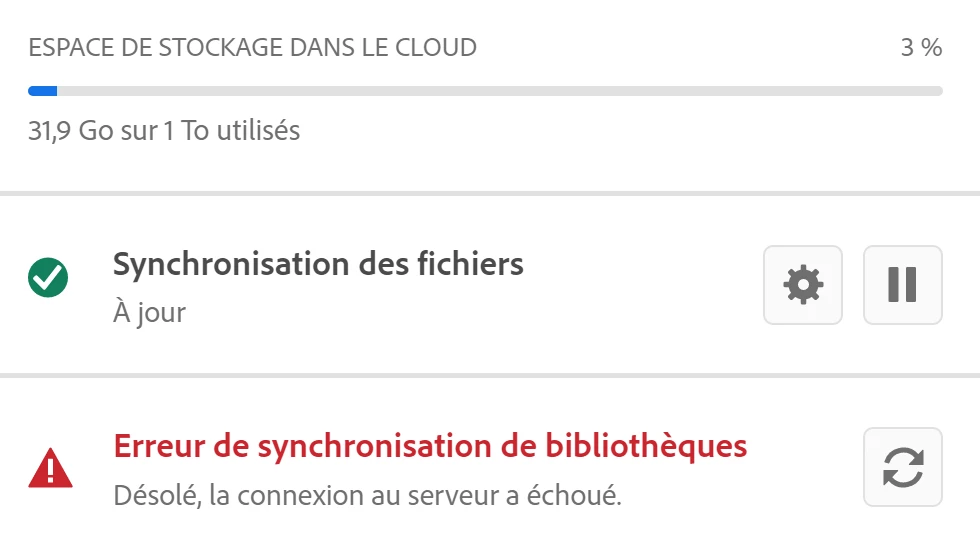
Many Thanks

    This topic has been closed for replies.

    1 reply

    Legend
    August 3, 2022

    Hi @JM Le Goff ,

    Sorry, you are having trouble with this problem. Could you please try the steps below:


    1. Delete all folders that start with “CC_LIBRARIES_PANEL_EXTENSION_xx_xx_xx” in this location:

    WIN: C:\Program Files (x86)\Common Files\Adobe\CEP\extensions

    MAC: Macintosh HD⁩ ▸ ⁨Library⁩ ▸ ⁨Application Support⁩ ▸ ⁨Adobe⁩ ▸ ⁨CEP⁩ -> extensions
    2. Follow the steps of Solution 2 in this article: https://helpx.adobe.com/creative-cloud/kb/libraries-panel-not-working.html
    Before trying the steps, please make sure you killed the CCLibraries process in Task Manager / Activity Monitor and have quit all Adobe-related products. This is mentioned in steps 1 and 2 of the article linked in step 2, but I wanted to point it out because it is important.


    Hope this helps.
    Charles Samuel