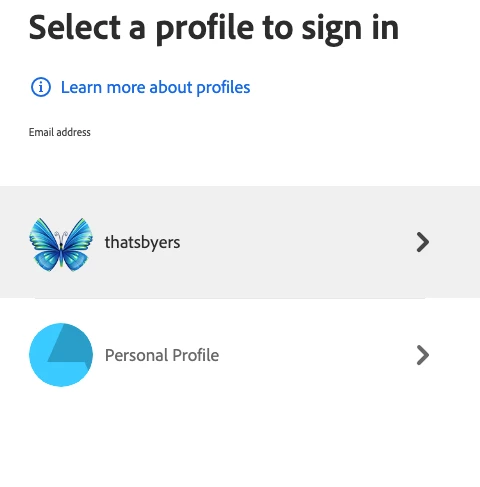
For every account that is connected to a business ID, you have two layers:
- A personal layer, where you can take “private” plans like a photography plan.
- A business layer, where you get assigned a plan (or a task, like administrator) from the company you're working for.
In the personal layer, you can leave your organization. I haven't done that yet, so I can only speculate that this would trigger a removal of the business ID and you would lose access to all assigned plans by your company. The company can also choose to delete your business ID, which would have the same effect. If I'm correctly informed, you can be in more than one organization at a time. That would come handy for contractors working for multiple companies at the same time.
The standard, however, will be that you will have a company assigned e-mail address and on that address you will have your Adobe ID with the two layers. For the business ID, the data (library, Creative Cloud, Document Cloud) is controlled by your company.
The two layers are created automatically, and you can't delete one or the other, without loosing access to that layer. As the personal layer is the root layer, you can't leave that one as long as a business ID is attached.
Before this reorganization, it was impossible to have a personal plan and a business assigned plan on the same ID, which at that point was a major problem to some people. I always had my personal plan on my personal ID, however, so that was never an issue for me.
Whatever @howlaman's troubles are, I have no idea why this happens, if they don't have an Enterprise or Teams licence for one or the other Adobe product. It is worth mentioning that there is more than Creative Cloud, you also have Enterprise Cloud and the Technical Suite and the Substance plans and may be still other plans, that I have no idea about. @howlaman's IT should be aware of anything they have. It may well be, that they added you by error to the company's system.





 AdChoices