
Participant
July 10, 2025
解決済み

Reporte de uso de aplicaciones por usuario

  • July 10, 2025
  • 返信数 1.
  • 129 ビュー

Hola! 

Necesito generar un reporte de manera periódica sobre el uso de sus productos asignados en mi consola de administración Adobe.

En éste tutorial de Adobe en el minuto 1:56 se puede ver, en el menú "Insights" existía la pestaña "Dashboard", pero no aparece en mi consola, sólo me aparece la pestaña "Logs"

En éste tutorial de Adobe "Cómo usar la Adobe Admin Console | Vídeo de YouTube" en el minuto 1:56 se puede ver. 

https://helpx.adobe.com/es/enterprise/admin-guide.html/es/enterprise/using/console-settings.html

https://www.youtube.com/watch?v=HCCHlhL86cY
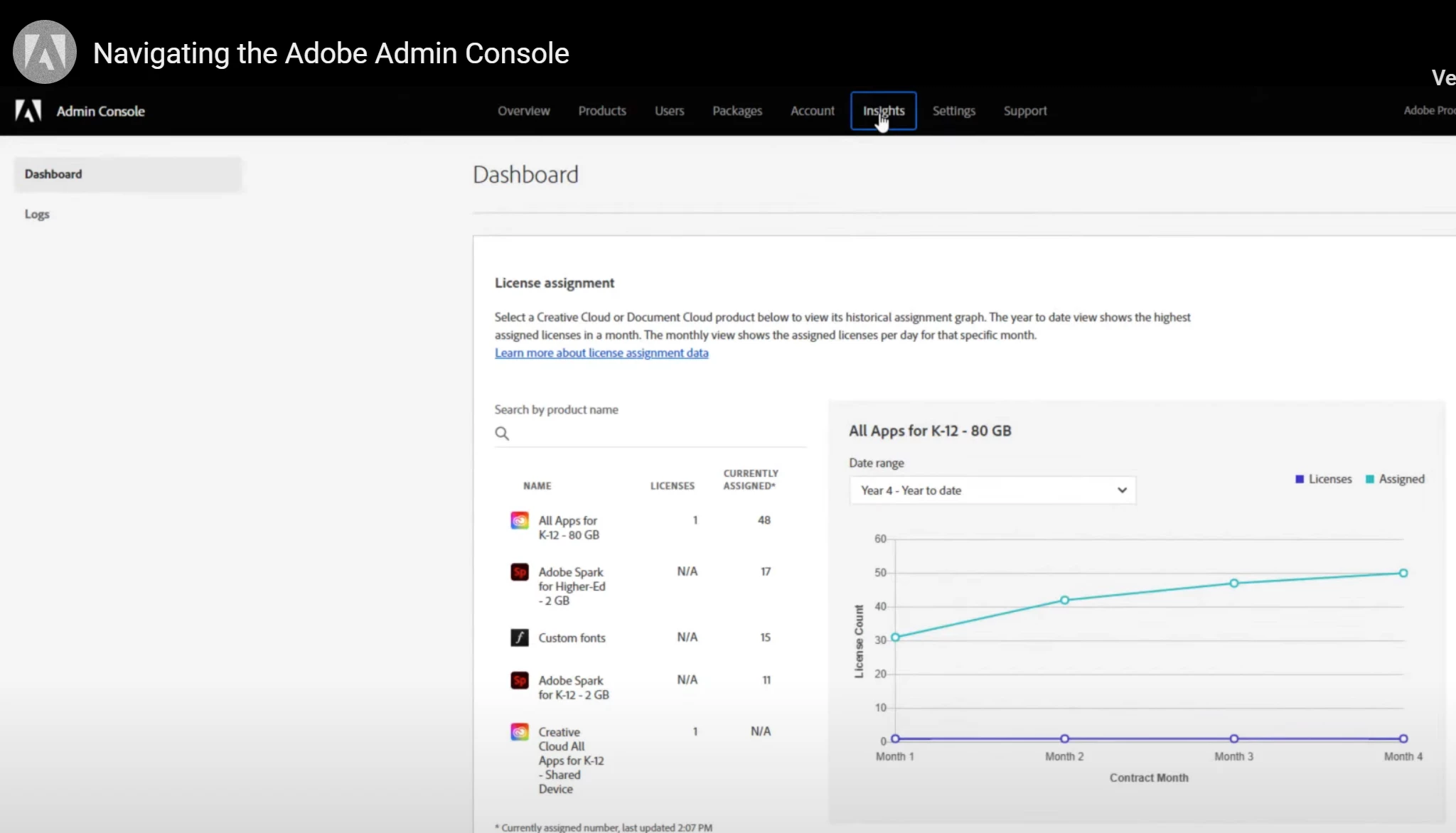


¿cómo puedo hacer para que se active la pestaña "Dashboard?

¿alguien me podría decir cómo hacerlo?

解決に役立った回答 Anshul_Nautiyal

Hi @soporte_tecnico_nitidata,


Thank you for reaching out.

As checked, you have an active Teams contract associated with the Adobe ID used to post this query. Please note that the Dashboard tab under the Insights section is only available to organizations with Enterprise contracts.

This is why you're only seeing the Logs tab in your Admin Console. For more details on reporting capabilities and available features, you can refer to the following documentation:
https://adobe.ly/3TtCdtF

Hope this helps. Let us know if you have further questions.

Regards,
^AN

返信数 1

Community Manager
July 10, 2025

Hi @soporte_tecnico_nitidata,


Thank you for reaching out.

As checked, you have an active Teams contract associated with the Adobe ID used to post this query. Please note that the Dashboard tab under the Insights section is only available to organizations with Enterprise contracts.

This is why you're only seeing the Logs tab in your Admin Console. For more details on reporting capabilities and available features, you can refer to the following documentation:
https://adobe.ly/3TtCdtF

Hope this helps. Let us know if you have further questions.

Regards,
^AN