



Shared Device Licensing now supports self-service install
You asked, we listened.
With the latest updates to Shared Device Licensing, that shipped in October 2019, we’ve included some goodies. These updates are available to your users right away and reduce admin overheads associated with installing apps and updates. For more details, see What’s New in Shared Device Licenses.
Now, when lab users sign in on a device activated with shared device licenses, a prominent banner is displayed, which indicates a shared device.
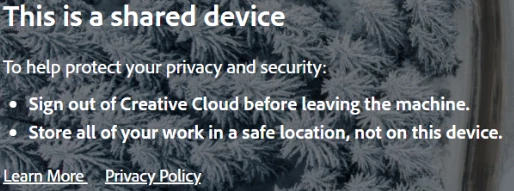
To allow lab users to update and install apps, you can now include the Creative Cloud Desktop app in your initial SDL deployment packages. To create a shared device license package, log in to the Admin Console, navigate to the Packages > Packages, and click Create a Package.
For more details on how to create shared device license packages, see Create Shared Device Licensing packages.
For queries, feedback, and suggestions, please feel free to leave a comment below.
 AdChoices