
Participant
June 21, 2023
Answered

sincronización de archivos desactivada

  • June 21, 2023
  • 1 reply
  • 703 views

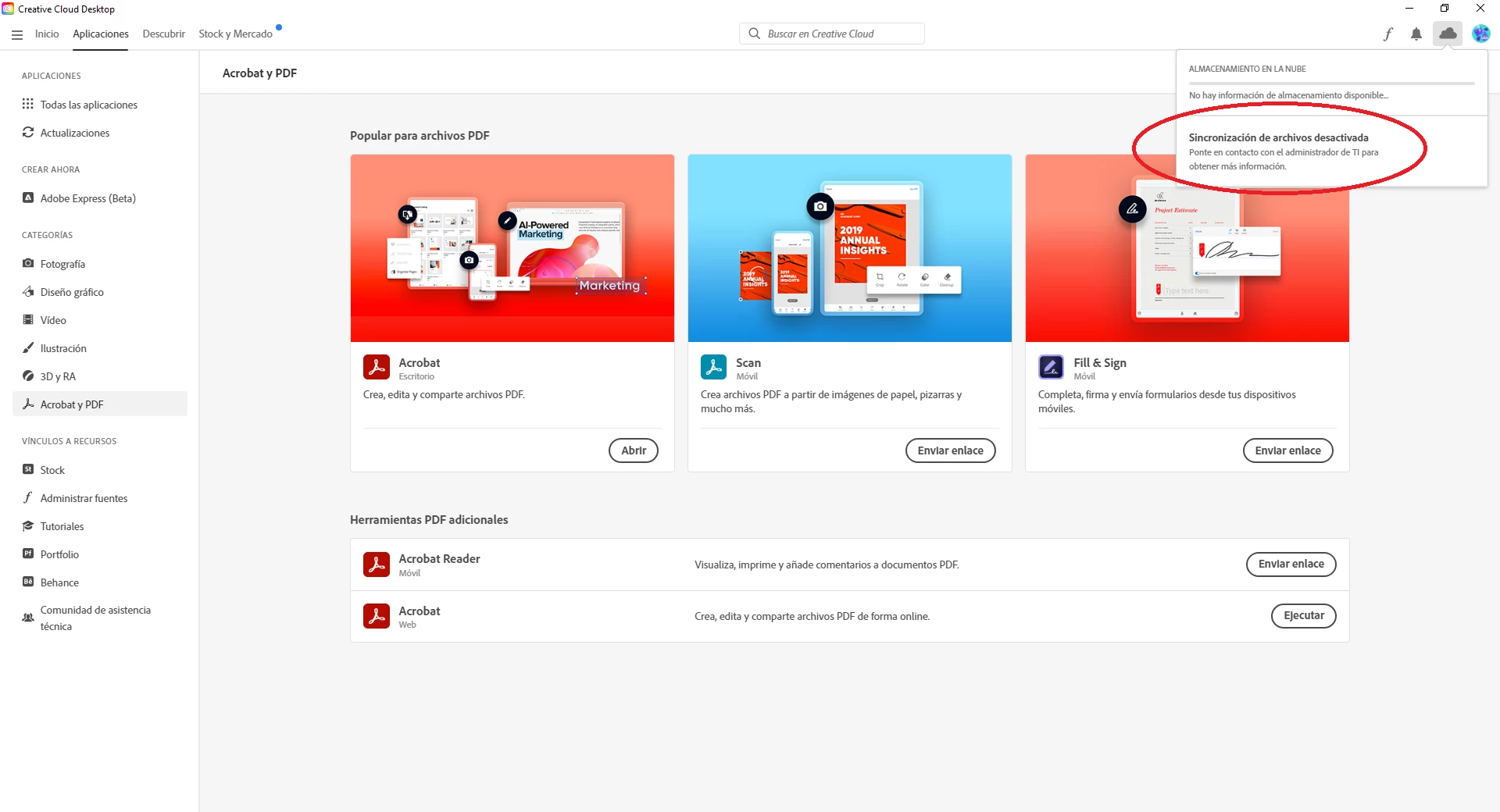
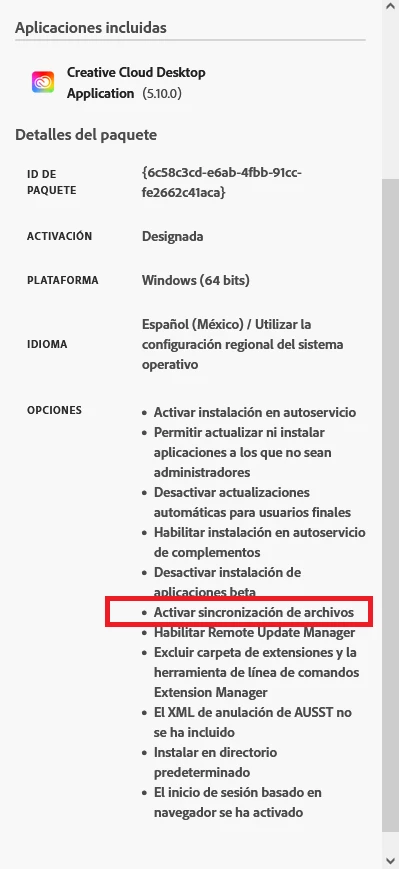
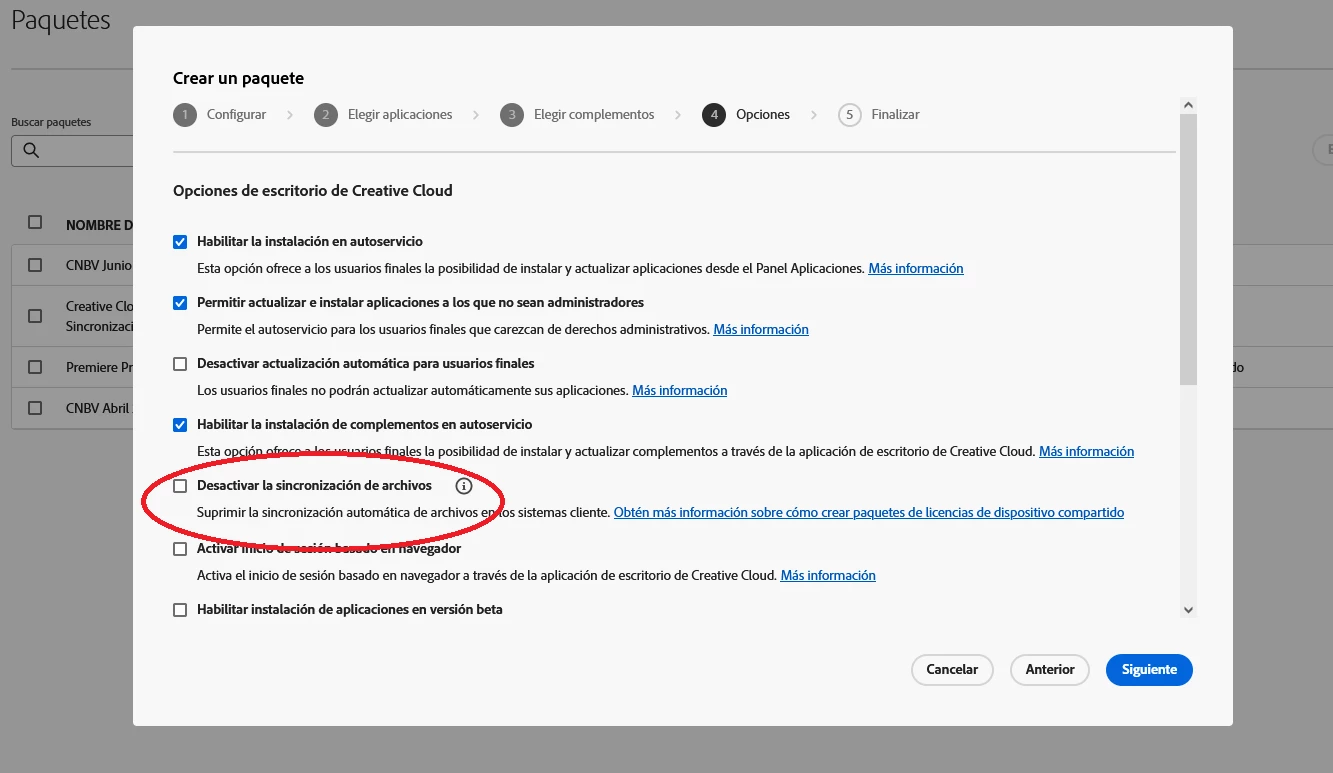
Buen día, al configurar mi paquete de Creative Cloud habilitando la sincronizacion de archivos e instalarlo en los equipos cliente aparece la leyenda "almacenamiento en la nube, sincronizacion de archivos desactivada, ponte en contacto con el administrador de TI" alguien sabe a que se debe este mensaje, ya intente crear el paquete creative cloud con todos los permisos posibles y ni asi se habilita la sincronizacion en la nube.
This topic has been closed for replies.
Correct answer SuJoshi

@Carlos Mdz You are entitled to use only Acrobat and the files are also getting uploaded in the Document Cloud portal, which means the services are working as expected. As per my understanding, the CCD shows the storage of the Creative Cloud license, which is not assigned to your account. 

For testing purpose, you can assign the Creative Cloud All Apps license under your account, sign out, and log in again to the desktop app, and you will be able to see the Creative Cloud storage. 

1 reply

Community Manager
June 22, 2023

@Carlos Mdz Kindly navigate to the "C:\Program Files (x86)\Common Files\Adobe\OOBE\Configs" location on the machine, open the "ServiceConfig.xml" file and check the value of the "FilesPanel".

Also, as I can check, you are entitled to use only Acrobat. Kindly try uploading the files from Acrobat to the cloud and confirm if you are getting any errors.

You can check the Acrobat cloud files under the "acrobat.adobe.com" website.

Participant
June 22, 2023

Hola @SuJoshi gracias por tu respuesta,  revisando el parametro FilesPanel este se encuentra como "False" eso es correcto?, y desde Adobe pro me permite guardar en la nube sin ningun problema pero no logro hablitar la sincronizacion. sabras a que se debe esto?

SuJoshiCommunity ManagerCorrect answer
Community Manager
June 22, 2023

@Carlos Mdz You are entitled to use only Acrobat and the files are also getting uploaded in the Document Cloud portal, which means the services are working as expected. As per my understanding, the CCD shows the storage of the Creative Cloud license, which is not assigned to your account. 

For testing purpose, you can assign the Creative Cloud All Apps license under your account, sign out, and log in again to the desktop app, and you will be able to see the Creative Cloud storage.