


Inspiring
October 29, 2025
Question

Some users suddenly unable to access firefly

  • October 29, 2025
  • 2 replies
  • 162 views

Hello,


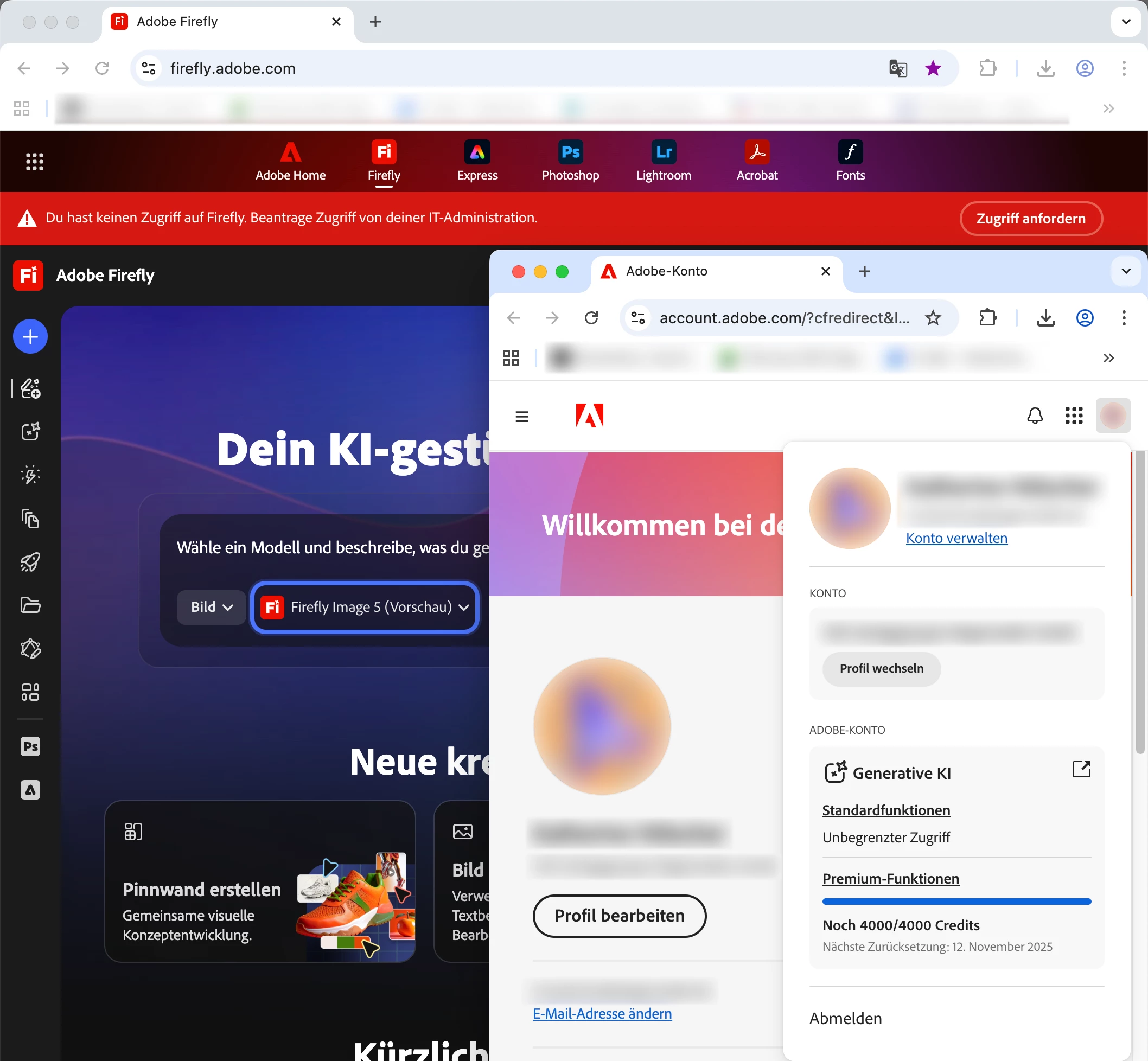
some of the users in our company are suddenly unable to access the firefly homepage, despite having more than enough generative credits. There is a red banner at the top of the page stating:

"You do not have access to Firefly. Request access from your IT administration."

I have attached a screenshot of the firefly page and the users account showing the credits.


Our admin had no idea how to fix this, what can we tell him to point him in the right direction?


2 replies

Flo_8580Author
Inspiring
October 29, 2025

Hello @Anshul_Nautiyal,


only a few users are affected in our company. Firefly still works on my account, so i can't test your solutions myself. I will forward your tips to our admin and see how it goes from there.


Thanks!

Community Manager
October 29, 2025

Hi @F Schmid,


Thanks for the update. Since Firefly is still working on your account, it does seem limited to a few affected users. Please go ahead and share the suggested steps with your admin, especially the part about removing and re-adding the affected users in the Admin Console before reassigning their licenses.

Once your admin has tried that, please let us know the outcome so we can help further if needed.

Regards,
^AN

Community Manager
October 29, 2025

Hi @F Schmid,

Thanks for reaching out. As checked, I can see that you have an active Teams contract associated with the Adobe ID used to post this query. Based on your description, it seems that some users in your organization are unable to access Firefly and are receiving the message, “You do not have access to Firefly. Request access from your IT administrator.” Please confirm if this is the issue you need assistance with.

Please try opening https://adobe.ly/432A6lJ
 in an incognito browser window and attempt to access the Firefly app from there. Additionally, try switching to a different network. Let us know if the issue persists after doing this.

If the problem continues, could you please confirm whether any users in your organization are able to access the app, or if all users are affected?

If only a few users are affected, please ask your admin to reassign licenses to those users from the Admin Console. They can do this by removing the affected users, waiting a few minutes, and then re-adding them before reassigning the licenses. You can follow the steps in this document: https://adobe.ly/4oHODeU

Awaiting your response. Please let us know if you need further assistance.

Regards,
^AN