

Terrible Acrobat Pro User Installation Experience
The process to get “Adobe Pro” installed on my computer was incredibly convoluted and illogical.
First, it’s the messaging. Second, it’s the lack of direction. I will provide the steps in the order presented. The goal is to get “Acrobat Pro” or Acrobat with full features.
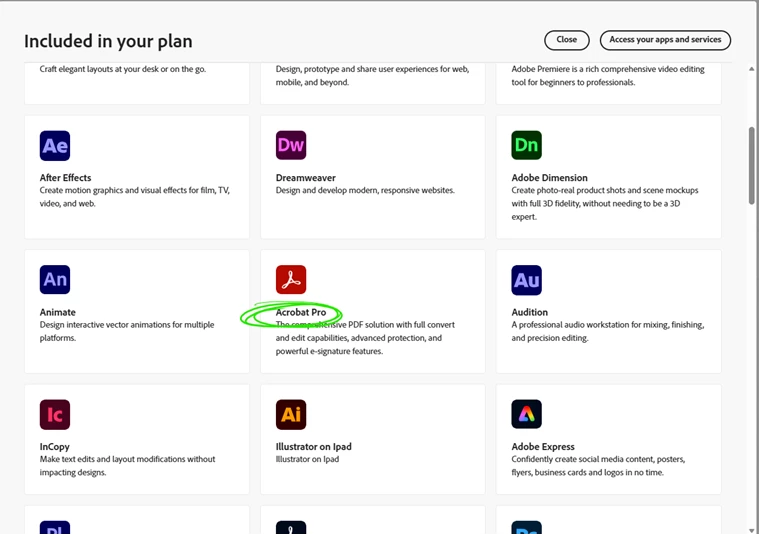
Step 1) See if the app is available to my subscription. Viewing “Included in your plan” I see “Acrobat Pro” as listed:
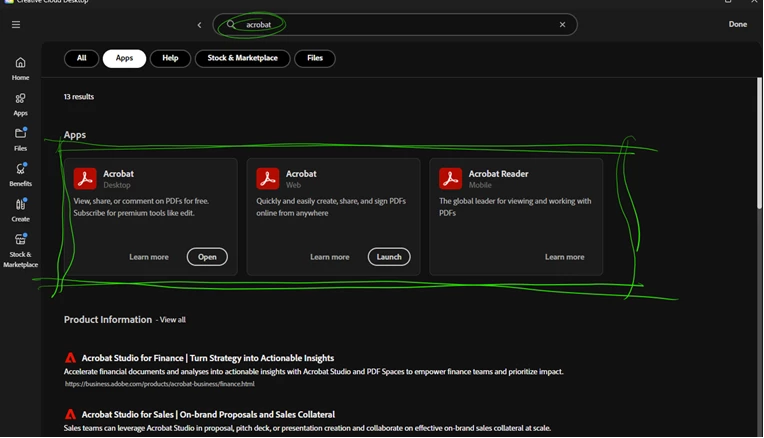
Step 2: Access your apps and services to download, since you can’t do it from the active page. Since there’s a lot of apps, I search “Acrobat” and there are 3 options available to me, none of which includes “Acrobat Pro”. Instead, there is “Acrobat Desktop” which has an “open” button that seemingly means it’s already installed on my computer, “Acrobat Web” and “Acrobat Reader” which is a limited featured version of the application, though it doesn’t show that I have it installed.
Step 3: Research. Why should I need to research why Acrobat Pro is listed as available to my subscription, then not available? Why do I need to research that Adobe rebranded “Acrobat Pro” simply as “Acrobat”? Why would “Acrobat Pro” still be referenced in “Included in your plan”?
Step 4: Now that I understand “Acrobat” should function as the full featured “Acrobat Pro”, I click “Open”. But what opens? “Acrobat Reader”. Why would Adobe say I have “Acrobat” installed and not “Acrobat Reader” as referenced in above image? At this point, I was minorly frustrated, but this has me exasperated.
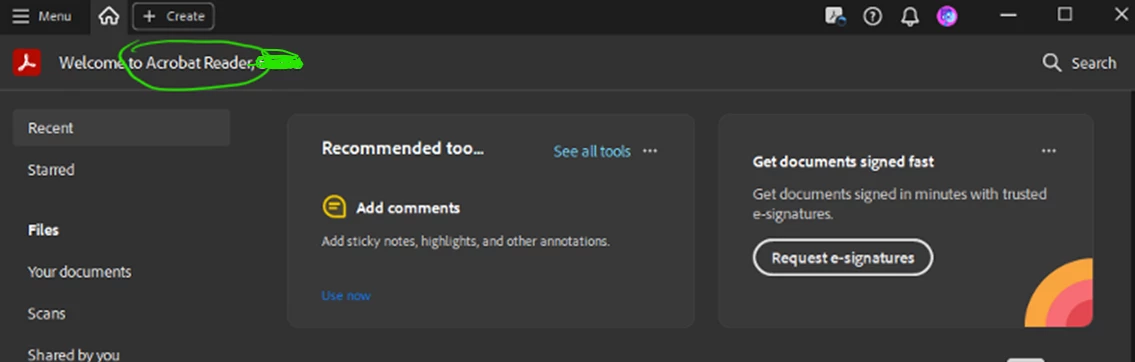
Step 5: I have absolutely no idea where “Acrobat” is installed on my computer. It appears that “Acrobat” is simply “Acrobat Reader” but I simply do not have the functionality that I need! Continue researching and Digging. This is confounding.
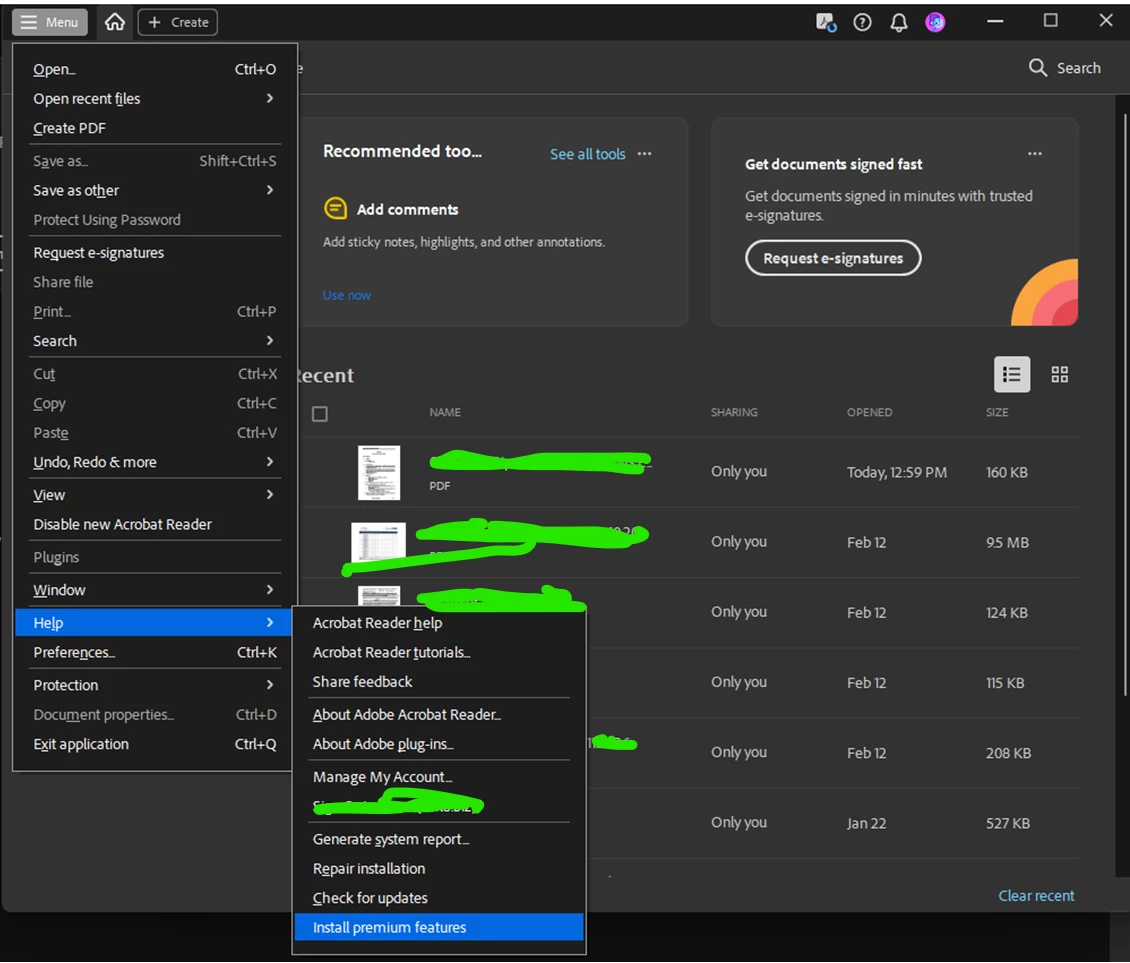
Step 6: Dig through all the options, looking for the functionality I need. I finally go to the “Menu” -> “Help” to see if I could search for the functionality and I see this: Install premium features. So after all that, and Adobe saying I have Acrobat installed, I actually don’t? I need to go through sub menus to find a “trigger” to activate the full featured version of the application?
This is the worst professional installation user experience I’ve encountered in recent memory, especially coming from a large, well-respected company that specializes in commercial/professional products. I explained this process to a colleague and said anyone else would have simply given up and not dug into it; use Bluebeam, use something else that works. This is not a good customer response Adobe should want to hear.
I was so confounded by this I felt the need to share it, so that this process can be as it should - much more transparent and streamlined for users in the future.


 AdChoices