


Claudisstar
Inspiring
May 9, 2020 7:42 PM UTC
Answered

There was a problem in InDesign Update
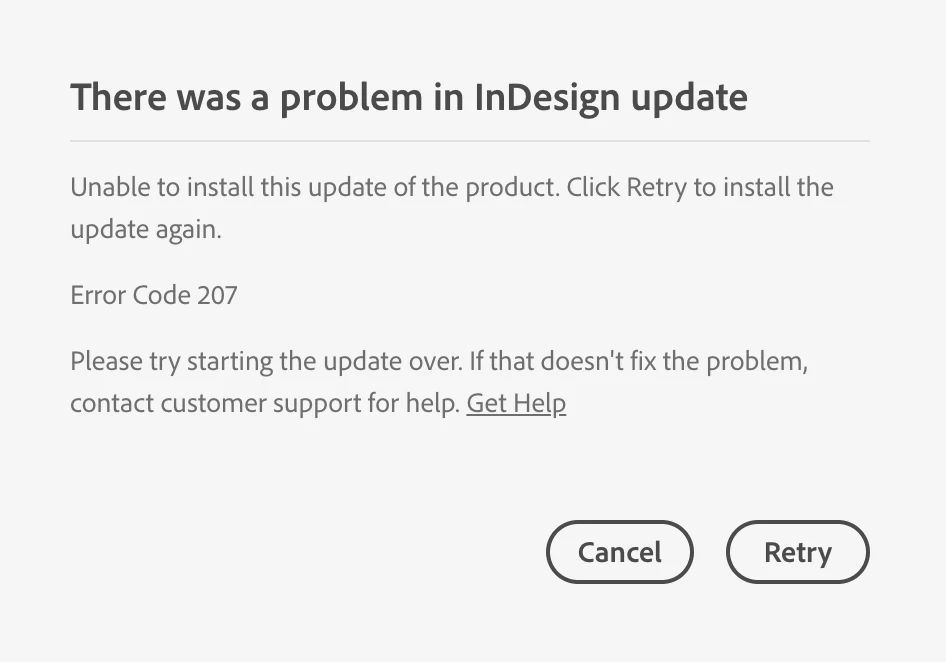
Did anybody get this Error-Message? What does it mean? How to solve it?

This topic is closed to new replies. Start a new post to keep the conversation going.
Claudisstar
ClaudisstarCorrect answer
Inspiring
May 18, 2020 9:16 AM UTC

Thank you, the problem is solved ... but it was connected with another problem, that I had some weird kind of country setting to "cn" and finally when Adobe workers changed that setting connected to my account also the other problems disappeared. So basically I assume the problem was with the internal setting from Adobe.


Thank you, it is solved. It was connected with another problem, the problem that my account had the country-code set to CN, this happened internal and had to be solved by adobe and was not possible to solve that from the outside.

5 replies

John T Smith
Community Expert
Community Expert
May 9, 2020 8:04 PM UTC

Codes 201 & 205 & 206 & 207 or several U43 errors
-https://helpx.adobe.com/creative-cloud/kb/download-update-errors.html

Translate
Claudisstar
Inspiring
May 11, 2020 9:23 AM UTC

Thank you. So Error Code 207 means: The download is corrupted. Click Cancel, wait a few minutes, and try again.
Signature of the downloaded file is invalid.

Today I tried to install again, and got Code 126. I did not see that code on the list?


Anyway by now I have the Message with InDesign, Dreamweaver and Illustrator ... a bit weird or?

Translate
Just Shoot Me
Legend
May 11, 2020 9:38 AM UTC

It is your internet connection or your computer, router, modem, ISP, something that is casusing the corruption.


Shut down your computer, restart it, restart/reboot all internet devices, Router Modem and the like.


Open the CC DTA and try doing the updates.

Translate