


Participant
Jul 25, 2024 5:27 AM UTC
Answered

To have option/parameter to disable Adobe Creative Desktop App automatic updates

It is difficult to manage the Creative Cloud Desktop Application uninstallation in enterprise environment for multiple versions. Hence we are looking for an available parameter/solution to disable the Automatic updates of CCDA so that we can install/update the CCDA application latest version in our environment on quarterly basis.

This topic is closed to new replies. Start a new post to keep the conversation going.
Kevin Stohlmeyer
Kevin StohlmeyerCorrect answer
Community Expert
Jul 25, 2024 2:04 PM UTC

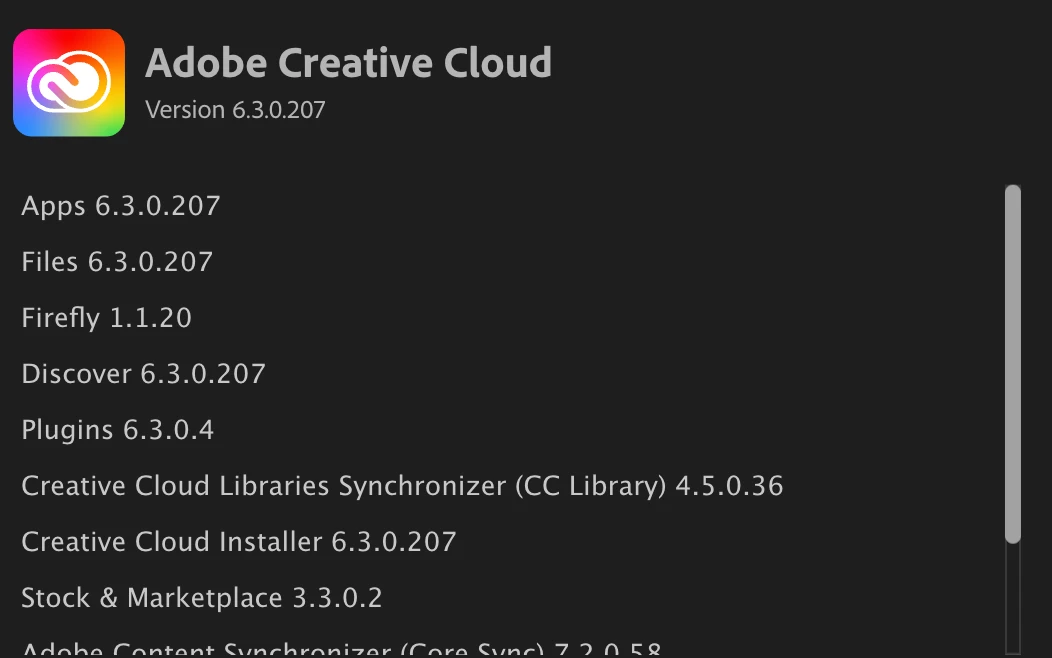
@Cherygan the CCDA is handled differently than other desktop apps - there is the main App itself which has a version number, but then also inside there are supported components that have versions as well.


If you were to disable the auto updates - services like sync or libraries could fail. Updating on a quarterly basis would cause users to experience errors when using these services.

2 replies

Kevin Stohlmeyer
Community Expert
Kevin StohlmeyerCommunity ExpertCorrect answer
Community Expert
Jul 25, 2024 2:04 PM UTC

@Cherygan the CCDA is handled differently than other desktop apps - there is the main App itself which has a version number, but then also inside there are supported components that have versions as well.


If you were to disable the auto updates - services like sync or libraries could fail. Updating on a quarterly basis would cause users to experience errors when using these services.

Translate
Community Manager
Jul 25, 2024 12:46 PM UTC

If you want to update the app, you can deploy a new package with only CCD. Uninstalling it is not required. All the updates of CCD are critical and mandatory and we do not recommend disabling the option.

Translate