


JoshTrevisiolWourke
Participant
October 31, 2018
Answered

Unable to activate freshly installed Adobe products.

  • October 31, 2018
  • 4 replies
  • 1410 views

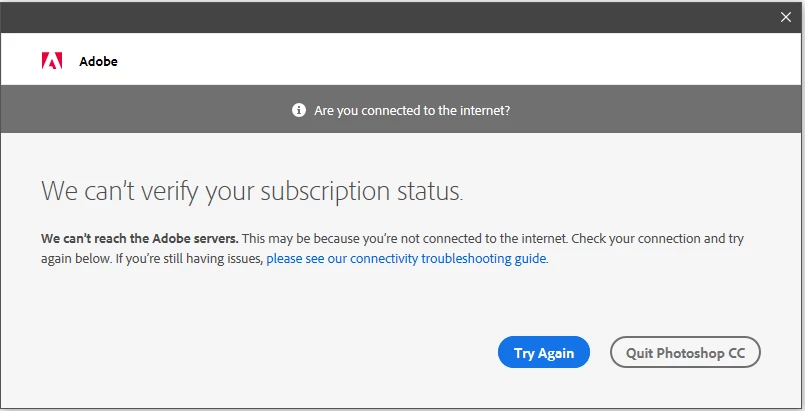
I allowed my Creative Cloud Adobe products to update this morning at work, and I am now unable to open any of my Adobe software as it fails to verify subscription status.

We have tested verification on both the work network, as well as on a hotspot network, which appears to confirm that the issue is not on our end.

Upon opening any adobe products I now receive this popup:
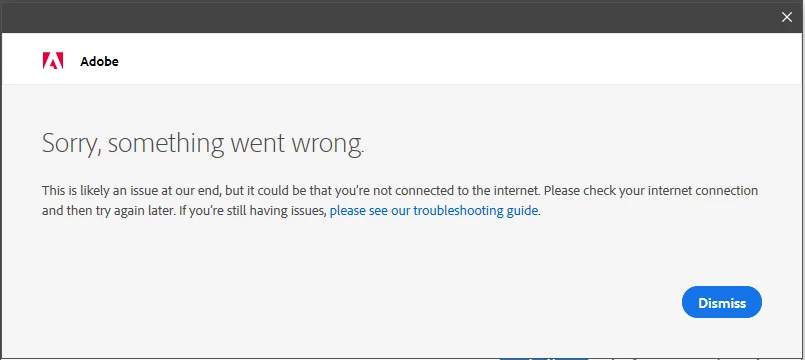
When I try again, I receive this:
My hopes are that this is due to a maintenance event, but that says that connections may be slow and does not mention activation issues.

I would like to find that this problem fixes itself soon, but if you have information that could help I'd appreciate it.

Thank you.

This topic has been closed for replies.
Correct answer Jeffrey_A_Wright

Moving this discussion to the Deployment for Creative Cloud for Team, Enterprise, & CS forum.

JoshTrevisiolWourke, I am showing that a successful activation request was sent today. Do you receive this error when opening both CC2019 and CC2018 applications?  What version of Windows are you using the Creative Cloud membership on?

4 replies

Participant
November 8, 2018

We were getting this exact same error with 2018 and 2019 all of a sudden. 2017 worked fine. Control Panel -> Network ->  Local Area Connection -> Properties -> Internet Protocol Version 4 -> Properties and using the custom DNS servers from Google 8.8.8.8 and 8.8.4.4 resolved the issue.

Jeffrey_A_Wright
Jeffrey_A_WrightCorrect answer
Legend
October 31, 2018

Moving this discussion to the Deployment for Creative Cloud for Team, Enterprise, & CS forum.

JoshTrevisiolWourke, I am showing that a successful activation request was sent today. Do you receive this error when opening both CC2019 and CC2018 applications?  What version of Windows are you using the Creative Cloud membership on?

JoshTrevisiolWourke
Participant
November 1, 2018

We're not sure why the error appeared on both the hotspot and the office internet, but it resolved itself soon after making my post.

I should clarify that it occurred across multiple machines that we tested on both the hotspot and the office internet. I only experienced this with cc2019 software, but as it is no longer occurring I can't test for cc2018. We're using Win10.

Thank you for taking some time to assist. I'll mark your post as answer as the error is no longer occurring.

Jeffrey_A_Wright
Legend
November 1, 2018

Ok, thanks for the update, JoshTrevisiolWourke.