


Question
Unable to install add-ons with Creative Cloud Enterprise
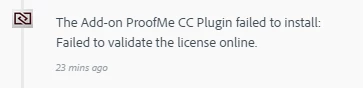
I have tried to install add-ons from the Adobe Add-ons library (creative.adobe.com/addons), but I receive this message in the Creative Cloud app every time:
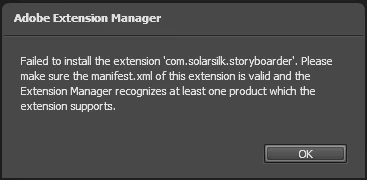
I have tried to install add-ons by downloading the ZXP file and installing through Adobe Extension Manager CC, but I receive this message every time:
Steps I have already tried:
- Signing out and signing back into CC app
- Enabling File Sync in CC app
- Updating all CC applications
- Adobe support rep cleared preferences files in C:\Users\AppData\Local\Adobe
- Restarting, and more restarting
So far Adobe support have been unable to fix the issue. Has anyone else encountered the same problem?
 AdChoices