Participant
May 10, 2018
Answered

Unable to install Adobe DC via SCCM 2012

  • May 10, 2018
  • 1 reply
  • 1758 views

Hi,

I am fairly new to packaging and I am unable to deploy Adobe DC via SCCM. I have created the package from our Adobe Portal (Sign in - Adobe ID)

Inside of this package is
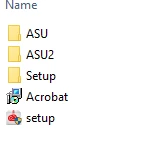
Then in setup is APRO18.0\Adobe Acrobat
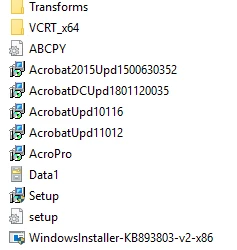
I am creating my mst file using the customisation wizard, and saving it in the area above. The command I am using to install is msiexec /i "AcroPro.msi" TRANSFORMS="myMSTfilename.mst" /q. This returns this error on the appenforce.log
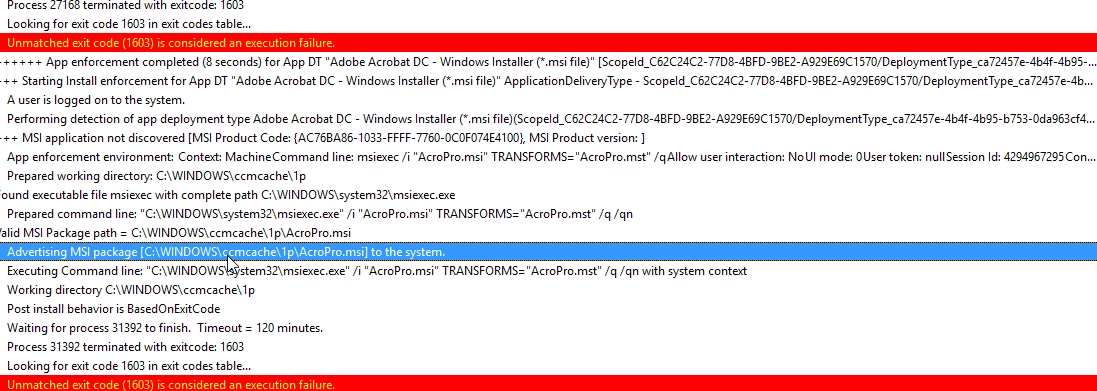
When trying to install from an elevated command prompt, this is the error.
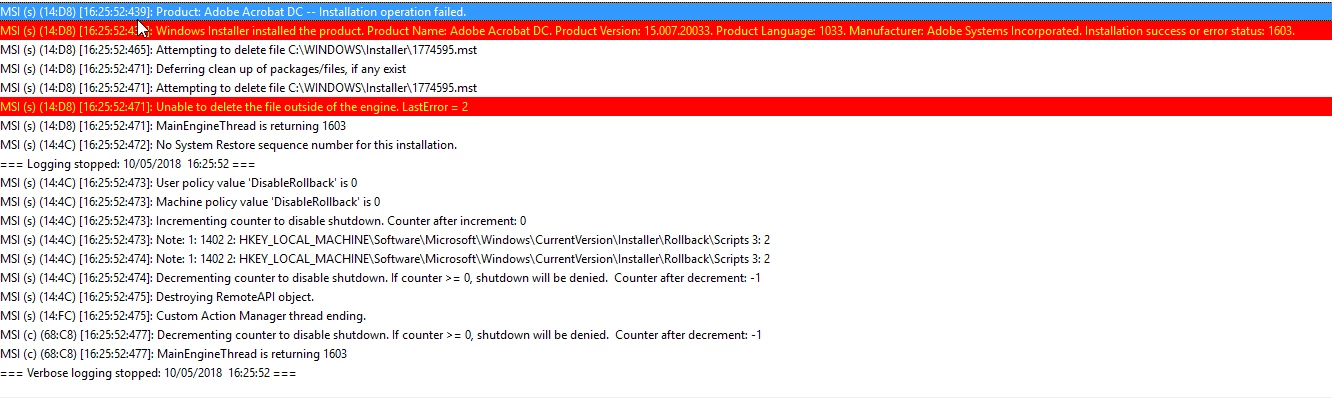
Any help would be appreciated.

Thanks

Mark

    This topic has been closed for replies.
    Correct answer alisterblack

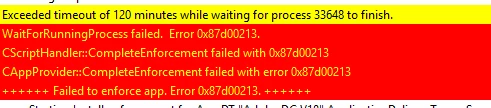
    I have now downloaded a new package and am now getting a different issue. The install stays on installing for 2 hours, the fails.


    Hi,

    I think it would be beneficial to have a call with support regarding this issue as we really need to see all the steps here.

    To contact support please use one of the following options.

    Creative Cloud for Enterprise - from the Admin Console go to the support tab to open a case. Phone and chat options are also available here.

    Creative Cloud for Teams - from the CCT Admin Console go to the Help tab for chat and phone options.

    Alternatively please go to  https://helpx.adobe.com/contact.html

    1 reply

    alisterblack
    Inspiring
    May 11, 2018

    Hi,

    You may find the following useful.

    Deploy Adobe packages with SCCM

    SCCM-SCUP — Enterprise Administration Guide

    You may want to run the exe rather than the Acrobat msi. The exe will deploy everything in your package including any MST transforms.

    Participant
    May 11, 2018

    This fails with exit code 7

    alisterblack
    Inspiring
    May 15, 2018

    Hi,

    What results do you get when trying the same thing manually on the machine?

    I see that you are including an MST transform - have you created one of these with the Customisation Wizard?