


Participant
August 3, 2020
Answered

Unable to Update Adobe Apps

  • August 3, 2020
  • 1 reply
  • 800 views

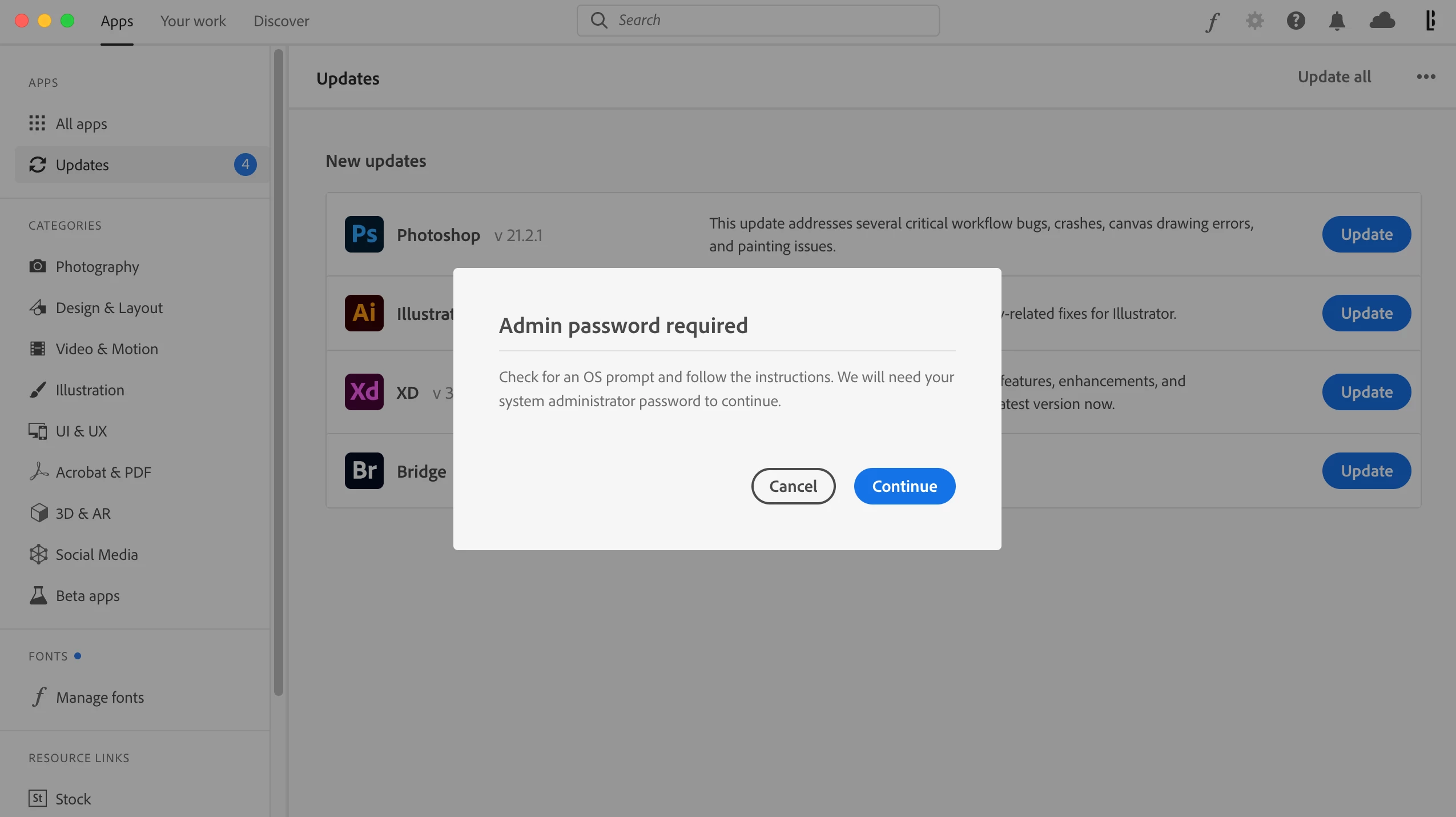
Recently I signed up for a year-long subscription to Adobe through my university. Beforehand, I had an account associated with my personal email and never had issues updating apps. Now that I am connected through a school email, Adobe is not allowing me to update apps because it requires a system administration password to continue. The dialog box says to "check for an OS prompt and follow the instructions" but no window shows up to enter a password after clicking Continue. How can I solve this issue without contacting my school's IT every time there is an app update?

 

This topic is closed to new replies. Start a new post to keep the conversation going.
Correct answer Bani Verma

Hi there, 

As you have mentioned you are being asked to enter the Administrator username & password, your universities Created Cloud Admin will be able to help you with this, please contact them https://helpx.adobe.com/in/enterprise/kb/contact-administrator.html.


1 reply

Bani Verma
Bani VermaCorrect answer
Legend
August 3, 2020

Hi there, 

As you have mentioned you are being asked to enter the Administrator username & password, your universities Created Cloud Admin will be able to help you with this, please contact them https://helpx.adobe.com/in/enterprise/kb/contact-administrator.html.