


nicholasb8096363
Participant
June 20, 2019
解決済み

Uninstaller all CC products silently with a CC Uninstall Package

  • June 20, 2019
  • 返信数 1.
  • 1718 ビュー

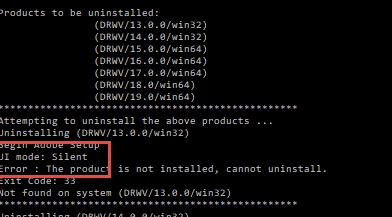
I created a package using the CC Packager that uninstalls all products on a computer if the .exe file is run. Is there any way to run this .exe file silently? I'd like it if there wasn't a command prompt style window that popped up and showed me the uninstall progress. Thanks!

このトピックへの返信は締め切られました。
解決に役立った回答 alisterblack

Hi,

Sorry, yes, I tested this and had the same findings as you. There is no silent parameter listed under the -help option either.

However it looks like the default mode is silent.

The alternative would be to use the original deployment msi and run /x /qn with it.

Command-Line Options - Windows applications | Microsoft Docs

返信数 1

alisterblack
Inspiring
June 21, 2019

Hi,

You can use the --silent parameter

Syntax

setup [--silent] [--ADOBEINSTALLDIR=] [--INSTALLLANGUAGE=]

Syntax example:

setup.exe --silent --ADOBEINSTALLDIR="C:\InstallDir" --INSTALLLANGUAGE=fr_CA

nicholasb8096363
Participant
June 24, 2019

Hi ALBLACK,

When I run this command, I'm getting two errors. The first is that the AdobeCCUninstaller must be run with elevated privileges, which doesn't make sense since I'm already running as an administrator. The second is that the option --silent is unrecognized. Here's what I have:

CC.exe --silent --ADOBEINSTALLDIR="C:\Program Files (x86)\Adobe" --INSTALLLANGUAGE=EN-us

AdobeCCUninstaller version is : 2.2.0.8

Unrecognized option : --silent

Starting the AdobeCCUninstaller...

Missing or Incorrect parameters.

Commandline Usage :

AdobeCCUninstaller [--uninstallConfigPath=<Path to config XML, default is 'AdobeCCUninstallerConfig.xml' in same directory as AdobeCCUninstaller executable>] [{-h, -help, --help}]

AdobeCCUninstaller must be launched with elevated privileges.

AdobeCCUninstaller exiting with Return Code (1)

Any tips? I don't feel like I'm doing anything wrong here.

alisterblack
alisterblack解決!
Inspiring
June 25, 2019

Hi,

Sorry, yes, I tested this and had the same findings as you. There is no silent parameter listed under the -help option either.

However it looks like the default mode is silent.

The alternative would be to use the original deployment msi and run /x /qn with it.

Command-Line Options - Windows applications | Microsoft Docs