


Update to 12.0.1 - AE & PP won't open
Hello,
We have a team of folks on macs, one is on high sierra and the others are on Sierra. We all upgraded to the newest release of 12.0.0 together. The person with high sierra is a brand new install with no third party plug-ins, everyone else is on Sierra. Three of us use animation composer for AE & film impact for PP. The animation team uses various plug-ins.
When we pushed the update to 12.0.1, none of us could open the program. Not the fresh install on high sierra and not the existing users on Sierra. This is the error message we get on both Sierra & High Sierra computers.
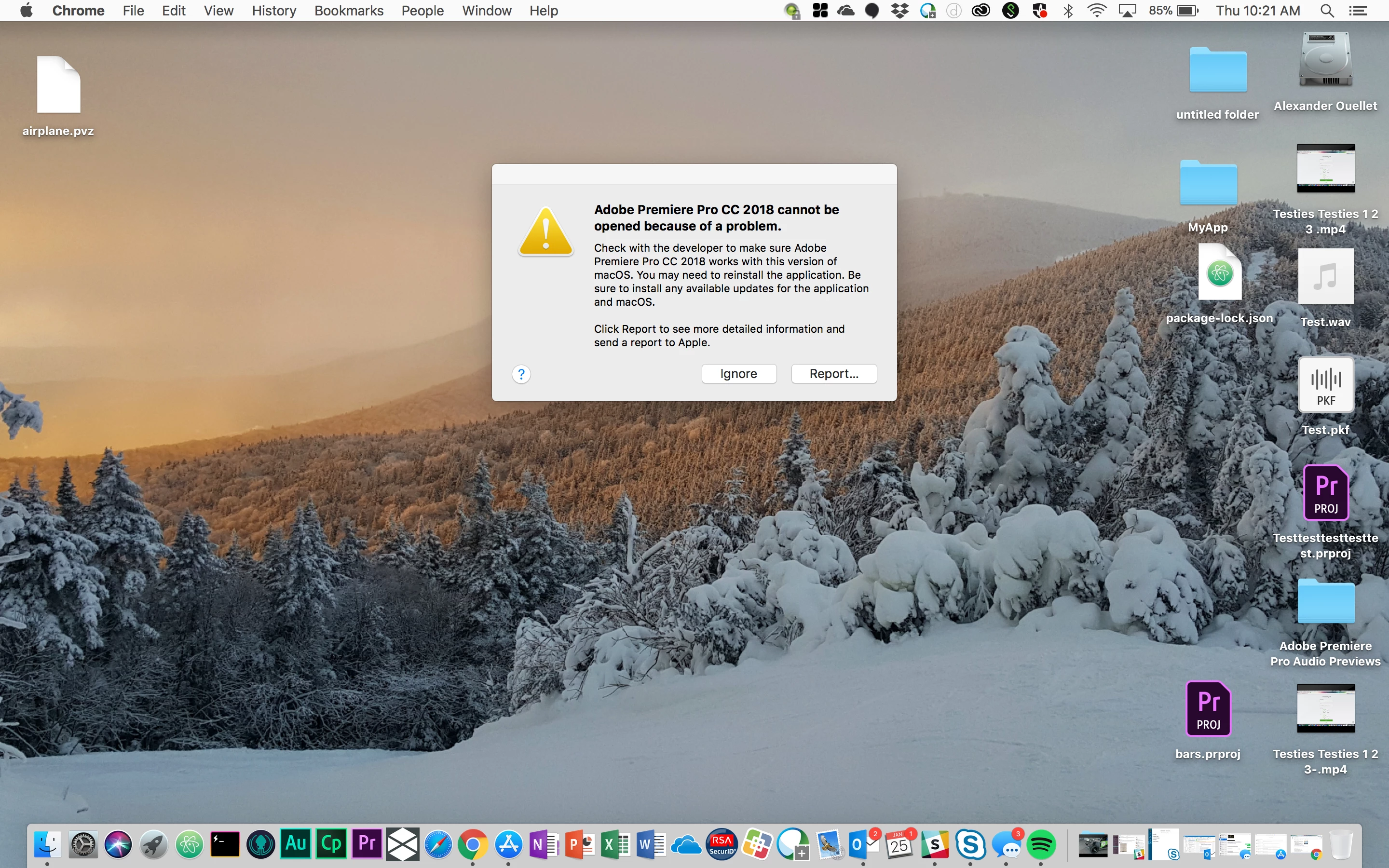
Since there's no rhyme or reason here, especially with one being a brand new clean install of high sierra, on a new to him macbook pro, and everyone else having the same issues with PP & AE, what the heck is happening? Twitter help told a colleague to:
For those of you who are having issues with the 12.0.1 update for Premiere, After Effects, etc this is what Adobe suggested as a solution to the problem:
Please try these steps on your co-worker’s machines. Close all Adobe applications in Activity Monitor.
• Double click on blank desktop screen first.
• Now on top left corner of the screen (near Apple Icon), click on Go > Go to Folder.
Location 1: In the box type ~/Library/Application Support.
Location 2: In the box type ~/Library/Preferences.
Location 3: Documents folder.
I'm concerned about renaming all of Application Support since it's more than just PP & AE we are changing. Plus - we are mid-project (80 videos are due in less than a month). I need some guidance from Adobe Technical Support. Thanks!

 AdChoices